Flying Friday: briefs

Recently I was on a work trip to the West Coast. While there, I had a customer meeting at the headquarters of a large utility company. I was a little surprised when the meeting began to see it open with our hostess saying “For this meeting, I’ll be the safety leader. In case of an earthquake, we’ll all duck under the table, cover, and hold. In case of fire…” She then went on to enumerate what we were all supposed to do in each of a variety of different emergencies: fire, active shooter, medical emergency, and so on. This was accompanied by her updating the small, permanently mounted whiteboard on the wall that listed who was responsible for handling each of these emergencies.

While it seemed really odd at the time, it fit in well with the many other safety posters we saw on the walls of this company’s HQ. They were clearly invested in improving their safety culture. Even though it might have seemed silly to brief what we were going to do in case of an earthquake (I’d already be under the table, crying like a toddler) or whatever, I could easily imagine these briefings taking place in every meeting in that building. Despite the inevitable eye-rolling, I believe that would help normalize safety, and safety planning, as an ordinary part of every activity at the company– which is exactly what they’re trying to do.

This same idea applies to general aviation. There are four times when briefings are a routine and normal part of our activities.

First, there’s getting a weather briefing, whether from a human or through a website or app. There’s a standardized flow and format for these briefings to make sure that all the needed information is communicated efficiently and concisely. FAR 91.103 requires pilots to obtain “all available information” concerning flights and that absolutely, positively includes weather information. Even if it weren’t legally required, as a simple matter of self-preservation, you’d be stupid not to get a thorough briefing and take the time to think through what you’ve been briefed on. The rate of change of the weather may be a surprise, but the fact of its change never should be.

Second, there’s the passenger briefing. The FAA private and commercial pilot practical test standards require the applicant to show how to give a passenger safety briefing. This can be elaborate, or it can be simple. For first-time fliers in my plane, I always thoroughly brief them on a few key points: how to open and latch the doors, how the seatbelts work, where the fire extinguisher is, and when I need them to be quiet. I also encourage them to ask questions about things they see, hear, feel, or smell, and to look outside and tell me if they see anything interesting (especially other airplanes). This is a low-key way to have them acting as extra eyes and ears.

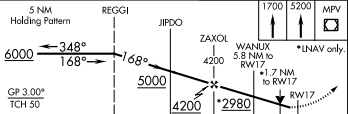
Third, there’s the IFR approach procedure. The advent of fancy GPS systems (and coupled autopilots, may their names be blessed) means that some pilots are tempted to let the box do the work. Complacency is how you get AA 965, which killed 159 people and spawned the semi-famous talk “Children of Magenta.” I always read the approach procedure out loud, whether I’m flying by myself or not. Verbalizing each of the waypoints, crossing altitudes, and course changes is a great way both to prime myself for the approach but also to cross-check what I see on the approach plate with what’s loaded into the GPS. For example, for the RNAV 17 into Montpelier, Vermont (shown below), I’d read it back as “Cross REGGI at 6000, turn 168, cross JIPDO at 5000, cross ZAXOL at 4200, above 2980 cross WANUX”.

RNAV 17 into KMPV

The little inset in the upper-right corner of the diagram above is the missed approach procedure. It has a separate textual description elsewhere on the approach plate, and I always read it out too. This is what I’d do if I got down to minimums on the approach above and found that I couldn’t see the runway– I’d fly the missed approach (a straight-ahead climb, followed by a climbing turn to the Montpelier VOR and a course hold there).

Going missed? Here’s how

There are other types of briefings that are common in other parts of the aviation world. For example, military preflight briefings include information about tactical stuff that doesn’t apply to me, and airlines often have maintenance handover briefings when a flight crew picks up a jet for their leg. For me, though, the four types above cover everything needed for a safe and efficient flight… except what to do in case of an earthquake, and I’ll try to figure out how to work that in later.

1 Comment

Filed under aviation

Training Tuesday: setting up swim intervals with your Garmin watch

A few months ago, I wrote a post about setting up run intervals on Garmin watches. This turned out to be a pretty popular topic, because it’s a very useful feature, the alternative being to write your intervals down on a piece of paper and use your watch or stopwatch to track them. Garmin Connect has a similar function for swim intervals, and I’ve recently started using it, but it has a few quirks you should know about to make most effective use of it.

Let’s build an example workout based on what my coach, Jon Fecik, gave me today:

  • 4×500 (15) as…
  • warm up choice
  • 50 stroke focus/50 swim…for stroke focus… continue to swim freestyle but focus on 1. more catch up and high elbow, 2.) extend back end of stroke, 3.) finger tips close like the finger tip drag drill, 4.) tight kick, 5.) drive hips
  • Paddle pull with buoy…moderate effort
  • swim easy cool down

This is pretty simple, which is good, as Garmin’s swim interval tools aren’t quite as powerful as the ones for managing run intervals.

Start by logging into Garmin Connect, then in the left navigation bar choose Training > Workouts. That will take you to the Workouts page, which looks like this:

Start with your workout list, which may look different from mine

At the top, click on the “Select a workout type…” pulldown, choose “Pool swim,” and click “Create a workout.” That will take you to the interval builder, which you may remember from my earlier post. By default, you get a workout with a warmup, a two-repeat interval, and a cool down:

You get a warmup, a cool-down, and a two-repeat interval for free

Before you do anything else, check the “Pool size” field on the right and make sure it’s correct. Trust me on this. You might also want to use the pencil icon at the top to edit your workout name, so you don’t end up with 10 “Pool workouts” in your list.

The controls for each item in the workout are pretty much self-explanatory: the “Duration” field lets you control whether the interval is based on time or distance, and the “Any stroke” pulldown lets you choose the stroke type if you want to specify one. Keep in mind that Garmin’s watches will try to automatically detect your stroke but they don’t always get it right if you swim like I do.

Super important note: if you’re doing drills as part of a set, set the “Any stroke” control to “Drill.” If you don’t do that, the watch won’t count your distance– for example, if you have a 200yd kick set, and thus aren’t moving your arms, the watch will sit patiently at “200 y remaining” forever because it doesn’t see you swimming.

Note the “Rest” control. This is important too. By default, every interval in the set will have a rest after it, of whatever duration you specify. However, the last interval in a repeat will always have a “rest until button press” added to it. Read on and I’ll show you why that is.

The “Equipment” field is important too, and it’s not present in the run interval builder. This is where you specify what pool toys you’re using for a given interval.

Armed with that knowledge (oh, and the knowledge that the “+” and “-” buttons in the repeat block will do what you expect), let’s build my workout. Start by setting the warmup and cool down distances to 500yds of any stroke… that’s easy enough.

The main set is a problem. Jon wanted me to swim 50/50 x 5, where the first 50 is a drill and the second 50 is a normal swim. Garmin doesn’t let you have more than one item in a repeat– all you get is one swim and one rest per repeat set. I don’t know why this restriction exists, as the run interval tool lets you add steps to a repeat, but whatever. So the best I can do is this:

Remember, only one swim step per interval

I’ll have to remember to split the 100 up so that the first 50 is focused on each of the items Jon asked me to focus on. Note that I set the rest duration to 15 seconds, as directed. The builder automatically inserted a rest step after the interval– notice that it even tells you “The last rest in this repeat block will be ignored by your device” in the workout builder.

Now I need a pull set, so I’ll click “Add a step” and set the step distance to 500yd and then use the “Equipment” link to specify paddles. Unfortunately, you can only specify one equipment item (kick board, paddles, pull buoy, fins, or snorkel) so it’s on you to remember if you need more than one item,.

There’s the pull set…

Then the cool down is easy– a distance of 500yd of any stroke.

The completed workout looks like this:

The full workout

Click “Save Workout” and boom, it’s saved and visible on my phone. A quick tap of the “Send to device” button and now it’s on my watch, ready to go.

Using the workout is a little more complex, but not really. On my Fenix3 HR, I just go to Training > My Workouts and pick the workout, then select “Do Workout”. Once you start the workout, the watch will track distance for each interval, giving you an on-screen countdown of distance remaining. It will buzz when you’re on the last lap of each step, so you know it’s about time to stop. Note that it doesn’t mark a step as done until you press the “lap” button– so, for example, when I’m swimming my 100s I have to press “lap” and then the 15-second rest period starts. When the rest period ends (whether that’s because you have a fixed rest or a fixed duration per step), the watch assumes you will start swimming again, so you don’t need to re-press “lap”.

Speaking of fixed time intervals– yes, you can do those. For non-swimmers: this is an EMOM-style interval where you’re supposed to swim a distance and then start at the same time. The faster you go, the more rest you get. For example, if my coach says “swim 100 every 2:15”, if it takes me 2:00 to swim the first 100, I get 15 seconds of rest. If the next one takes me 1:55, then I get 20 seconds. And so on. To set these up, set the rest period in the repeat to “Fixed repetition time.”

Timed repeats are the devil

That’s it– happy swimming! (Oh, in case you were wondering: no, I don’t know which specific Garmin devices support this– certainly the tri-focused Fenix3/5 and the 735/920/935xt do but I don’t know about any others).


3 Comments

Filed under General Stuff

My screen went gray: how to turn off Windows 10 color filter mode

I like to think I know my way around Windows after using it daily since Windows 3.1. Sometimes it still surprises me, though.

Today I was working on a blog post for the ENow blog (stay tuned, you’ll see it shortly). I went to copy a quote from a press release and, suddenly, this is what I saw:

Grayscale Windows screen

Where’d my color go?

I couldn’t figure out what the hell had happened, but my screen was suddenly gray. It was at the correct resolution, and everything looked the same except it was gray. At first I thought I’d mistakenly turned on high contrast mode (which you do with left Alt+left Shift+PrtSc) but nope.

A little digging led me to the dialog shown in the image above. Apparently Windows has a “color filter” mode that, when invoked, makes it easier to see certain colors. It’s intended for people with color-vision deficiencies. For ease of use, Microsoft tied it to a key combination: the Windows key + Ctrl + C. I must have accidentally bumped the Windows key while copying my quote.

Now you know.

120 Comments

Filed under General Tech Stuff

Clearing the Windows 10 external monitor cache

I bought a Surface Book on day 1 of its availability, 2 years ago this month. It’s been an excellent machine. I almost never use it with the clipboard undocked so I’m not sure I’d buy another one, but it’s been good.

Recently, though, it has developed a displeasing habit of failing to recognize external monitors. For example, last week when I was at Ignite, I had to borrow Richard’s laptop to do my product demos because mine wouldn’t talk to the monitor we had available. When I got back from Ignite, it was worse– I couldn’t use an external monitor either through the Surface Dock or the built-in DisplayPort. It didn’t matter what monitor or adapter I used, either. The only way I could make an external display light up was to undock the clipboard and plug the dock connector into it.

I tried a large variety of things to fix it, including updating the firmware on the Surface Dock, reverting to an older preview build of Windows, sacrificing a chicken, and loud cursing. Nothing.

Then I posted on Reddit. Within an hour or so, a user posted a link to this thread, and I found the magic solution. I unplugged the dock, deleted HKLM\System\CurrentControlSet\Control\GraphicsDrivers\Connectivity and HKLM\System\CurrentControlSet\Control\GraphicsDrivers\Configuration, plugged the dock  back in, and boom! The external monitor now works normally.

My theory is that a bug in Windows 10 and/or the Surface dGPU driver and/or Windows Insider upgrades caused the problem. I’m not really interested in figuring out the root cause now that I know how to fix it.

Hopefully this will help future generations who may have this same issue…

3 Comments

Filed under General Tech Stuff

Office 365 Exposed, episode 9

I just got back from Microsoft Ignite, where I stayed locked in a restaurant with customers for almost the entire time. Thankfully, I was able to escape long enough to sit down with Tony Redmond and Microsoft’s Christophe Fiessinger to talk about Office 365, Groups, Ignite, and a bunch of other stuff… in front of a live studio audience. That means that, when you hear people laughing, it’s not scripted for once. Enjoy!

1 Comment

Filed under Podcasts

Removing Exchange Online calendar events when the meeting organizer leaves

“Hey, look! A new Office 365 feature!”

I get to say this a lot given how often Microsoft drops new features into various parts of the service. Sometimes they announce these features in advance, and sometimes they don’t. Sometimes these features are large, and sometimes they’re small.. but even the small ones are often surprisingly valuable.

Today’s example: the new Remove-CalendarEvents cmdlet, which solves the issue of what to do with recurring meetings when a user leaves or is on extended leave. Here’s what the documentation says:

This cmdlet cancels meetings in the specified mailbox where the mailbox is the meeting organizer, and the meeting has one or more attendees or resources. It doesn’t cancel appointments or meetings without attendees or resources.

This is perfect for handling the case when someone leaves an organization and leaves behind recurring meetings, but it’s also useful for cleaning up calendar items for people who are on parental leave, medical leave, or other types of absence with a defined start and end time.

You can cancel all meetings with the -CancelOrganizedMeetings switch, or you can specify a date range with switches to specify the start date and the number of days or the end date to cancel. Keep in mind that if you don’t include -CancelOrganizedMeetings, nothing will happen when you run the cmdlet– if you want to see what it would do, you can use -PreviewOnly. I am not sure why the team didn’t use the standard -WhatIf switch, but that’s a minor point.

The cmdlet is very easy to use. I wanted to cancel all future meetings organized by a user who’s left my tenant, so this is what I did:

A single cmdlet will remove all of the target user’s meetings

Note what happened on the first try– I didn’t specify any switches, and the cmdlet warned me that it wouldn’t do anything… and indeed, it didn’t. The second attempt did exactly what it was supposed to:

Poof! no more meeting

I was delighted to see this result– it’s proof that Microsoft is paying attention to the small sharp edges that sometimes annoy administrators disproportionately. Hats off to the calendaring team (hi, Julia!) and thanks for listening.

6 Comments

Filed under UC&C

Office 365 Exposed, episode 08

Back by popular demand: Office 365 Exposed! In this episode, Tony and I recap the (excellent) Office 365 Engage conference, discuss some various change management “issues” (I use the term politely; “problems” would be more accurate) with Office 365, touch on the recent horrifying data breach in the reporting portal, and opine on what to expect at Microsoft Ignite coming up next month.

Listener note: Tony and I will be recording an episode at the Ignite Podcast Center– if you have questions or topics you’d like to see us address, let us know!

Leave a comment

Filed under Podcasts

Windows Outlook Focused Inbox requires modern authentication

I make heavy use of Windows Outlook, especially its feature that allows you to have multiple Office 365 accounts set up in a single client. My ENow work account showed the Focused Inbox feature, but my personal robichaux.net account and the account from the free tenant Microsoft gives MVPs did not, and I couldn’t figure out why– the feature was turned on in the tenants, and I could see it working in Mac Outlook and Outlook for iOS.

Microsoft’s Rob Whaley pointed me in the right direction. It turns out that you must enable Modern Authentication for Exchange Online in order for this feature to work in Windows Outlook. I had it turned on for the ENow tenant, but not for the other two tenants. As soon as I turned it on with Set-OrganizationConfig -OAuth2ClientProfileEnabled $true, and relaunched Outlook, I saw the Focused tab pop up in those two accounts.

The technical reason behind this is only interesting to Exchange admins, but in case you were wondering: the Outlook REST API that Windows Outlook uses to access the Focused Inbox requires the use of Modern Authentication. No modern auth, no REST API, and therefore no Focused tab.

Leave a comment

Filed under UC&C

Flying Friday: how’d that dead bird get there?

Today I was listening to LiveATC, as is my habit, when I heard a Delta flight call in that they’d hit a bird. This isn’t uncommon. The FAA spends a lot of time and effort trying to keep airplanes from hitting birds. However, birds being birds, they don’t cooperate very well.

While it might seem ridiculous that a small bird can damage a large turbojet aircraft. not every collision is so mismatched. If you get a goose in your #1 engine, or a duck through your windshield, you’re going to have a bad day. The Delta flight didn’t have any damage so they went on their way, and the airport dispatched a truck to remove the carcass. Meanwhile, they warned other incoming aircraft. Why? Because any foreign object (including a dead bird) on the runway poses a hazard. Foreign object damage (or FOD) is what caused the 2000 crash of a departing Concorde in Paris, killing 113 people. More commonly, small pieces of FOD can be sucked into air intakes, pop tires, or cause other sorts of mischief.

Happily, the airport truck removed the bird carcass (it was a small hawk) and along the way, rescued a turtle who had blundered onto a taxiway. Score! The Delta flight landed safely, normal traffic was restored, and all was once again well at Huntsville International.

One thing I learned: the Airman’s Information Manual (AIM) specifies that pilots should file an FAA Form 5200-7 to report any wildlife strike. They gather this data in a database, which offers hours of fun if you want to e.g. see how many times airplanes have hit alligators in Florida or raccoons in Missouri. I knew about the database, but not the reporting recommendation. The more you know…

Leave a comment

Filed under aviation

Visiting Iceland, day 2: the Golden Circle

Whatever else you can say about Iceland, there is this: they are brilliant marketers.

Slogans such as “the land of fire and ice” and “Icelandic Lamb: Roaming Free Since 874” do a great job of stimulating demand. So it is with “The Golden Circle,” a tourist route that encompasses three major attractions north of Reykjavik. I drove it. Here’s my report… but first, a digression.

Because I was in Iceland for such a short time, I had to be very picky about what to do. There are zillions of guided tours to various attractions, but all of them have high latency: you have to wait, board a bus, wait some more, and generally spend a lot of time buffering instead of doing stuff. Even though I would have loved to see a glacier, or visit a lava cave, etc etc, I had to find something to do that I could shoehorn in between about 7am and 33opm or so– at that time, I’d need to be at KEF getting ready for my return flight. I also wanted to find something affordable. Some attractions, such as Inside the Volcano, can be $400 or more, and I didn’t want to pay that much if I could help it.

My original plan was to rent a small plane at the Reykjavik airport (which was right near my Airbnb), fly up to Akureyri, and see the sights up north. Unfortunately, this plan had two major problems. First was the weather. The bigger one was cost: the airplane was $275/hour, plus I’d need at least one hour with an instructor (another $75), so it would have been $350 or more just to get checked out– then another 4 hours or so of flight time to get to/from Akureyri. Hard pass on that one.

Plan B was to do a bus tour of some kind, but there were none that would fit into the time I had available. That’s when I decided (as mentioned in day 1’s writeup) to rent a car instead. I figured that would give me maximum flexibility and make it easy to ensure that I was at the airport on time. Saturday morning, I got up about 7am, took a quick shower, and finished the last little bit of packing– I had packed about 90% of my stuff Friday before leaving for the race. With the bags in my car, I stopped at the corner bakery and had what was labeled as a cheese pastry. Imagine a pastry filled with scrambled egg and bacon bits, with some cheese.. but served at room temperature. Didn’t expect that. It was still pretty decent.

So, back to the Golden Circle. The three attractions on the circle are Thingvelli( (site of the first-ever democratic parliament), Geysir (from which we get the English word “geyser”), and Gullfoss, a giant waterfall. (Check the links if you want to learn waaaaay more about any of them.) I didn’t want to take the time to tour Thingvellir and see all the historical stuff there, so I modified my route slightly. Here’s more or less what I ended up with. Because I had to go back to Keflavik, I decided to take the longer southern route, along the coast, instead of heading back to Reykjavik directly. This meant I didn’t have time to go to Hafnarfjörður, where I’d hoped to hike Helgafell, but I decided the tradeoff was worth it.

My Golden Circle route

North from Reykjavik

After breakfast, I cracked open my diet Coke, put the new 311 album on repeat, and set out on the route using the free Maps.me app. It is a battery hog, and it has an annoying bug where it permanently lowers your audio volume when it gives directions, but it allows you to download maps and keep them locally cached so you get navigation even when there’s no cell service. Heading north, the first thing I noticed is the mountains to the west. The second thing I noticed was that the road is a very narrow ribbon of asphalt, with no shoulders or guardrails and a fairly steady flow of traffic. Every so often, there would be a spot to pull over for photos, which is fortunate, because you absolutely can’t pull over to the side of the road.

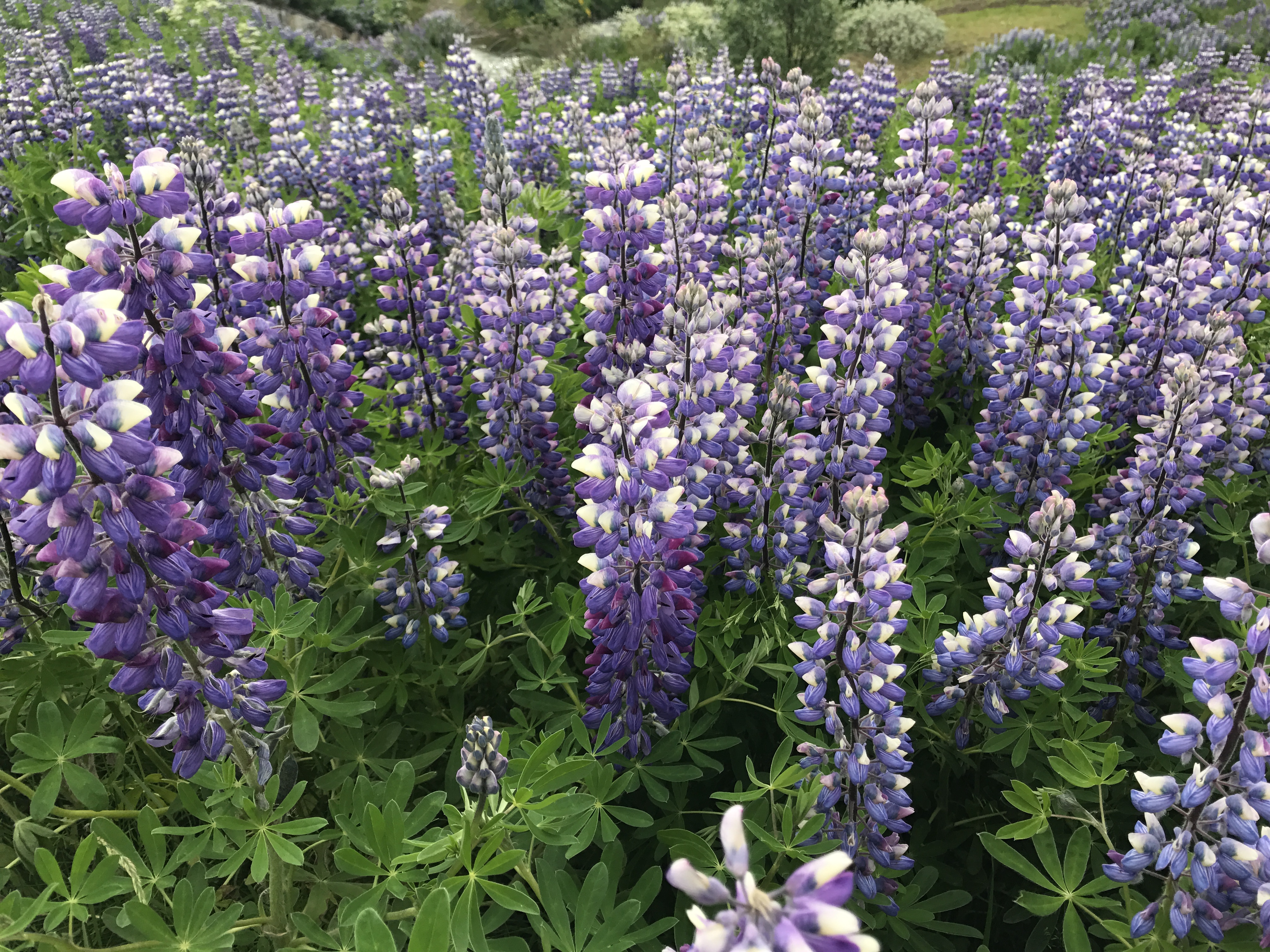
These purple flowers are ubiquitous along the roads in the southern lowlands

One of the many facets of the Icelandic landscape

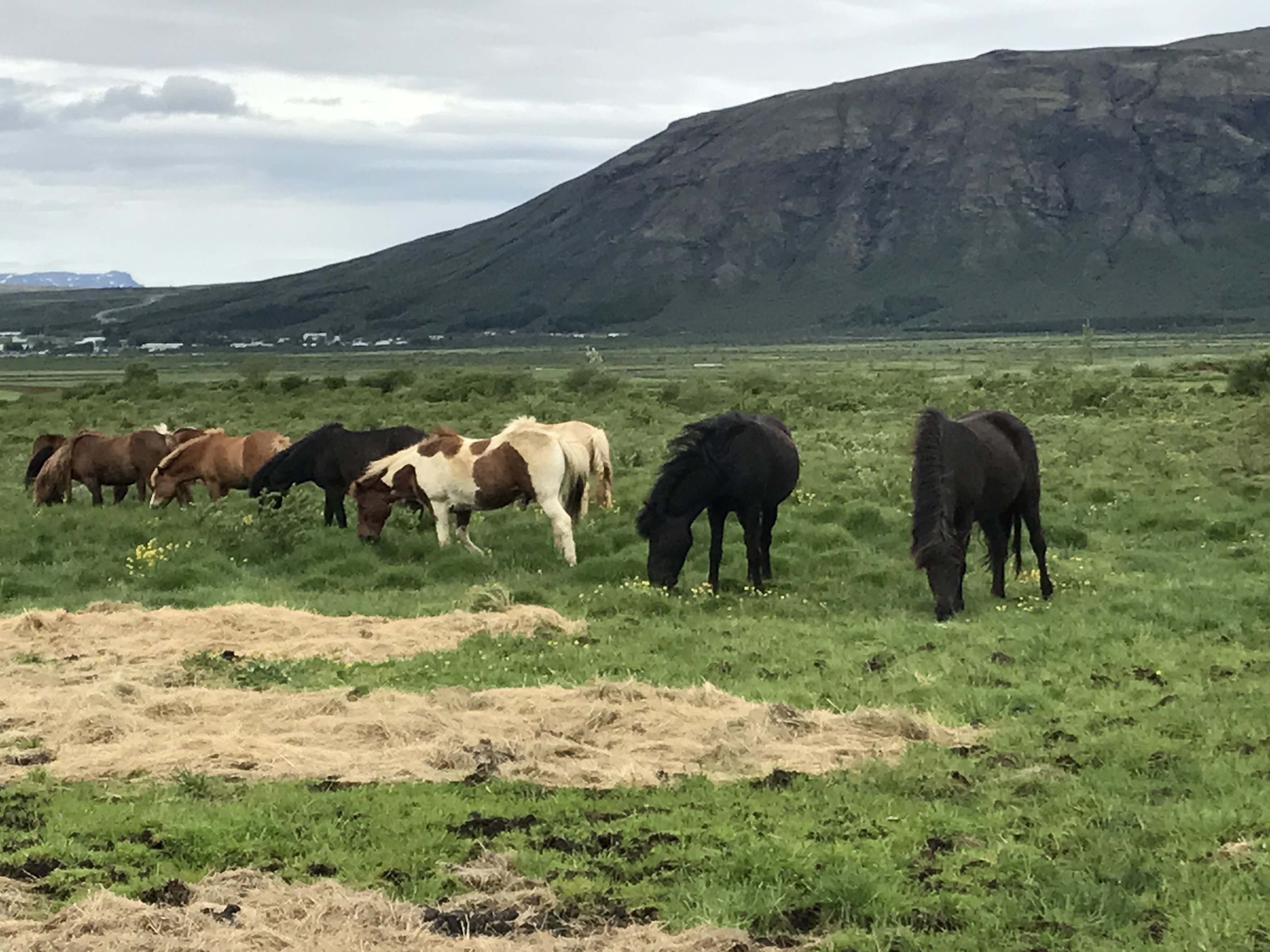
The route is surprisingly green, green enough to support grazing animals. Along the route, the horses I saw were all fenced in– horse farms in Iceland look quite a bit different from their Kentucky counterparts though.

These ponies were just chilling by the side of the road.

Sheep are essentially free-range animals here, and they will get quite close to the road in some cases. Interestingly, many sheep have a brand spray-painted on their wool in fluorescent paint! I imagine there must be some way for Snorri to tell Bjorn that some of his sheep have wandered next door.

Free-range sheep

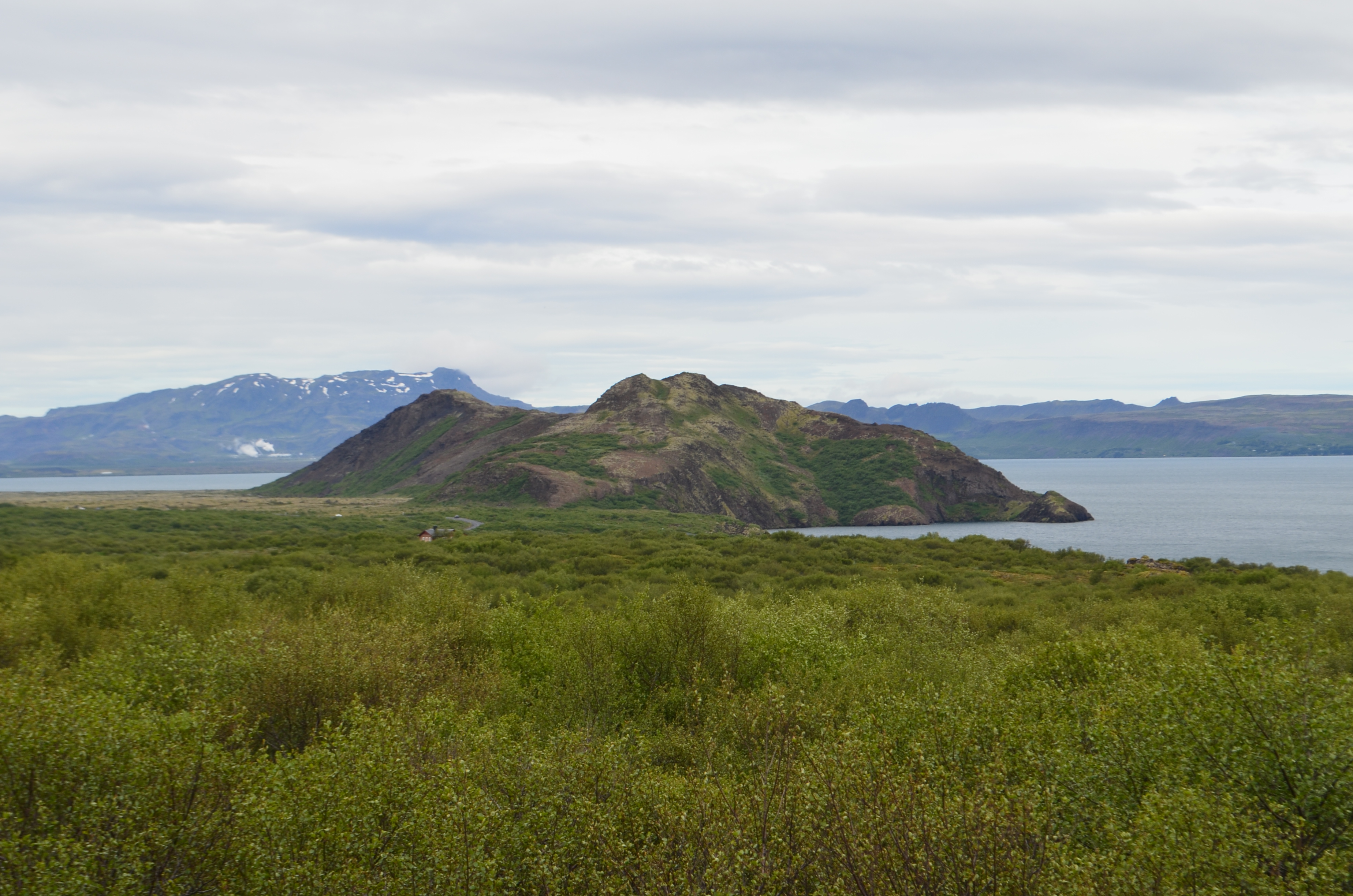
There’s an amazing variety of landscape to see along this part of the route; the road gradually climbs as you head north, then once you’re south of Thingvellir it descends.

The narrow road has no shoulders. Notice the low mist off to the west.

This one is worth clicking to see it at full size.

I loved the colors on this hill.

Not shown are all the other vehicles on road– everything from small cars (probably rented, as mine was) to 4x4s to large passenger vans to tour buses. I would imagine that almost all of the traffic was composed of tourists. There wasn’t a lot of traffic by US standards, but there was a fairly steady volume.

Geysir

When I arrived at Geysir, the only way I knew I was there was because there’s a gift shop/gas station complex on the right-hand side of the road. There’s not a lot of signage to indicate that you’re there. Oh, the cluster of tour buses was a good hint as well. The site at Geysir actually contains two geysers: Strokkur (live webcam here) and Geysir itself. They are a few hundred yards apart, and there’s a gravel path you take to walk from one to the other. Strokkur erupts pretty regularly; I saw it twice while I was there. Geysir, alas, does not. It used to, but apparently some bright stars decided they could make it more regular and, in the process, basically broke it. Because I was pressed for time, I didn’t stick around. However, I did rep the Cycle Club colors:

Cycle Club visits a geyser

This picture doesn’t capture the strong wind, nor the unique smell– just a bit of sulfur, plus some heat. You can see steam coming off the pool behind me, as it was from other places on the ground. The eruptions themselves were interesting but not as dramatic as I’d expected. Overall this was an interesting stop but I’m not sure I’d go again. (I did buy a diet coke at the gas station there, so there’s that.)

Gullfoss

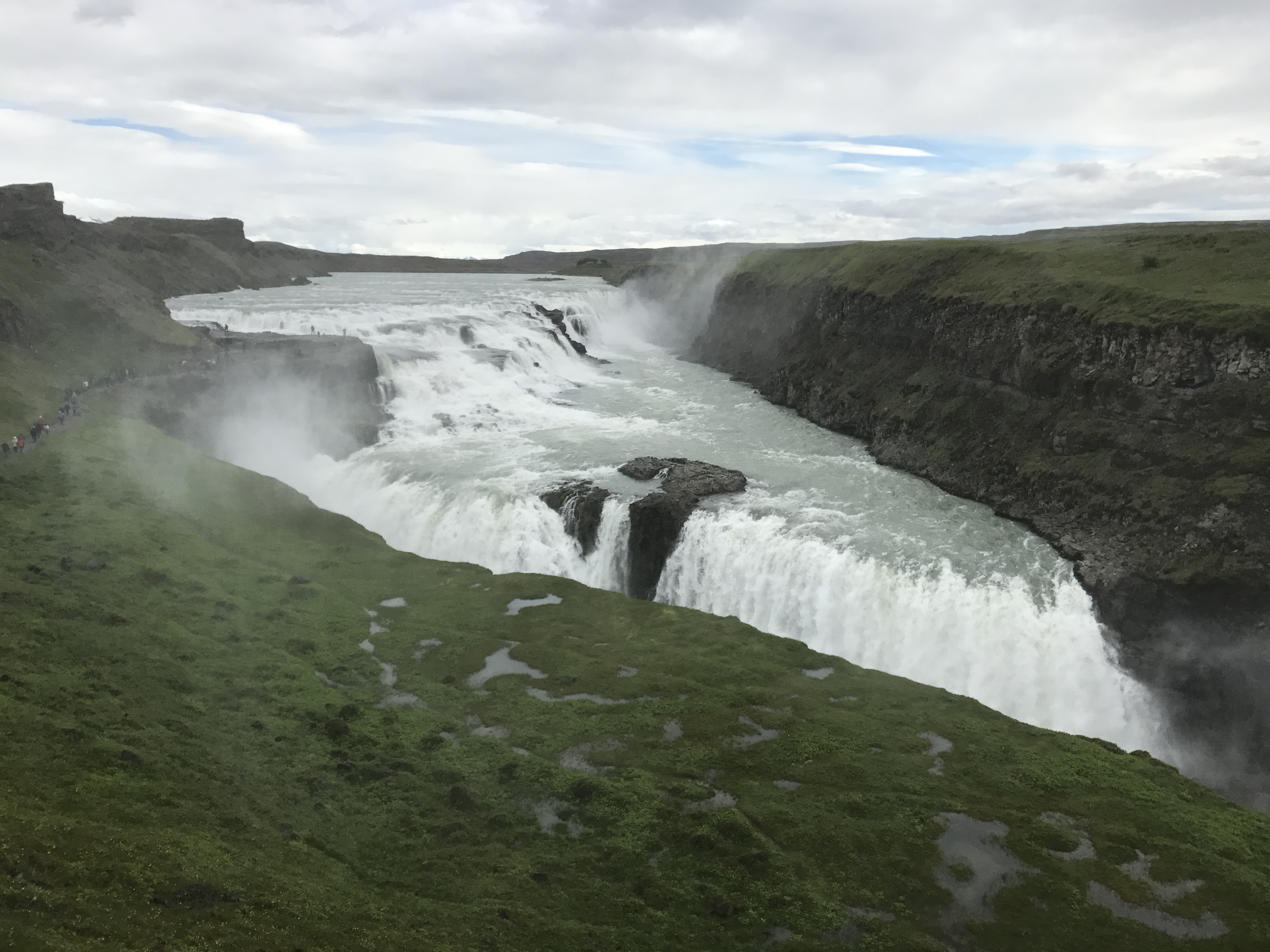
Gullfoss is billed as one of the world’s wildest waterfalls, and it lives up to that billing. It’s not a long drive from Geysir; there’s good signage and a cluster of buildings (including a small hotel and a restaurant/gift shop) to show that you’re in the right spot. In case you’re in doubt, as soon as you dismount your vehicle you’ll hear the falls rumbling. I needed to offload some diet Coke, so I made a beeline for the “bathroom” sign only to be confronted with this:

The only pay-to-pee location I found on my trip

I’m not sure which amused me more: having to pay ISK 200 to use the bathroom or having the credit card machines (which worked with Apple Pay) there. Iceland really is a nearly cashless society. Anyway,with that stop made, I walked around the back of the compound towards the falls. There’s a nice-sized observation terrace with a path leading towards five or six flights of steps that descend towards the middle of the falls. At that level, you’re more or less level with the midpoint of the falls, and this is what you’ll see:

Gullfoss level 1

You can’t see it from this picture, but behind me is a rocky trail that leads up to a plateau that’s roughly level with the big part of the falls.

Gullfoss level 2

The falls themselves are wild and noisy. There’s a large spray curtain whipped off the edge of the falls, so between the noise, the wind, and the spray, you get the full Gullfoss experience. I loved it; it reminded me of visiting Snoqualmie Falls with Julie and Tim on a windy day a few years ago.

Love the spray curtain rising from the falls!

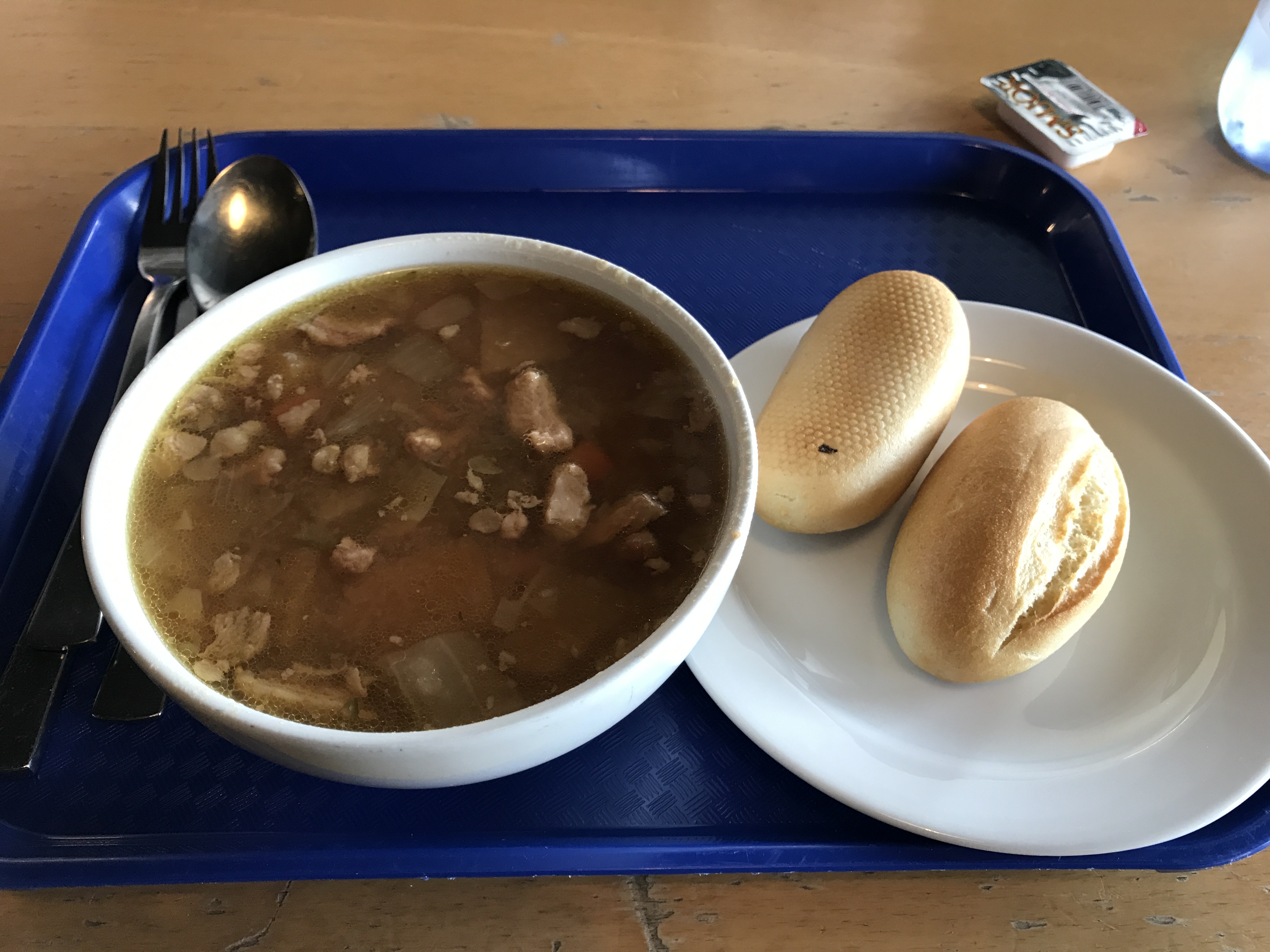
I lingered for half an hour or so, just walking around and enjoying the view. However, it was windy and cold, so pretty soon I decided that some shelter might be in order. I decided to wander through the gift shop and see if there was anything interesting (there was, but everything I liked was so expensive that I couldn’t make myself buy anything). The restaurant looked interesting– the only thing on their menu was “meat soup” for (I think) 1500 ISK. For that price, you get unlimited bread and soup. Important tip: Icelanders refer to “meat soup” when we would say “lamb soup.” That’s because they don’t really have any other kinds of meat easily available. Here’s what my 1500 ISK bought:

lamb soup… so, so delicious

Now. Let me say without reservation that this was the best soup I ever tasted. Flavorful and rich, with plenty of vegetables; hot but not enough to burn, and very filling. I ate two bowls and several rolls and then made myself push away from the table… that’s how good it was. Best meal I had in Iceland.

Suitably refueled, I headed back towards the parking lot. On my way I discovered that there are free bathrooms inside the restaurant. Well played, gift shop folks; you got my ISK 200.

The drive south

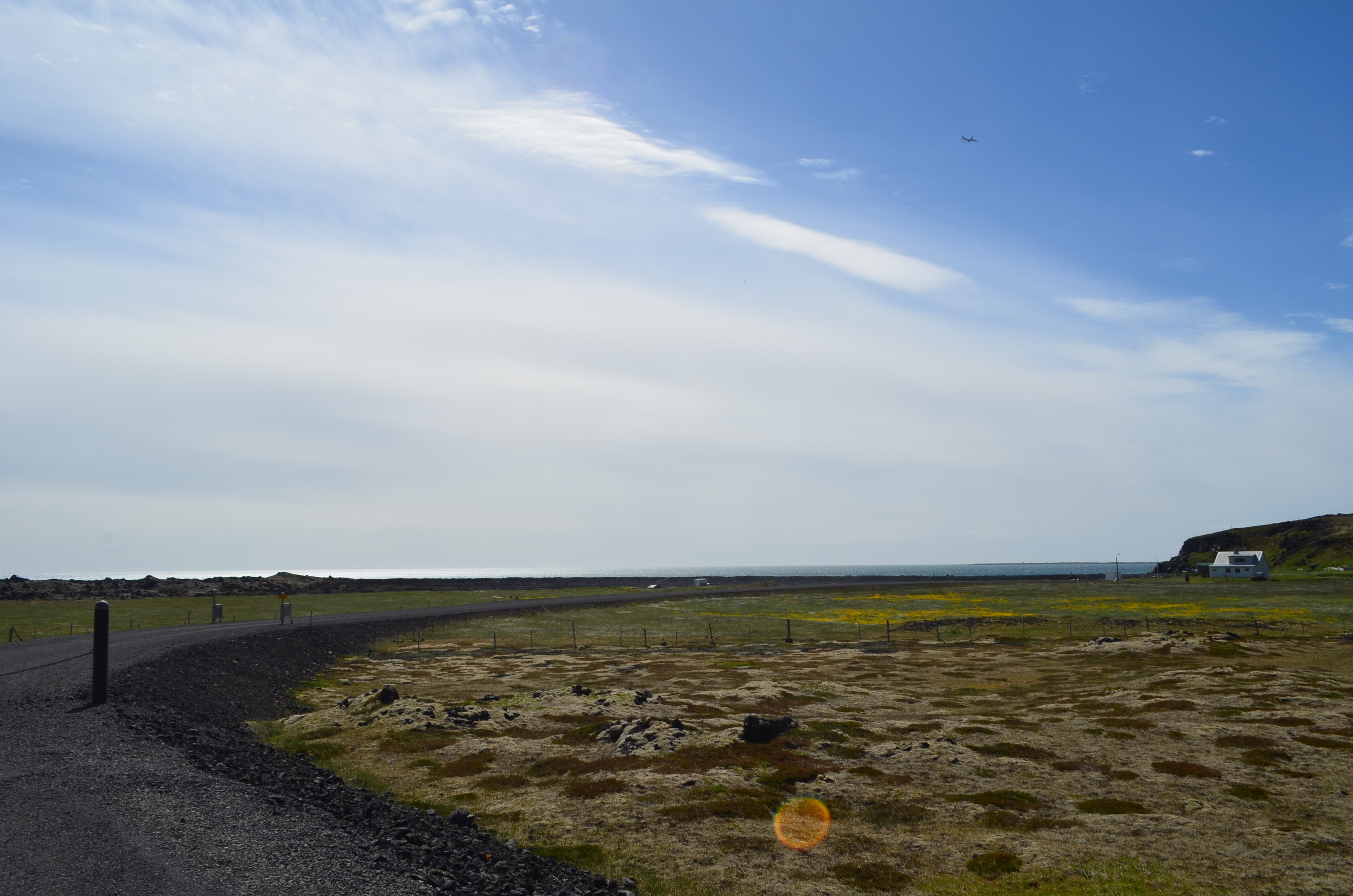
The first part of the route I had chosen took me back past Geysir and then south through very similar terrain– hills, some grassy areas, and a few horse farms. As I got further south, though, there were more (and bigger) rocks and the familiar black lava landscape started to draw closer. By this point the weather had improved quite a bit; it was about 55° and mostly sunny, with a stiff breeze from the south. I drove with the windows rolled down, blasting 311 out over the countryside. As I headed further south, I started to get glimpses of ocean, then the full view as I turned west to the coastal ring road. I had a hard time splitting my attention between the views of the water and the views of the inland landscape. Here’s just one example:

Sky and rock

This was taken near Sveitarfélagið Ölfus, along highway 427. The road parallels the coast, and it descends a fair bit as you get closer to Grindavík. A few more examples of the landscape:

Oh, why not. One more.

On the road to Grindavík

When I passed through Grindavík, and made the turn towards Keflavík, I could see more and more signs of civilization. One such sign: a nicely paved bike path running alongside the highway for several miles, with a fair number of cyclists on it. I was surprised by how many cycle campers I saw– people with large panniers slung fore and aft on their bikes, fighting the wind and staying vigilant for traffic. It’s not really a bike-friendly environment. Props to them.

Just short of Keflavík, I stopped to gas up the car. Most Icelandic gas stations are completely automated, so you can still buy gas when they’re closed. That means you need a credit card that can use chip + PIN. Some US cards can, and some can’t. Because I was close to the airport, I decided to forego a snack stop; I headed straight to the rental car place and caught the shuttle back to the airport, with more than a little reluctance.

The trip home

Checkin and security at KEF were quick and efficient. I made a huge run through the duty-free to buy souvenirs, grabbed a hot dog from the restaurant, and headed to my gate, where I found that literally the entire flight was in line to board– I think I was the 4th or 5th to last person to board. Icelandair doesn’t do zones or any of that stuff. They announce boarding, everyone gets in line, and off you go. I settled in to my window seat and looked out the window as much as possible during our taxi and takeoff.

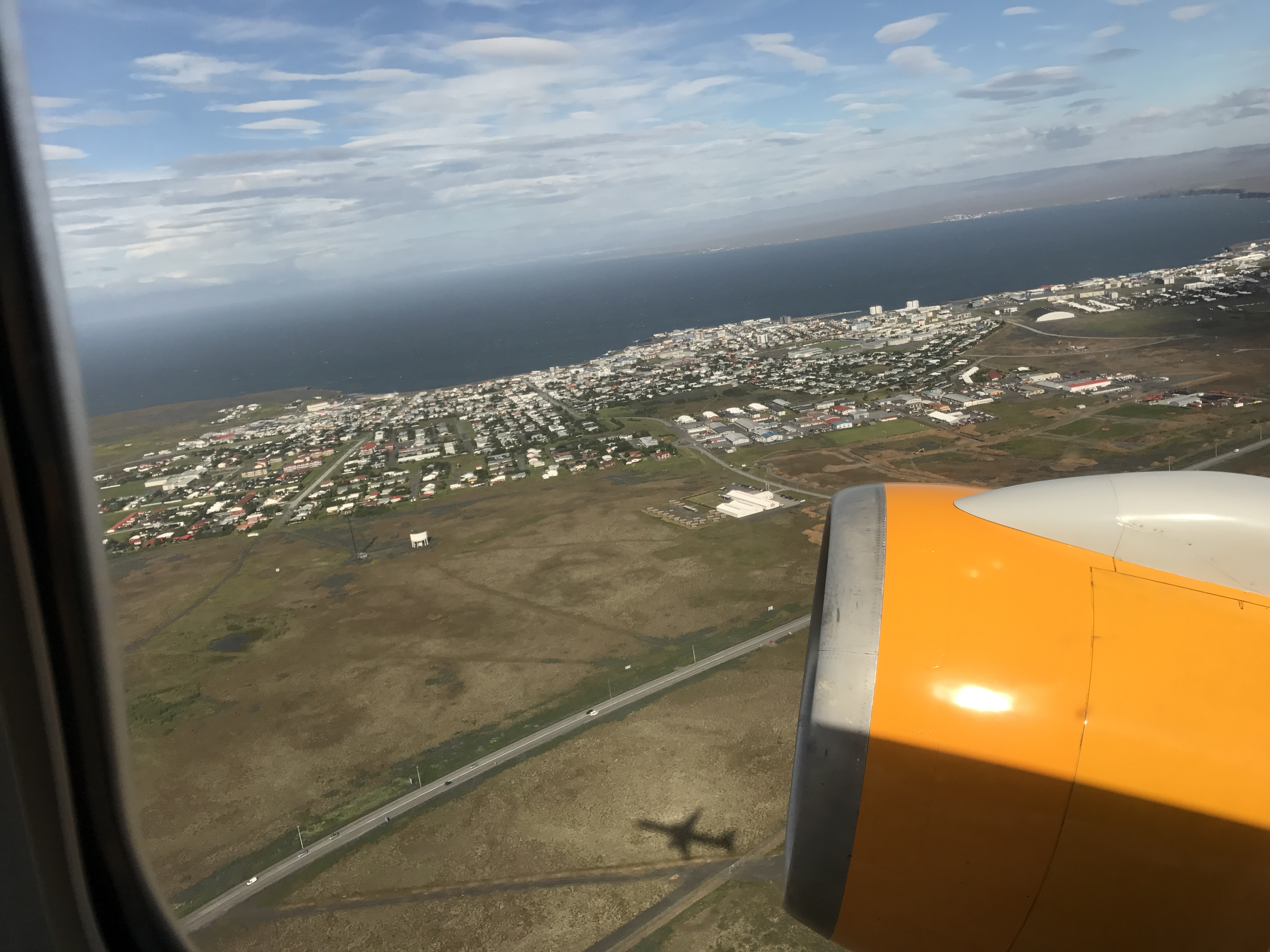
Keflavík and the coastline, plus bonus 757 shadow

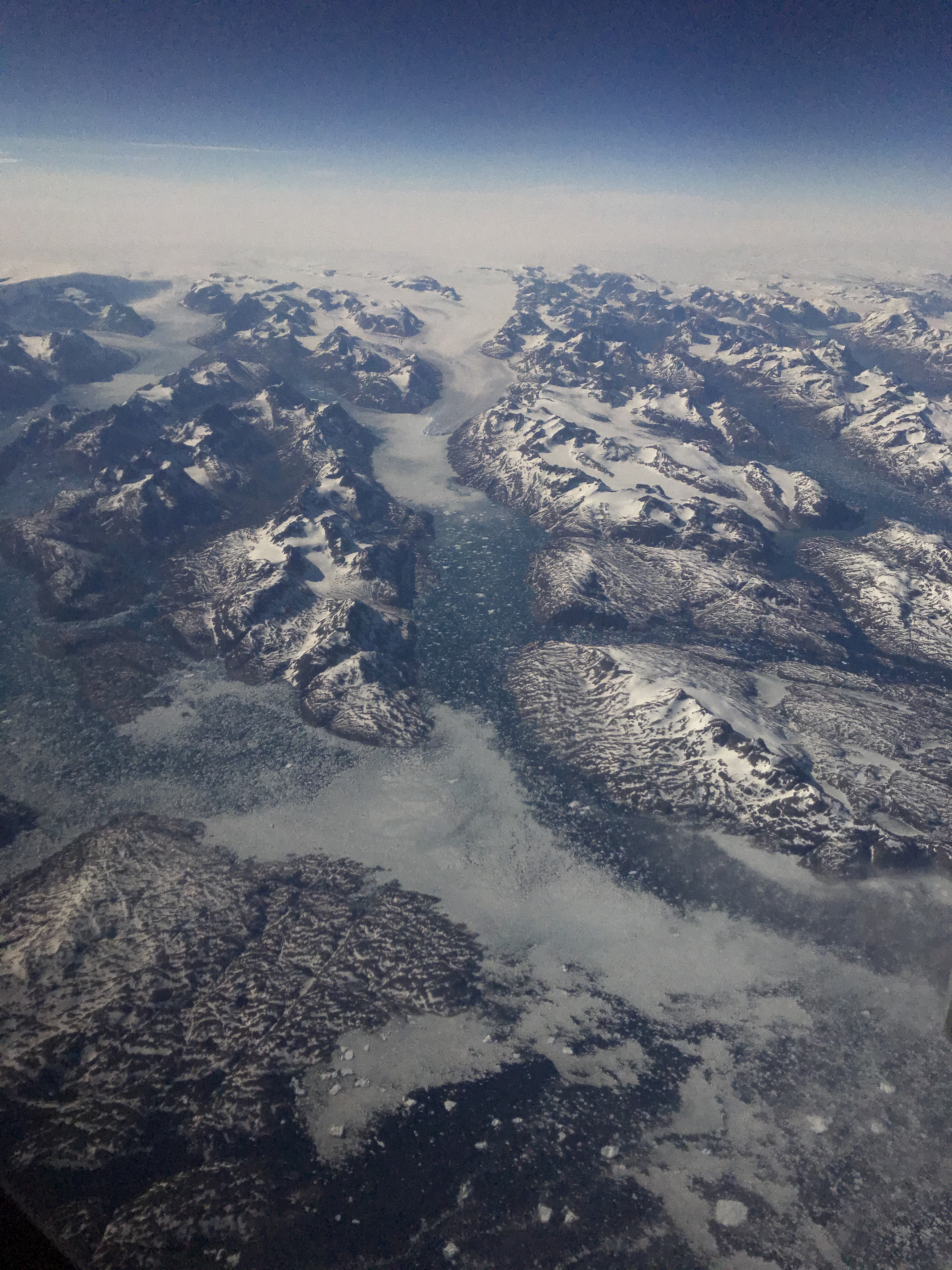
The flight was completely uneventful, except for when we flew across the southern end of Greenland. I’d never had a daytime window seat for that before, so I might have left a few nose prints against the window as I surveyed the beautiful landscape below. This is one of my favorite pictures; you have to see it full size to appreciate the range of colors and textures of the land.

I love Greenland

We arrived in Boston on time, where (thanks to Global Entry) I quickly cleared customs. The only snag in my travel was that my flight back to Atlanta wasn’t until the next morning! JetBlue and Icelandair have a code-sharing relationship but that doesn’t extend to coordinating their flight times, so there was no flight back to Atlanta that night. I knew that ahead of time, so I’d packed my overnight needs into my laptop bag and reserved a room at a hotel near the airport. I went straight there, had a quesadilla and some clam chowder for dinner, and was asleep within 90 minutes. The next morning, I came home.

Summary

It was a marvelous trip. I wouldn’t change anything about it, given how little time I had on the ground. For the next trip, a few things I will be keeping in mind:

  • Bring better clothing. A hat and gloves would have been nice. Layering is a must.
  • Plan ahead to see more remote areas, including at least one glacier
  • Save enough money to be able to rent that airplane and fly to Akureyri
  • Eat at the waffle wagon as often as possible
  • Try a little harder to pronounce things properly. Icelandic students study English from 2nd grade onwards, so I never had any trouble talking to people, but it was comical to see their facial expressions when I tried to say place names and so on.

I can’t wait to go back!

5 Comments

Filed under General Stuff, Travel

Visiting Iceland, day 1: Reykjavik

Executive summary: wow. I can’t wait to go back.

When I was invited to present at Office 365 Engage, the only way I could get there from Huntsville and still meet the airfare budget was to take a frankenroute: drive to Atlanta, fly JetBlue to Boston, then Icelandair from Boston-Reykjavik-Amsterdam and back. I remembered that Icelandair offered free stopovers, so I decided to tack on a couple of days for a visit when on the return leg. I ended up being on the ground for 42 glorious hours.

To help plan my trip, I read the Lonely Planet guides to Iceland and Reykjavik, then spent a bunch of time hanging out in Reddit’s VisitingIceland forum. This was very valuable and I encourage you to check it out if you’re planning a trip there.

Getting to Amsterdam

Icelandair and JetBlue are both low-cost carriers, but the inflight experience was perfectly OK. Nothing fancy, but they both got me there in reasonable comfort, certainly no worse than traditional US carriers. My outbound flight ATL-BOS was delayed by 2 hours because of taxiway construction (helllloooo, B6.. did you not know about that in advance?), then my outbound BOS-KEF was delayed because the inbound aircraft was late. Despite these delays, I got to KEF on time to make my connection on to Amsterdam. Icelandair has Row44 wifi, which worked tolerably well, for EUR9.40. They have free in-seat entertainment in economy class and free soft drinks, but no in-seat power. On the flight over, I tried to sleep but didn’t have much success because I was too busy looking out the window to see the sun.. because it was up and shining in the middle of the night!

When we landed, we deplaned onto the tarmac and boarded buses back to the terminal. This was fun because many of the passengers, me included, weren’t prepared for the weather: 48 degrees F, wind at 22kts gusting 25, and moderate rain.

Lovely weather

Iceland is a Schengen country, so for connecting flights into the EU you clear customs there. This was fairly efficient, although the KEF terminal is long and narrow so there tend to be long lines everywhere. Incoming passengers are funneled through a large duty free shop before getting to the main concourse, but if you’re connecting onwards you probably shouldn’t bother. After a brief wait, I boarded my connecting flight (which involved another bus, but at least it wasn’t raining) and flew off to Amsterdam.

Amsterdam back to Reykjavik

I like the Amsterdam airport. It is clean, uncluttered, and easy to navigate. Their security is quick and pleasant, with lots of touches that would be welcome in the US (such as automated conveyors that move trays and bags through the X-ray machines).  Icelandair opens their checkin counter 3 hours before flight time, so if you get there earlier, be prepared to lug your suitcase around while you wait. I spent some time upstairs on the Panorama Terrace watching airplanes while I waited, then dropped off my bags and stopped to buy some duty-free goodies for the home folks. I ate at the Grand Cafe Het Paleis, which burned up almost all my layover time. Boarding was quick and efficient, and my flight left at its scheduled time of 1030p. That would put me on the ground in Iceland just before midnight. I settled in to my aisle seat, took a short in-flight nap, and then fidgeted until we were on the ground.

Oh, I also bought a Flybus ticket. This shuttle service is the simplest and least expensive way to get from the airport (which in Keflavik) to Reykjavik (which is about 30mi to the northeast). For 2500 ISK (about US$24), you get a bus ticket on a nice commuter bus that runs to the BSI bus station near the Reykjavik airport. Like the Delta Shuttle, the buses run as often as necessary to handle capacity, and there are buses there after every arriving flight, no matter how late. My plan was to Flybus it from the airport to BSI, then grab a cab onward from there.

Day 0: Thursday night

Once we landed, I deplaned and was through customs in about 15 minutes. I had a slightly longer wait to get my baggage from the carousel, which I spent looking around the airport terminal. I found a vending machine and was delighted to see that it supported ApplePay. I used ApplePay for the overwhelming majority of my transactions. I only used cash after a restaurant mixup (more on that later) left me with some ISK. While Iceland isn’t cashless, it’s fair to call it “low-cash” since virtually everyone pays for virtually everything, even small purchases, with cards.

After I finally got my luggage, I boarded the Flybus and we headed out. Here’s what I spent my whole ride looking at:

Midnight sun: check.

The bus was full of chatter, but I was content to watch the landscape pass by; although the picture doesn’t show it, the area nearest the airport is the rocky volcanic soil that Iceland is famous for.

Day 1: Friday

I didn’t sleep especially well, mostly because I was still a bit confused about what time it actually was. Between the light and my residual jet lag from going to Haarlem, I got maybe 4hrs total, which was plenty. After I got up, I showered. Interesting true fact: Reykjavik is considered a “low heat” area, meaning that groundwater is warm, but not always hot enough for showers and the like. Keflavik is a “high heat” area, meaning that its groundwater is too hot to be used directly for households. Anyway, all the groundwater in Iceland contains sulfur and other minerals– so you don’t cook with hot water, and when you use hot water in a pool, shower, etc. its mineral content leaves you feeling a little slimy. Anyway.. shower completed, off I went.

First stop for the day was the convenience store on the corner, where I grabbed a protein bar and a diet Coke. This was only because I didn’t know there was a bakery on the other end of the building. Oh well. It was windy, and colder than I thought, so I went back to the house to grab another layer and met Jakob, my Airbnb host, and his cat. We had a nice visit; in addition to Airbnb’ing, he’s a tour guide and has several other small part-time jobs. Nice guy and I would recommend his place highly.

I took off walking again, this time to  Kringlan, a giant American-style mall, just to look around. It was closed, which was no great loss; if you’ve been in an American or Canadian mall, the experience would feel very familiar. One difference: there are tables near the mall exits where you can wrap gifts for free– a nice touch.

Who doesn’t like free gift wrapping?

After Kringlan, I walked over to Hallgrimskirkja, the famous modernist church. My route took me through Miklatún park, one of the small parks that dot Reykjavik. I saw a ton of cyclists and walkers out getting where they needed to go, but I couldn’t help imagining what the park, and the people, would look like in six months when winter set in. Brrrrr.

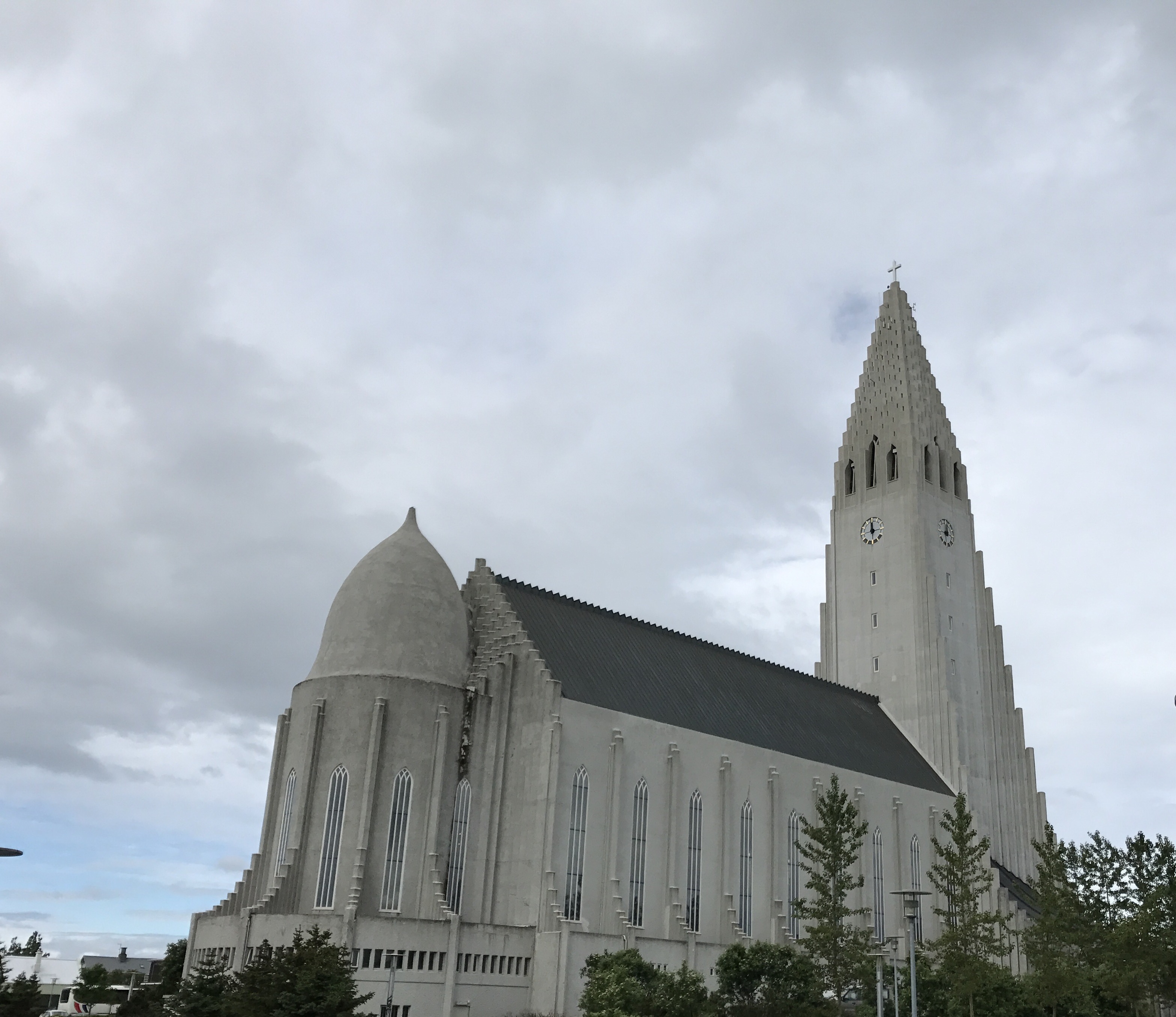
It’s hard to describe the shape of Hallgrimskirkja, sort of like a football spiked so hard it went partly underground, or a poorly baked baguette. My sister described it as being designed by someone who had read a description of cathedrals but had never actually been in one, and that’s not a bad way to put it. The church spire is tall enough to dominate the city’s skyline; you can clearly see it from a good portion of the city.

Hallgrimskirkja from its less famous side

Most churches have a statue of Jesus; this one has a statue of Leifur Eiríksson

The interior of the church is understated, to put it mildly. I think the builders put much of their capital into the giant organ. An organist was playing while I was there, and it was bone-jarring, which was actually kind of awesome. Sadly I seem to have lost the video I took, not that the puny mic on my phone would have captured the majesty.

the church interior; notice the organ?

A ticket to the top of the spire costs EUR 8, which was very well worth it for the views. Apart from the spire and the sanctuary, there really isn’t anything else to see here but it is still a worthy stop.
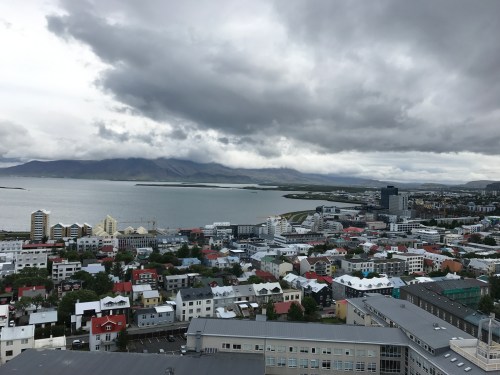
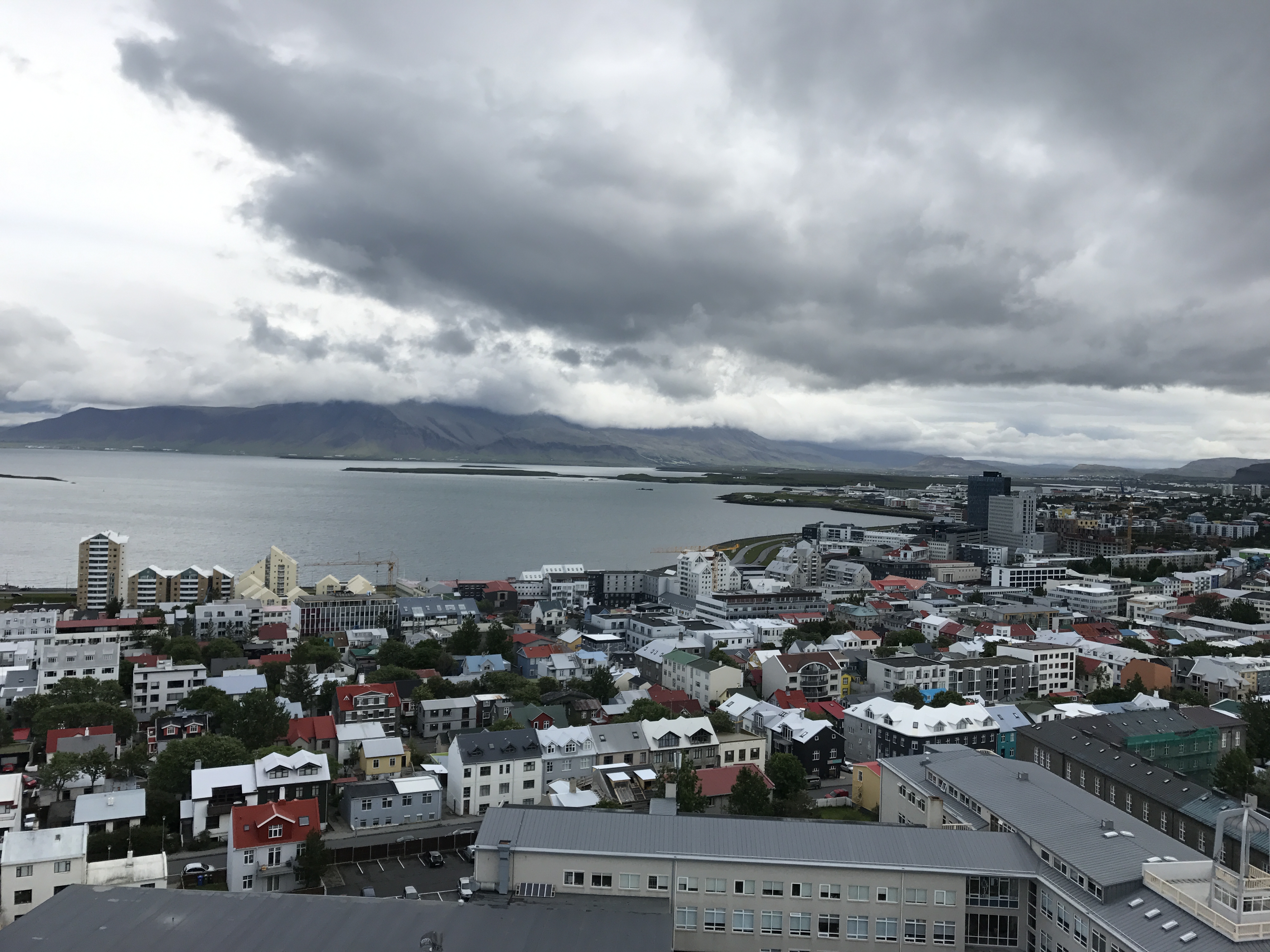
The view from the spire looking north towards the water
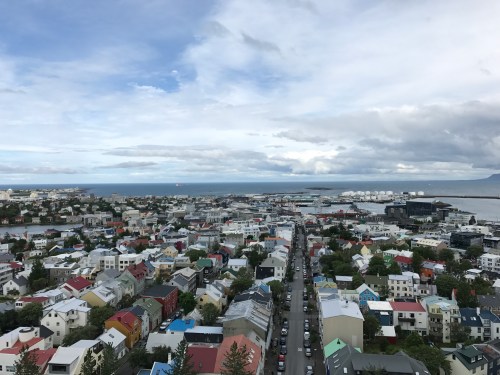
The view to the south is pretty great too

I had read on Reddit about the “waffle wagon,” a small yellow food truck that usually sets up at Hallgrimskirkja, and when I saw it I stopped for breakfast. This turned out to be an excellent decision– that waffle was the best waffle I’ve ever had. However, it was about $8. This was very typical of Iceland overall: everything is expensive. At best you’re paying what you’d pay in a US airport (for example, a half-liter bottle of Diet Coke is usually around $4) for most things.

tasty, tasty waffle

Hallgrimskirkja is near Laugavegur, the primary shopping and tourist street in Reykjavik, so I walked over to have a look. Much like any similar area in another city, there were lots of tourists with shopping bags. I did my fair share of browsing, but couldn’t convince myself to pay $250+ for an Icelandic sweater or $800+ for true Arctic weather gear. My friend Julio had suggested a visit to The Laundromat, a hipster-ish coffee bar (and actual laundromat), so I stopped in and had a $12 latte. It was good, and the atmosphere was fun– the place was crowded but only about half of the people I could see or hear seemed to be speaking English. After people-watching a bit, I set off for more walking and shop/browsing.

When I was planning my trip, I wasn’t sure what I wanted to do Saturday. After talking to Jakob and doing more research, I decided to rent a car and drive the Golden Circle route. Rental cars go for around $60 a day for the cheapest, most basic cars, then go up from there. I decided to rent from Atak, although there are lots of other choices (Hertz, Avis, and SadCars being among them). Demand is high and most places wouldn’t do such a short rental. The rental car companies’ offices are all clustered in a sort of auto-mall a couple of miles away from downtown, so I flagged down a cab, picked up a Hyundai I20, and went back to the house to grab my big camera and some more clothes. Along the way, I stopped at the small convenience store nearest the apartment and found that the shop next door was a fried chicken joint. I ordered a two-piece meal and fries and was charged… about $42. This turned out to be a mistake on the part of the cashier, but she didn’t know how to credit my card so I ended up with $21 worth of cash. This lasted me until I made it back to Boston, with some bonus coins to give Matt for his collection. (Note on the fried chicken from this place: just don’t.)

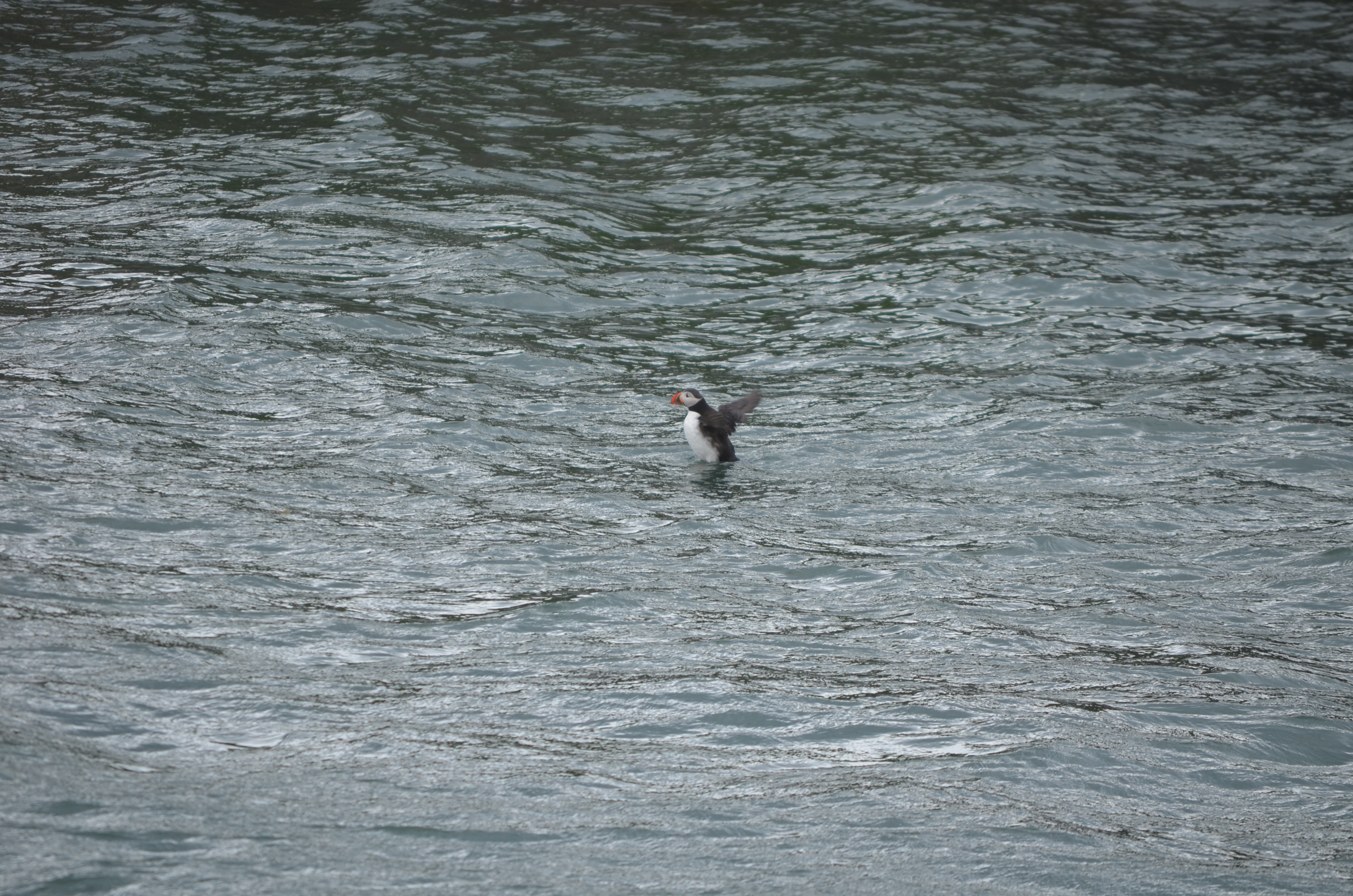
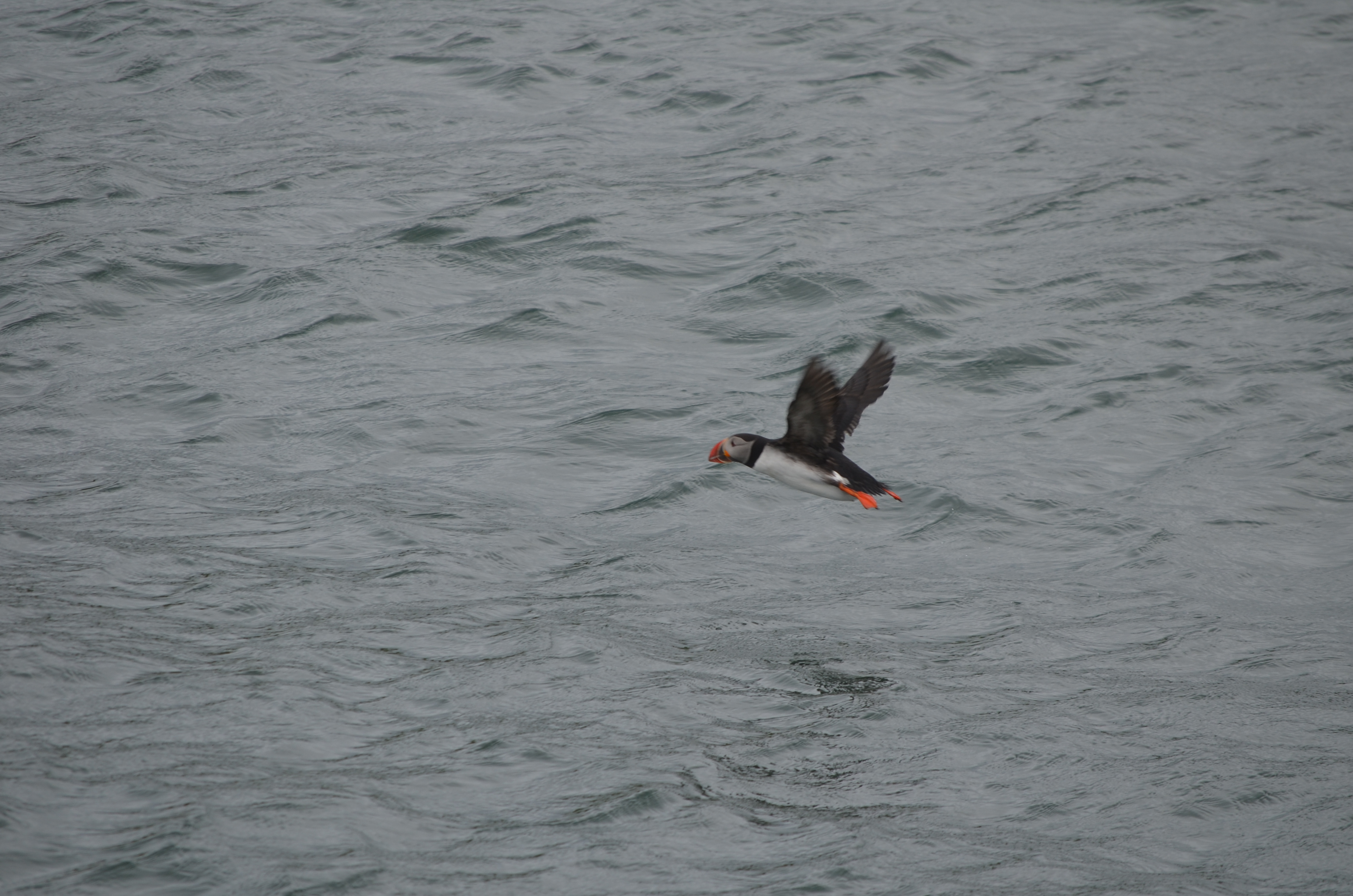
My afternoon plan was to take a boat tour to see puffins. This turned out to be an excellent decision. The excellent MustSeeInIceland website had recommended an operator called Happy Tours, so I booked with them ($55 or so). After parking near the Maritime Museum, I stopped for ice cream (always eat Icelandic ice cream when you can; it’s delicious!) and walked over to the tour area. Amazingly, no one else had signed up for the tour, so I had the boat to myself, along with the crew. Snorri, the captain, has been working the water for nearly 40 years, and his son and daughter both work with him as tour guides. Kristey, the daughter, was a great guide: fluent in English and very knowledgeable about puffins, the harbor, and (of course) Icelandic life and culture. The water was rough, and it was windy, both of which I loved, but Kristey said that previous passengers that day had been seasick.

Without further ado, some of what I saw on the tour…

takeoff roll

After the tour, I walked over to a nearby coffee shop and had a cup of coffee while looking out at the harbor. It was pleasantly warm inside and I was a little nervous about what the race weather would be like. About 6 I headed back to the apartment, where I met my two Airbnb-mates: Zach from Houston and his sister, both of whom were in town to run the race. Neither of them had picked up their race packets, so I offered them a ride over to the venue to save them a walk.

I ran the 10K race, which was a blast. The race organizers include a ticket to the Laugardalslaug swimming pool, which I was looking forward to trying. The pool complex is huge, with four or five large hot tubs (and when I say “large,” I mean “15′ in diameter or so”), a few giant lap pools, a waterslide, and so on. A few tips on Icelandic pool etiquette and use:

  • Bring a towel because the pool won’t provide them.
  • You must shower before entering the pool. You will be expected to be naked when you do, and to use plenty of soap. If casual locker-room nakedness bothers you, you’d better get over it before you hit the locker room.
  • The water feels different on your skin because a) it’s more mineralized than is typical in the US and b) it has much less chlorine than US pools tend to.
  • Some pools (including this one) have lockers that are operated by an RFID wristband. Wristbands are usually available from the front desk.
  • At least at Laugardalslaug, the big pool is just a little cooler than body temperature, and the hot tub I was in was maybe 1 degree above.
  • Expect crowding. When I was in the hot tub, I was shoulder-to-shoulder with the people around me. I don’t know how common that is at 1130 at night, but I would imagine that in the middle of a summer day it wouldn’t be uncommon.

After the pool, we set out to find food. Here’s the problem: for all its exotic nature, Reykjavik is a fairly small city. Just like Huntsville, there are very few restaurants that are open at midnight… and Iceland doesn’t have Waffle House. It didn’t seem that late, given that it was still light and we had just finished running a race– both things you normally associate with daytime. None of the places we wanted to go were open, so we ended up downtown on Laugavegur again. We found Hlolli, which is sort of like an Icelandic version of Subway; I ended up eating what was basically a BBQ beef poboy. Not bad (in fact, the bread was quite good), but it was essentially drunk food, not fine dining. That’s OK, given that I was still wearing my running clothes. On the walk back to the car, we found that the waffle wagon I mentioned earlier had set up shop in the square, so we stopped off for dessert.. then it was back to the Airbnb for bed. I got there abut 130a, and of course it was still light.  That didn’t stop me from sleeping like a lava rock though.

 

7 Comments

Filed under Travel

Office 365 Hybrid Configuration Wizard won’t launch

I recently ran into a bizarre problem with the Office 365 Hybrid Configuration Wizard, and solved it after a bit of trial and error. Hopefully this article will be a useful breadcrumb for future hybridizers.

The HCW used to be a standalone Windows executable that you’d download. The Office 365 team (hi, Tim Heeney!) made the wise decision to turn it into a Click-To-Run (C2R) executable. The biggest benefit to using C2R is that whenever you click the link (which downloads the application’s manifest file) you get the latest version of the HCW, streamed directly to you from Microsoft’s servers. This ensures that everyone always gets the most up-to-date version, but it also introduces a few potential stumbling blocks.

C2R application manifests aren’t executable themselves; they’re just XML files that provide some metadata about the application. With that said, on a properly configured Windows box, as soon as you download the manifest, the C2R helper application does its thing; it reads the manifest, streams the application, and launches it.

In my Exchange 2016 lab, that’s not what was happening. When I clicked on the HCW link in Internet Explorer, the little “Scanning..” infobar would flash across the bottom of the window, but that was it. Same thing in Chrome. Downloading the HCW manually using the Start-BitsTransfer PowerShell cmdlet got me the manifest file, but it couldn’t be launched. Of course, since the C2R launcher itself wasn’t launching, there were no log files to use to troubleshoot the problem. By contrast, when I downloaded the HCW onto my Windows 10 desktop, it would fail because I didn’t have the right prerequisites installed, leaving me a log file full of juicy details. All of the machines in my lab had the same problem, perhaps not surprising since they were built from the same Amazon Web Services AMI.

I spent some time doing the usual things: trolling the TechNet forums, searching random posts by people who had problems with the HCW (all of which were problems with what it did after launch, not problems getting it launched), and asking my smart MVP friends. Nada.

Then I had a hunch and opened the Default Programs control panel. For the “.application” file type, this is what I saw:

Looks plausible, but it’s totally wrong

I changed the “.application” file type to be opened with Internet Explorer. Then I went back to the HCW link, clicked it, and was rewarded with a properly functioning copy of the HCW. Filed for future reference…

18 Comments

Filed under General Tech Stuff, UC&C

Training Tuesday: Reykjavik Midnight Sun 10K race report

I just came back from presenting at Office 365 Engage, where I had a terrific time. More on the conference in another post. As a new conference, the organizers’ budget was somewhat limited, so they gave me a 1500 EUR limit on airfare, which meant I could only afford a convoluted itinerary on JetBlue and Icelandair. However, Icelandair offers free stopovers, so I decided to take a couple of days after my trip to sightsee.

As is my habit, I spent some time looking for interesting places to run before my trip. The folks in /r/visitingIceland were very helpful, and I found https://runninginiceland.com, which led me to the Suzuki Midnight Sun run: 5K, 10K, and half-marathon distances, all starting at or just after 9pm. I immediately signed up online for the half.

Logistics

The race website was clear and easy to follow, and I got multiple mails in the days leading up to the race recapping the race routes, where to park, and so on. The race organizers sell race medals and shirts separately, so you don’t have to pay for them if you don’t want them. Packet pickup was on race day only, from 4p-845p, at the Laugardalshöll sports hall; it was well organized and smooth. I got in, grabbed my race number, bought a race shirt, and was out again all within 10 minutes. I made a game-day decision to move down from the half distance to the 10K because of a lingering hamstring problem, aggravated by the 9.5 miles I had already walked while sightseeing Friday; the race staff easily handled the changeover. In addition to the booth selling race shirts, the expo had a small table selling various Adidas goodies. One thing I particularly appreciated is that Laugardalshöll has plenty of bathrooms.

Men’s room? Right this way

The Airbnb I stayed in also hosted two Americans who were running the race, although I didn’t meet them until maybe 2 hours before the race start. We drove over 45min or so before start time, easily found a place to park, and joined the large crowd avoiding the wind inside the hall.

The hall before the race


Weather

Friday’s weather was pretty good for running: it was about 10ºC and mostly overcast, but a bit windy: a steady 30km/h wind from the north, with occasional higher gusts. I was sightseeing all day and got rained on and fairly wind-blasted during the day, but the rain had thankfully stopped by 9pm. I wore shorts, a long-sleeve tech shirt, and a light rain shell, which I took off about halfway through the race.

Race start

The RD started with a brief announcement that there were nearly 3000 registered runners, 1200 from outside Iceland, from a total of 52 countries, making this by far the most international event I’ve run in. The half marathon and 10K groups started together. As you can see from the race maps, the two courses follow a common path for the first few km, then the longer distance runners split off. The corral had pace signs and runners were encouraged to group according to their projected pace but there were no pacers.

The race start. Big crowd!

The course

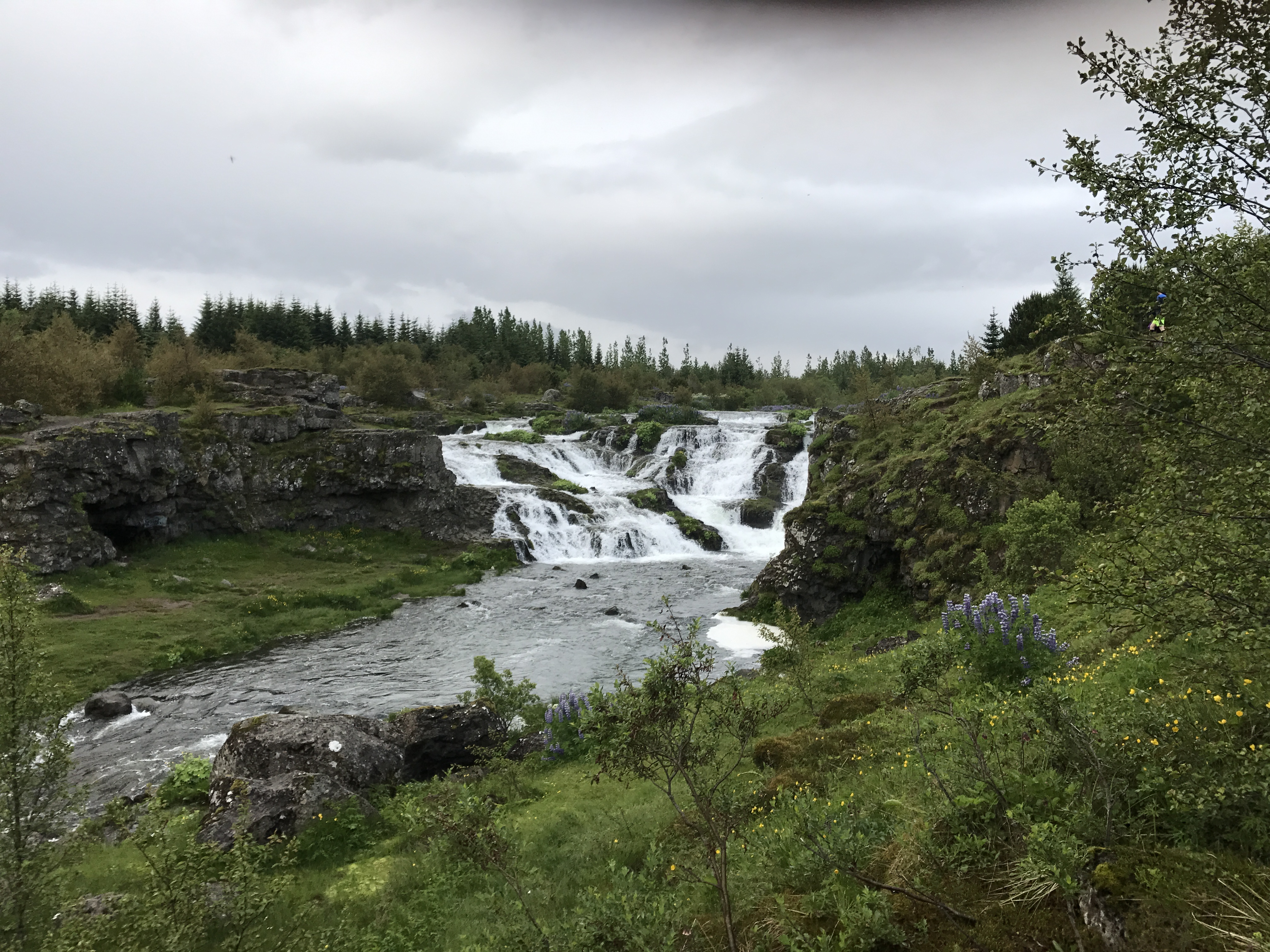
Scenic, mostly on paved paths and some on residential streets. The course runs through a pretty valley and along a stream with a couple of waterfalls, like this one.

Oh, just an Icelandic waterfall

I saw two mother geese with goslings and a few rabbits along the stream, which was cool.

Not shown: large quantities of goose poop on trail

The first 3km has a few small rollers, with a larger and longer climb (maybe 30m elevation change?) from 4km-6km. There was one water stop, which had water, Powerade (a race sponsor), and 2 portajohns. The course was well-marked, with each km indicated and plenty of volunteers to keep runners from going off course. I didn’t see any split timers on the course and there were no on-course timing mats.

My performance

Because my hamstring had been hurting, and my right IT band had joined the party after my warmup run in Haarlem, I planned to take it easy and treat this like a training run. My 10K PR is 54:37 and I didn’t have any ambition of setting a new one on this run. The first 5km or so were fine; the hamstring was quiet and I held a good pace (modulo the time I spent in the portapotty at the rest stop– that cost me 2min or so). About 7km in, my left calf started to tighten, and this progressed into a numbness in my left forefoot. This has happened occasionally around the same distance in both my right and left feet since I switched to my current Brooks Adrenalines, which means pretty clearly I need different shoes. Anyway, it’s damn hard to maintain a good pace when you can’t feel one of your feet, so I slowed down and even walked a few stretches. About 9km it had loosened a bit and I was able to run more normally.

I ended up running a 1:02, well off my PR for the 10K distance. Strava data.

The finish

The finish line featured a traditional chute, right after which volunteers handed out race medals for those who’d bought them in advance. The recovery area had free water, Powerade, and half-bananas. There were a couple of booths set up where you could buy (delicious) Icelandic hotdogs and other snacks. The race also includes admission to the pool complex nearby at Laugardalslaug, so we headed over there. The logistics of using Icelandic public pools are worth a separate post. Suffice to say that you must be fully comfortable with locker-room nudity, large crowds, and crowding in the hot tub… but it was lovely to be able to have a good thermal soak after a long run.

Wrapup

My race experience was a 9/10: a high-energy fun crowd, beautiful course, and the unique aspect of running a race at a time when it would normally be pitch dark all combined to make a great memory. I’d love to go back and run the half, or (better yet), the Reykjavik marathon. Highly recommended.

1 Comment

Filed under Fitness, Travel

Office 365 Engage wrapup

Last week, I had the privilege of presenting at the first Office 365 Engage conference. Billed as a practical, no-marketing-content conference, and chaired by Tony Redmond, the conference offered a pretty impressive lineup of speakers from across the Office 365 world, mostly from Europe. One big drawback to the way that Microsoft and Penton have organized their respective conferences is that it’s often difficult to get European experts and MVPs here to speak, so I was looking forward to seeing some fresh material presented by people I don’t usually get to hear from, and I was not disappointed.

I arrived midday Tuesday after changing planes in Reykjavik (more on that later). A quick train ride got me to the Haarlem Centraal station, after which I grabbed an Uber to the hotel. The conference was booked into the Philharmonie Haarlem, and I must say it was the nicest conference venue I’ve ever been in– a far cry from the typical US conference facilities located in echoing, soulless conference centers or noisy, smoky Vegas hotels. The location was excellent as well– Haarlem is a beautiful city and quite walkable. The conference hotel was a mere 3-minute walk from the Philharmonie and the area contained a wealth of restaurants and shops.

One of the meeting rooms at the Philharmonie

After I got registered, I wandered around talking to attendees and speakers. My first session (on monitoring Office 365, big surprise!) wasn’t until Wednesday morning so I got to drop in on a couple of sessions, which was nice. Unfortunately, I spent most of my time Tuesday either working on my slides and demos or on the phone with folks back in the USA– that’s the big downside to being in Europe. Tuesday night I met a group of MVPs for dinner, at a Mexican restaurant, of all places.

Wednesday I had my monitoring session in the morning, along with more work on my third session’s slides. I got some good attendee questions that I’ll use to make the presentation better for the next time– as Microsoft is always changing the monitoring and reporting functionality in Office 365, this is definitely an evolving area. In the afternoon, I was able to go to Tiago Costa’s session on Office Graph development, which I found quite valuable. Wednesday night the organizers had set up a canal cruise for the speakers, which was a lovely treat– Haarlem looks even better from the water.

Canal ahoy

Obligatory windmill photo. This was the only one I saw the entire trip.

Thursday was a big day. I had two sessions: one on Skype Meeting Broadcast and one on Windows Information Protection. Fellow MVP Brian Reid was kind enough to help salvage my demo; I filed a support ticket with Microsoft about an hour before my session because my tenant didn’t work, but his did. We even got to demonstrate the real-time automated closed captioning feature that Skype Meeting Broadcast now includes, which resulted in quite a few laughs from the audience. It works surprisingly well, better with Brian’s English accent than my own American one. Then it was back to the speaker lounge for still more work on my information protection slides, which I delivered to a curious audience without a hitch. (I had a great side conversation with a lady who works for, shall we say, an allied power and had a lot of interesting questions about ways to use the Information Protection features in what might euphemistically be called a nuclear bunker.) The afternoon sessions were accompanied by a loud, heavy thunderstorm that wouldn’t be out of place in Alabama– I think some of the locals were a little surprised by its ferocity. The rain had cleared and left the air cool and clear afterwards, perfect for the closing session, after which I jumped in a taxi to get to Schiphol for my flight on to Reykjavik.

A quick note on logistics: the venue’s Internet connection worked well for nearly everyone, seating was comfortable and plentiful, and the snacks, coffee, and lunches were good. Overall the logistics were far better than average, especially for a freshman offering. I believe that reflects the experience of the event team, all of whom have put on many such similar events in the past.

Overall, this was a solid first-year conference. With only a couple hundred attendees, it preserves the small-group feel that was formerly so attractive about first MEC and then Connections, but with a great deal of attention paid to ensuring that the content was relevant, unique, and practical. I’m looking forward to next year’s version!

2 Comments

Filed under General Tech Stuff, Travel, UC&C

Training Tuesday: time to work on my bike repair skills

Warning: this post contains disturbing images of graphic violence that may not be suitable for some viewers. Viewer discretion is advised.

This weekend, Dana and I had planned to go for a bike ride on the Arsenal, so I loaded up my bike. First, though, we’d planned to go see Wonder Woman (which I highly recommend– great flick). Because I didn’t want to have my bike stolen by some miscreant, I secured it to the rack with a cable lock.

After we left the theater, I heard a thump and looked out my rear view mirror just in time to see my poor bike departing its slot in the rack, where it was dragged along for 50yds or so by the cable lock until I could safely pull over.

Dana is not amused.

The first thing I noticed was that I’m going to need new handlebars (and bar tape, which I wanted to replace anyway).

Ever wonder what carbon fiber looks like on the inside? Now you know.

The front tire sidewall was abraded enough to ruin the tire, and the corner of the saddle got chewed up pretty badly too. I think I can duct tape this as a temporary fix.

Sad saddle

The retaining strap that I used to secure the wheel to the rack slot was missing. My best guess? Someone wanted to steal the bike, lifted the top clamp, and then gave up when they found the cable lock in place. I didn’t check the rack so I didn’t notice until it was too late. Thankfully the frame and the carbon wheel fairings seem undamaged, although the rear freehub is making a new noise I don’t like. Bar tape is en route from Amazon and mi amigo Lance is giving me a spare set of bars, so hopefully this weekend I can watch enough YouTube videos to learn how to disassemble my brake hoods and shifters, port them to the new bars, and wrap everything.

Meanwhile, I still don’t have a saddle for my tri bike, so I either better get to Bicycle Cove and spend some money or swap out running for riding for the next week or two…

2 Comments

Filed under FAIL, Fitness