Europa Orlando powerlifting meet

“Try a powerlifting meet,” they said. “It’ll be fun,” they said.

That’s pretty much what happened and you know what? They were right. I did, and it was.

After working with CHP for a while, I started noticing my fellow athletes doing these things called powerlifting meets. The basic meet is simple: contestants get three attempts for each of three lifts: the squat, the bench press, and the deadlift. Meets are usually organized according to weight class and age, and there are various federations with different rules on which age groups and weight classes are used, what kinds of equipment you can use, and so on. Everyone who competed seemed to enjoy it, and I was told multiple times about how much I could learn from going to a meet and just watching, even if I didn’t compete.

I thus made a mental note to find a meet that I could go to. I found that there were several powerlifting books on Amazon’s Kindle Unlimited service. I read through “From Gym Lifter to Competitive Powerlifter” and found it super educational, but I still wasn’t quite ready to make the leap. As it turned out, Matt had a choir trip lined up at Disney World, so when I learned that one of my fellow CHP athletes was doing his first meet in Orlando the weekend of Matt’s trip, I took the plunge and signed up for the Europa Orlando meet, organized under US Powerlifting Association (USPA) rules. The plan was that Tom and I would fly down Friday, I’d compete Saturday, we’d pick up Matt on Saturday night, and then hit Legoland before coming home.

With the planning done, I settled in to lifting, a lot, and worrying, more than I normally would have. My goals were simple: I wanted to complete the meet well.

As the meet approached, I started getting nervous about three things. First was my technique: each lift has specific performance criteria you have to meet. For example, on the squat, when you’re all the way down, your hip crease must be below the level of your knee (this is known as “breaking parallel” on the squat). Each lift is overseen by three referees or judges, each of whom can signal that the lift was good or bad by switching on a white or red light. You need two or three white lights for a lift to count. I was worried that my squats weren’t low enough. There are also specific verbal commands you must follow in sequence; I’d heard of people getting red-lighted for returning the bar to the rack before the command, for instance. I didn’t want to screw up, but I realized it was a distinct possibility.

Second, I had to get used to the gear. In general, most federations separate lifters into three groups: raw lifters use nothing more than knee sleeves and a weight belt; single-ply lifters can use special shirts and shorts that are, basically, Spanx; and multi-ply lifters can use special thick suits for the bench and deadlift. (These latter two groups are known as “geared lifters”.) I had knee sleeves, but needed to get a weight belt (which was a shopping adventure all its own; topic for another time) and get used to it. (For gear fiends: I ended up with an EliteFS 13mm single-prong belt, which I am gradually getting used to.)

Third was weight: both the amount I was going to be lifting and the amount I actually weighed. I could say “oh, I’m strong for a triathlete,” or maybe “but I’m fast for a powerlifter”; the fact is that I am still pretty new to both so I was intimidated by being around a bunch of seasoned competitors who would be lifting a lot more than me, and I realized about two weeks out that I was not going to make the 198lb weight class without extraordinary measures. I decided that rather than try to drop weight I’d just move up a weight class– which turned out to be a really good decision.

Soon enough, it was time to pack up and go. Was the hay in the barn? I’d soon find out. The Monday before the meet, Alex had me test a few weights for openers, so I had a decent idea of what I wanted to try. On the advice of fellow CHPers, I packed a gear bag with my stuff, snacks (protein bars, Fig Newtons, turkey pepperoni), a spare roll of toilet paper, and a few other odds and ends. Tom and I had a great flight down, with good weather and a smooth ride, and landed at Gilbert’s Winter Haven airport (HOVA, the FBO there, took terrific care of us throughout our stay– I recommend them highly.) We had planned to meet Rafe and Derek, two fellow CHP athletes, at the convention center but we arrived later than expected and they had other commitments, so Tom and I had a delicious dinner at the hotel and hit the bed.

Normally, weigh-in for meets is done the day before. Because I didn’t arrive until after weigh-in closed, I had a 7am weigh-in time Saturday morning. I showed up on time and waited. And waited. And waited. The meet director showed up about 830, weighed me in at 205.6, and asked me for my initial attempts. This requires a little explanation: no matter what federation, age, or weight class you’re in, the basic structure of the meets are the same: lifters are separated into groups called flights, with the lightest weight being lifted first. The first lifter attempts a lift with whatever weight they want. Then the second lifter attempts his lift, and so on until everyone’s done. Your total score is the total number of weight moved for the best attempt in each lift. In addition, something called a Wilks score is calculated to measure how strong you are in proportion to your bodyweight.

To sequence lifters into flights, the organizers need to know what weight you’re going to try to lift for your first attempt. You can go up any amount on each subsequent attempt, but you only get three tries so there’s quite a bit of strategy involved in choosing good attempts. David Dellanave’s strategy guide was very helpful. I texted Alex my attempts and wrote them down: 115kg to open in the squat, 75kg for the bench, and 147.5kg for the deadlift. I was lifter 4 in flight 1, reflecting my relatively light opening weights. On a positive note, this guaranteed me an early start so I could get a lift in and then adjust as needed after watching the other competitors. In the flighting system, all the lifters in a flight do all 3 attempts before the next flight starts.

Rafe and Derek met me back in the weightlifting corner. If you’ve ever been to the Orange County Convention Center in Orlando, you know that it’s a perfect specimen of the large, ugly, dehumanized conference center species. The Europa expo floor was up front, with lots of bright colors and noise, but the powerlifters were tucked into a back corner, with bare concrete floors and loud music richocheting from the adjacent kids’ play zone and Zumba demonstration stage. Anyway, they were both very encouraging and we had a great time chatting while Rafe and I got oriented and got our gear together.

The meet officially began with a quick rules briefing, covering everything from the flight sequencing to what kind of underwear is legal under the required lifting singlet: “tighty whities or commando,” the meet director said, and he meant it, because sufficiently compressive shorts might provide a performance advantage. After the briefing, the MC began calling lifters to the platform for their lifts.

My squat opener went really well, despite a brief frisson of worry when Derek corrected my math mistake and told me that 115kg was not, in fact, about 230lbs– it’s 253lbs. I nailed it anyway. My second attempt went equally well: nice and smooth, with good depth. One judge red-lighted me for depth, though. I should have paid a little more attention because on my third attempt at 140kg, I got the dreaded two reds– one of the judges pointed out that my depth wasn’t sufficient. Derek, Rafe, my coaches, and I all agree upon video review that I broke parallel, but that’s no matter. The judges were tough but consistent, so I didn’t feel like there was any basis for complaint. 140kg was a new PR for me, so I was happy to get it even if it wasn’t a good lift towards my final score. Key learning: if you really bury your squat deep, so that there’s no question about whether you broke parallel, you have nothing to worry about.

Once my third lift was done, I watched the other flights squat. Rafe nailed his lifts, and then the heavyweights started theirs. Interestingly, we had a mix of ages– I think the youngest lifter in the meet was 15 and the oldest was 57. There wasn’t any real correspondence between age and lifting weight, either; some of the older guys (including the overall “best lifter” winner) were as old, or older, than me. It’s pretty amazing how much some of those guys could squat– I don’t remember what the heaviest weight I saw was, but there were 2-3x bodyweight squats being dropped like it was routine.

After all three flights finished squatting, the organizers needed time to shift the equipment around. One very nice thing about lifting in a meet is that other people rack, spot, and set the weights for you– a nice contrast to the traditional gym environment where you do it all yourself. While they were doing that, Tom and I went to walk around the expo floor a bit, then it was back for the bench, one of my weaker lifts. I have big legs and a strong back, but my arms and chest are small relative to the rest of me, so I wasn’t expecting huge numbers here.

I hit my first two attempts easily at 75kg and 80kg– a new PR. Derek pointed out a couple of technical adjustments to the lift during my warmups that really helped– I need to focus on squeezing my shoulder blades together, and on the press movement it’s actually more efficient to press slightly down towards the waist than straight up. I decided to try 85kg for my third attempt and just couldn’t quite lock it out, getting three reds for a failed attempt. Still, I didn’t feel bad about it given that I’d already hit a PR. I can definitely see that my 2015 goal of being able to bench my bodyweight is in striking distance.

Tom and I made another loop around the expo and took a quick food break. Convention center food being what it is, I decided to stick with the snacks I’d brought. Then it was time to go back for the deadlift. If the squat is the lift I think is my worst, and the bench is the lift that is actually my weakest, the deadlift is my favorite. I’d deadlift heavy every day if I could. I opened with 147.5kg, easily hit 157.5kg for my second, and decided on 165kg for my third– in retrospect, I wish I’d gone a bit heavier because I felt like I could have hit it easily. Once I was done, I was able to take off some of my gear and relax to enjoy the show as the rest of the lifters did their thing. By the time the biggest guys in the third flight were lifting, Rafe, Tom, and I were in the spectator area cheering and howling as we watched the big pulls– several over 700lbs. It was really impressive to watch.

I stuck around for the awards ceremony because I figured Rafe might have won in his division. Turns out, he did.. and so did I.

WP_20150502_019

In fairness, this was because I was the only person in the 220lb 45-49 division, not because I lifted a massive amount of weight. On the other hand, I did lift a hell of a lot: 370kg, or 818lbs.


WP_20150502_014

That’s a good 50lbs better than my previous 3-lift total, good enough for a Wilks score of 238– just a hair below “intermediate” ranking and good enough to move me pretty close to class IV according to the USPA’s guidelines (at least at 198lbs, where I will be within a couple of weeks). This would have been an unthinkable amount of weight for me a year ago, so I am really thankful to Alex and the CHP coaches, the community at Fitocracy, and especially to Rafe and Derek for their on-site support, so to speak.

Takeaways:

  • I had a blast.
  • There is a surprising amount of technique in these lifts, but unlike football or baseball, the technique is mostly invisible. For example, knowing that part of a good bench is squeezing your shoulder blades together is impossible to spot
  • In triathlon, the gap between the winners and me is often so great that I find it discouraging– the magnitude of improvement required to be on the podium is sometimes so large that it seems out of reach. That wasn’t the case here; the huge amount of weight that the top lifters were moving was motivating and inspiring, not discouraging at all. I may never be able to deadlift 700 pounds, but seeing it done at the meet makes me want to deadlift however much more I can.
  • Tom is super excited about going to the gym and starting to lift. I am excited for him and can’t wait to help him get started.
  • When’s the next meet?

2 Comments

Filed under Fitness, General Stuff

Training Tuesday: Lake Guntersville Duathlon (4/25/15)

Continuing my series of catch-up race reports…

Summary: 4th in my AG—missed the podium by 0:51. Damnit!

I hadn’t planned to run this, but thought it might be fun to do as a light workout. Alex encouraged me to race it, and Dana decided to sign up for it too, so I signed up the week before. The day before the race, the local (and national media… I’m looking at you, Weather Channel) bombarded the area with dire warnings of high winds, strong thunderstorms, and maybe even a tornado or two late Friday night into Saturday morning. The race organizers decided to delay the start by an hour, and in the end none of the bad weather showed up here overnight– just some rain.

Race day dawned and we loaded up the bikes to head out. It was cloudy and in the low 60s as we drove down to Guntersville, but the forecast called for steadily clearing skies and a high around 80, so I wasn’t too worried about the rain.

This particular duathlon is pretty small; there were about 70 participants, including a few relay teams, and the crowd was full of familiar faces from the local tri and running community. That always makes for a fun race. The course was an 5K out-and-back loop along the lake shore, a 16.2mi bike ride around part of the lake perimeter, and another 5K on a slightly different lakeshore loop. The course organizers didn’t post a course map beforehand, which always annoys me a little, but from talking to others who had run the race before I was comfortable that there wouldn’t be too many surprises.

After the half-marathon, I’d been having persistent and unpleasant calf pain, in slightly different locations on each side. That was really hampering my runs– even when Alex had me doing slow Z2 recovery-style runs, I was really uncomfortable and felt super slow. I was worried about how my legs would hold up, but as it turns out I needn’t have worried too much. The first run went very well. I held an 8:45 pace. If it had been a true 5K distance it would have been a PR; as it was only 3.02mi, so not quite long enough for a PR. I had a little tenderness in my right Achilles on the first half-mile or so, but after that zero calf pain throughout the race. I’m not sure why, as I didn’t do anything different other than a bit of extra stretching and taking SportsLegs an hour before race time.

Transition went fast– less than 2min, which is lightning-quick for me. I tried really hard to keep a steady cadence for longer stretches () but was only partly successful. One thing I found was that on any kind of downhill I had to slow my cadence even in top gear to keep from bouncing. For some reason on the road it’s realllly hard for me to hold a steady 80. Part of this is that on the trainer, I can look at the TR display, see my cadence, and adjust accordingly. I handlebar-mounted my old iPhone and ran Strava on it but it didn’t see my cadence sensor—have some hardware adjustments to make. Nonetheless, my average speed and total time were both better than the bike leg at Heel & Crank 2 weeks ago.

On the second run, I paid the price, with a dragging 10:20/mi pace. In retrospect, I am angry at myself for not pushing harder given how narrow the margin to the podium was, but at the time I just felt gassed. Lesson learned.

Post-race, the organizers had a great spread of local BBQ, local beer from Rocket Republic, and homemade snacks. Dana and I had a very pleasant al fresco parking lot lunch while chatting with friends while we waited for race results– and she took 3rd in her age group! That put an excellent cap on an excellent race experience.

One thing I noticed right after the race (and ever since, ouch): I have a large pain in the butt because my saddle impinges on the top of my right hamstring such that I have a sore butt in that one spot after any more than 5-7 mi. I am going to head in to Bicycle Cove and get a new saddle and refit this week. Thankfully I don’t have any real leg soreness except for that one spot (and some residual burn in my quads)– a good thing considering that my first powerlifting meet is coming up in less than a week.

Onwards…

1 Comment

Filed under Fitness

Training Tuesday: Bridge Street Half Marathon (4/12/15)

So about that 35.1 challenge…

I spent the rest of Saturday relaxing and resting my sore legs after Heel & Crank. I also was battling a bad case of bubbleguts– cramps and gas sufficient to clear out the room. At first I thought it was because of a new endurance supplement I’d used during the race; it’s made with waxy maize and I thought maybe that was the problem (and maybe it was, but I now think it had much more to do with what I ate post-race, as I’ve had similar symptoms after drinking post-race beer elsewhere). I took some Advil and SportsLegs, washed them down with diet Coke, and made sure I had all my race stuff ready. Of course, that’s much easier for a running-only race– I needed my headphones, race belt, shirt, shorts, shoes, socks, and runderwear… oh, and BodyGlide, the endurance athlete’s best friend. If you’re not familiar with BodyGlide, think of it like WD-40 for your body– put some on the neck of your wetsuit, the seams of your bike shorts, or any place else you want to reduce friction during repetitive motion.

Anyway, I gathered up all my stuff and Dana drove us to Bridge Street– she graciously decided to volunteer at the food tent. I got there just as my training group was assembling for a group photo, so I spent a very pleasant few minutes chatting with my running pals and trying to ignore my normal pre-race jitters. Today’s jitters were more intense than usual; my most recent long run was only 10 miles, and it was nearly a month before, so I was concerned that I would have problems hitting the distance.

Most runners set goal times for big races. At first, I did the same for this race; I wanted to set an aggressive goal, but I decided it would be better for me just to enjoy the race, since it was my first, and work on goals later. Accordingly, I decided to run with the 2:15 pace group. If you’re not familiar with distance running, you might not know that at most races there are volunteer runners who hold a steady pace throughout the race, often carrying signs. Running a marathon or half at a given speed thus becomes a matter of finding your pace group and sticking with them.

The weather was perfect: clear and cool, with a few clouds. Bridge Street is known for being a flat, fast course. Because it winds around Research Park, the scenery isn’t much to behold unless you like big office parks.However, I had a blast on the race– I sustained the pace I wanted, my legs were a little sore but not terribly so, and I was able to enjoy brief chats with a number of my running friends as the course went on.

Having said that: two+ hours is a long time to run. I don’t think I have much ambition to do a marathon.

The course finish took us up Explorer along the route where I normally finish my Thursday Panera runs, which was fun and familiar. We ran past the entryway of the Westin, along the eastern boundary of the mall area, and then took a convoluted path to finish on the titular bridge– but whoever laid out the race course had a pace sign well before the bridge, along with a balloon arch, so I started my kick a little too early and then was surprised by how far away the finish line actually was. I’ll remember that for next time.

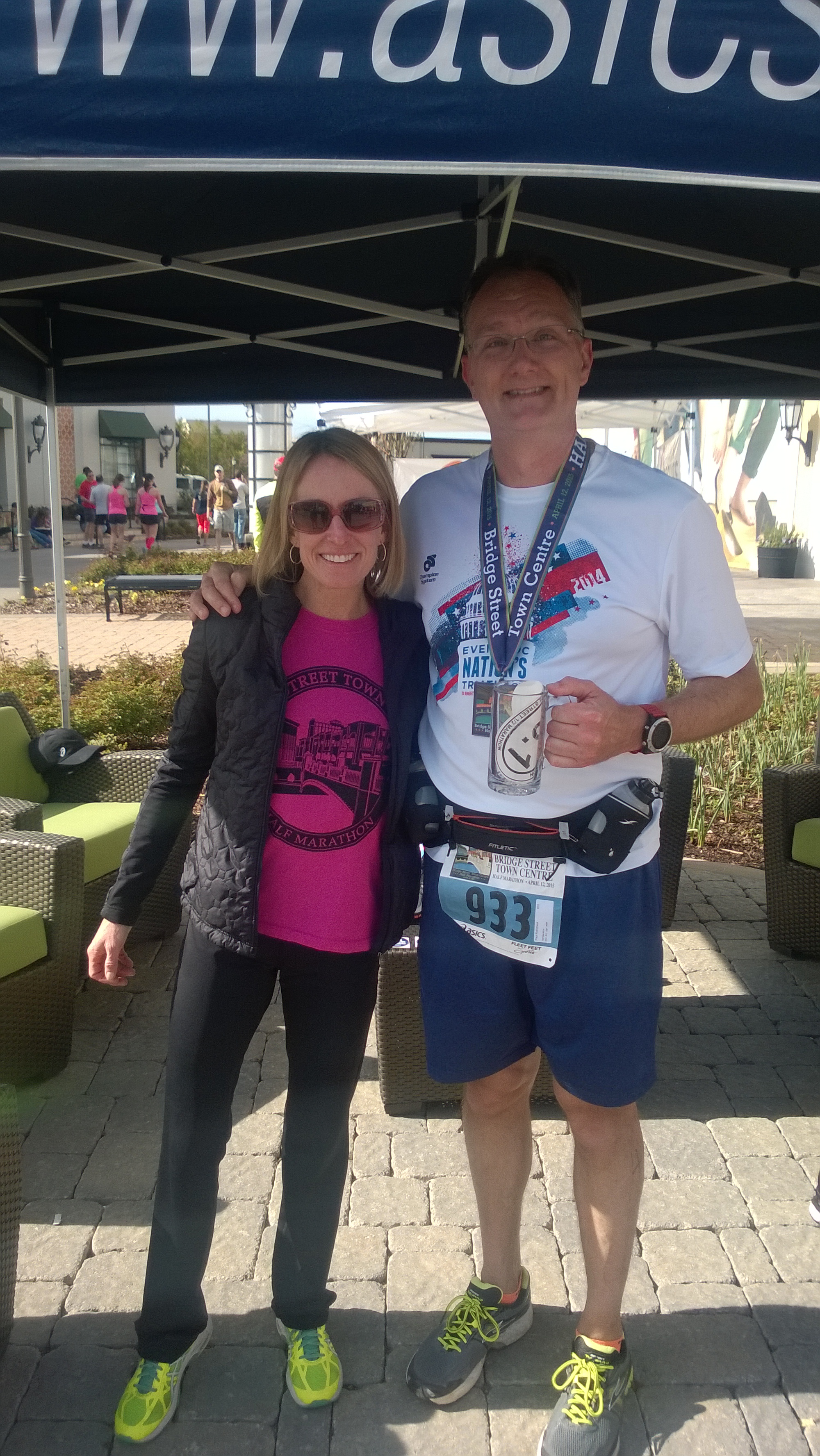
Thanks to the excellent steady pacing of Dennis, Carrie, and Tom, I finished in 2:15:09. I got my medal, stuck around to chat with Alex and other friends as they finished, then raided the food tent to relieve Dana of some of her goodies. Along the way, I also had a chance to take a picture with Deena Kastor, three-time Olympian and record holder in both the marathon and half-marathon. (That sets my personal pace to meeting one Olympic medalist every 29 years, so check back with me in 2044.)

WP_20150412_003After the race wound down, I had a light lunch…. ahhh, who am I kidding? I ate approximately 25 lbs of food.

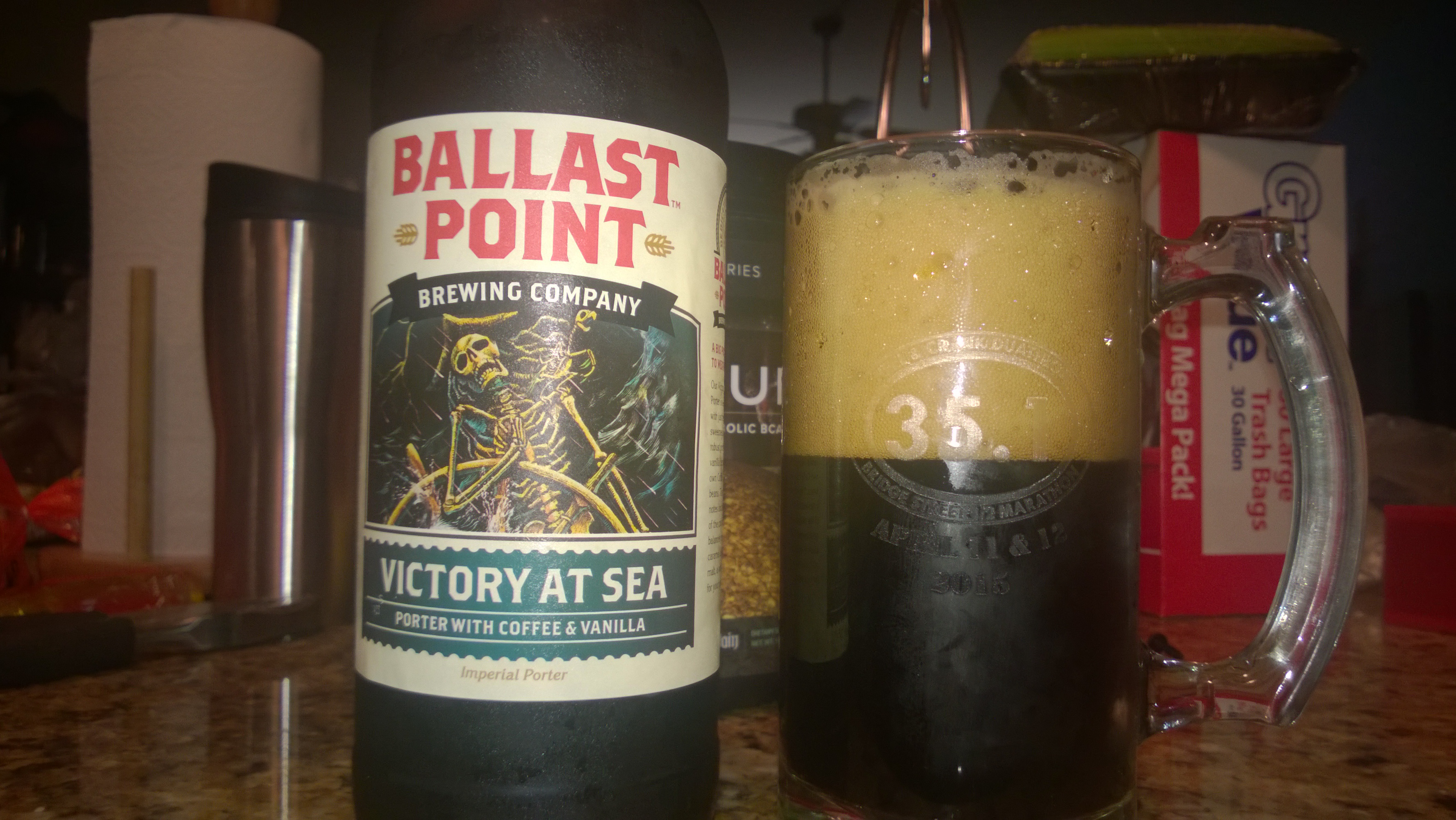
And, of course, once I got home, it was time to enjoy the fruits of my labor: the coveted 35.1 challenge mug, filled with one of my favorite beers. And some Advil.

WP_20150418_004All in all, it was a great experience, although I don’t plan on running any more races of this distance during triathlon season. In the fall, maybe, after the season’s closed out, I’ll consider it, but for now it’s back to the 5K / 10K distances I’m more accustomed to.


2 Comments

Filed under Fitness

Training Tuesday: Heel & Crank Duathlon (4/11/15)

Last year, I was delusional… I thought it would be a good idea to sign up for two races on consecutive days in order to qualify for the coveted 35.1 Challenge swag. To qualify, all I’d have to do is complete a duathlon on Saturday and a half-marathon the next day. Seemed simple enough from the comfort of my couch in October, so I signed up. The two goal races were the Heel & Crank duathlon and the Bridge Street Half Marathon.

Side note: biathlon is the cool Olympic sport where you ski and then stop every so often to shoot at targets. Duathlon is what triathletes call a run/bike/run event, as opposed to an aquabike (self-explanatory, that).

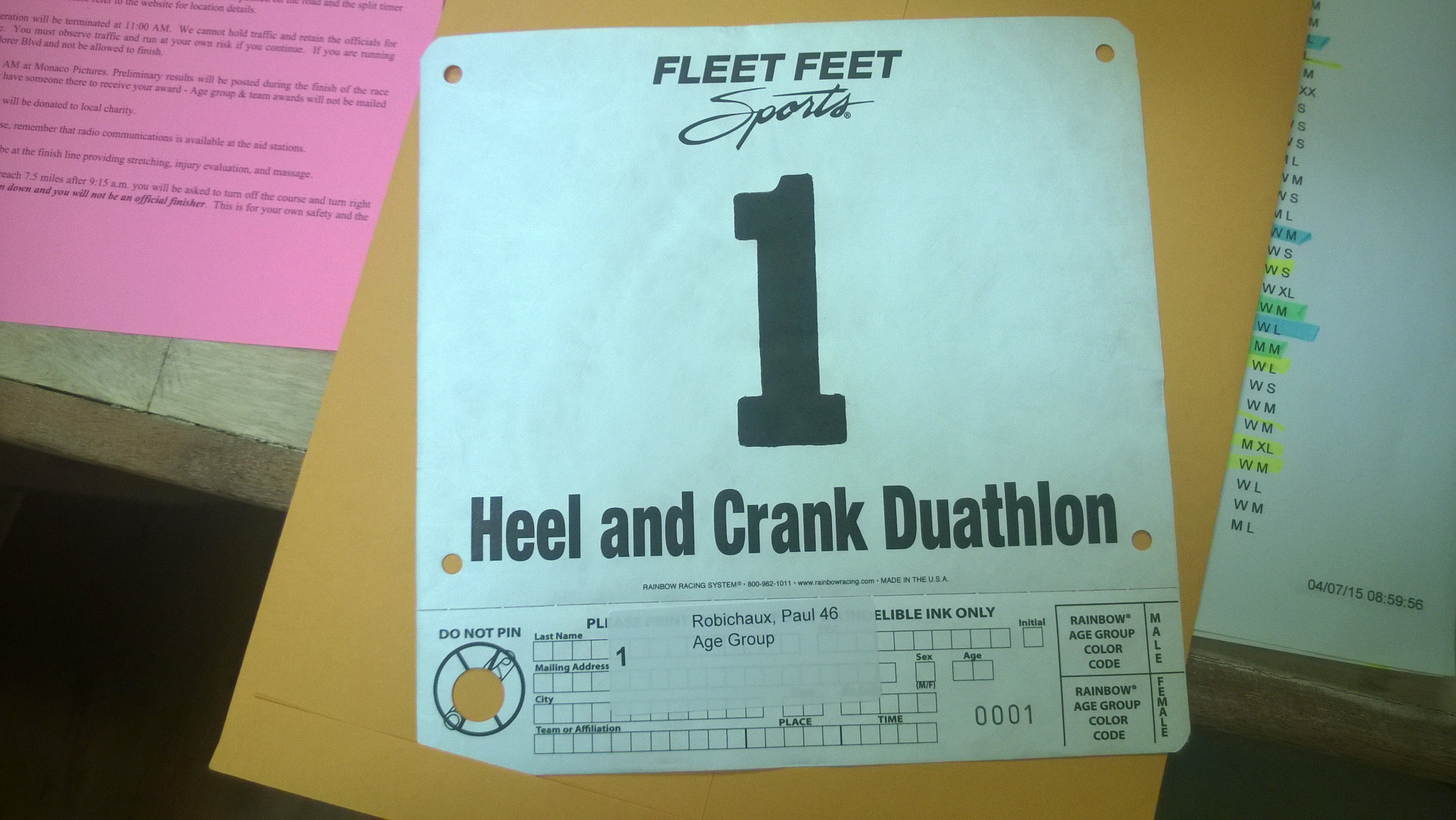
Fast forward to late March. I’d been training for the Bridge Street Half and the running was just wrecking my calves and Achilles tendons. I reluctantly decided to skip Heel & Crank. Thus it was that I went to volunteer at packet pickup for the half-marathon. “As long as I’m here I’ll pick up my Heel & Crank packet,” I thought. When I opened it, this is what I found:

WP_20150410_003Through pure luck and/or overeagerness in registering, I’d scored race number 1. At that point I felt obligated to run the race, so.. I did.

The weather race morning could not have been better: clear and cool. The H&C course has changed a bit over the last few years; what hasn’t changed is that the start is in historic Mooresville (site of Alabama’s first post office, among other things). This year the run was an out-and-back on a hard-packed dirt road that was somewhat muddy after recent rains. I wore my trail shoes, so that wasn’t going to be a problem. The bike course was a loop around some lesser-traveled Limestone County roads. Part of the course covers territory I’d ridden before on the weekly Jetplex group rides, so I knew that apart from a few gentle rollers there wasn’t much to worry about.

My plan was to hold a slow pace for all 3 events– just hang in there and finish without doing too much damage to my chances of finishing the next day’s half. I got set up in transition, lined up for the start, and ran the first 5K in just under 31 min– a comfortable pace, although my calves were complaining after about the first mile. I had a leisurely transition to the bike and rode well, but with uneven cadence, for almost exactly an hour. There was a stiff wind from the west for most of the race, which helped going out but hurt coming back in. Overall, though, the flatness of the course worked in my favor.

2015 Heel & Crank (821 of 1401)-L

Surprisingly, on the second run I was able to maintain a 10:44/mi pace, which was faster than I expected given that I was planning on taking it realllly easy.

I finished in 2:07:29, which was barely acceptable to me considering that I was going slowly on purpose– it was still frustrating to notch a low finish though. The excellent post-race setup took some of the sting out, though; the organizers had provided not only the traditional pizza and fruit, but also pancakes and beer from a local craft brewery. It was delightful to munch and talk with my local friends, standing in the warm sunshine while the sweat dried. Thus fortified, I went home to get all my real running stuff together and get ready for the next day’s half-marathon….

2 Comments

Filed under Fitness

Training Tuesday: New Orleans Sprint Triathlon (3/28/15)

I’m really behind on my race reports; as I write this, I’m resting after my fourth race of the season, but better late than never, etc.

For my first race this year, I wanted to do a sprint triathlon, and the stars aligned perfectly so that I could run the New Orleans Sprint. The timing would be tight; Dana wanted to accompany me, because she’d never been to New Orleans before, but she had the McKay Hollow Madness trail race on Saturday morning, and I had to get the airplane to Atlanta on Monday so I could catch a flight to Nebraska for customer meetings. We decided to leave right after her race, spend the rest of Saturday sightseeing, and come back Sunday right after my race. My mom was able to arrange her schedule to drive over from Alexandria and meet us, which added a lot to the overall fun factor.

Our flight was lovely; we had stable air and great visibility, although on our descent into New Orleans Lakefront we came uncomfortably close to another plane who wasn’t talking to ATC and obviously wasn’t watching where he was going. Mom met us there and after a little fiddling with the bike rack, we were off to find the hotel, have lunch at Deanie’s, and enjoy some sightseeing. We spent ome time touring the French Quarter (including Dana’s first walk down Bourbon Street; luckily it was in the afternoon so we only saw one dude passed out in the middle of the street).

WP_20150328_005Right after we took this picture, a teenage boy walked up to us and asked, in an impeccable British accent, if we knew where the cathedral was.

By day’s end we were too tired to go restauranting, so we had dinner at the hotel– surprisingly good nonetheless. I suppose hotel chefs have to up their game to stay relevant in a city so dedicated to food.

The next morning we all saddled up and drove to the South Shore Marina for the race. The swim was held inside the marina, which is part of Lake Ponchartrain. The water temperature was forecast to be in the low 60s, so I wore my wetsuit and was very glad of it. As is typical of mixed distance races, the Olympic-distance swimmers started first, so I spent a fair amount of time in line with the other sprint distance men from my age group. Finally I was at the end of the pier, got the signal, jumped in the water, and.. promptly forgot pretty much everything I knew about swimming. A combination of adrenaline and the shockingly cold water propelled me to start out at almost double my normal 100m pace.. which would have been great if I could have sustained it. In the pool, I can normally turn out a steady 2:00-2:05/100 time and I averaged 2:26/100. Not at all what I was looking for.

Transition was an easy run up the dock and into the corral. The race organizers had thoughtfully provided wetsuit strippers, which greatly eased my transition, but I was tired already as I got onto the bike. That was reflected in my craptacular 4:40 time for T1: almost inexcusably slow. Once on the bike, I regained a bit of my equilibrium as I headed out, buoyed by seeing Dana and Mom cheering for me on the outbound chute. The course paralleled the lakeshore, which was nice, and passed very close to the airport, which I enjoyed. I was feeling pretty good as we reached the halfway point and that’s when it hit me.. the wind, that is. Take a look at the upper right corner of this picture:

new-bike

That little “16” with the arrow indicates that we had a 16mph wind (with higher gusts, of course) from the east. That made for a lovely tailwind on the way out and a very unpleasant headwind on the way back. Let’s just say my enthusiasm wilted more than somewhat. The wind was strong enough that I had trouble controlling my bike (especially on the gridded metal road deck on the Seabrook bridge). I was glad to get back into the corral, transition (with another terrible time: 3+ min), and hit the road.

About the run: let’s just say I finished it. It was neither my worst nor my best; the route wasn’t very scenic either. I did appreciate seeing spectators on both legs of the course, and my Waffle House jersey provoked a lot of comments, so that was fun.

My entourage met me at the finish line, where I scored a really spiffy finisher’s medal and a towel inexplicably labeled “NEW YORK CITY TRIATHLON.” Maybe they ran out of the New Orleans-branded ones, or maybe they were promoting the NYC event? Who knows?

The post-race corral area was nicely set up, with pizza, fruit, soft drinks, and beer, but it was kinda flat– I think most finishers headed out to celebrate elsewhere as soon as they could gather up their stuff and get on the road.

My total time was 1:38:50, which was on a par with my races from last year. Still some room for improvement, especially on the swim but also on the run. I’ve got to work on building my pace off the bike; even running 9:30/mi off the bike would let me pick up an easy 3+ minutes, which in this case would have put me in the top 5 for my age group. Something to work on.

After the race, it was back to the hotel for a badly needed shower, then we walked over to Manning’s for a very pleasant al fresco lunch. Mom drove us to the airport and we had a perfectly unexceptional flight back– a calm end to a somewhat harried, though very enjoyable, trip.

1 Comment

Filed under Fitness

Fixing SharePoint Online OneNote “something went wrong” errors

I recently ran into a problem with a SharePoint Online site that had previously been created on BPOS and moved around through various iterations of Office 365. None of the site users had ever used the OneNote notebook associated with the site, but the link was present in the side navigation bar. When I tried to access it, I got the infamous “sorry, but something went wrong” error page. (For another day: discuss the Fisher-Price-ization of service error messages; the low information content doesn’t scare end users but makes it impossible to troubleshoot problems.)

A little binging turned up a plausible solution: “SharePoint 2013 OneNote Notebook something went wrong error“. I was a little leery of turning off the feature for fear that it wouldn’t turn back on. However, I took the plunge. After disabling the feature and re-enabling it, I was able to open the OneNote Online notebook, but I wasn’t able to use the “open in OneNote” link until I added some content in OneNote Online. All’s well that ends well. This may not be the only solution for this problem, but it has a 100% success rate for me so far.

1 Comment

Filed under Office 365, UC&C

A brief rant about the Mac Lync client

I’m supposed to be working on my Ignite slides, but I just ran into something that has flipped my safeties.

I just don’t understand.

Sure, I know the Lync/Skype for Business team has a lot of irons in the fire, what with their new product line and all. And I get that the Mac install base is small relative to the other things they have to do. But there is no reason I can see for the Mac Lync client to be as buggy and underfeatured as it is. They’ve had years to improve it.

The Lync PG has proven they can do rapid engineering work, as evidenced by the excellent speed and quality of the Lync mobile apps for Android and iOS.

And they’ve proven they can build a robust client, as evidenced by the history of the Lync desktop client for Windows.

The Mac Office team, for their part, has shown that they can produce high-quality clients that reliably work with Microsoft’s services.

So why does the Mac Lync client make me want to start throwing things?

Today’s example: I am signed into Lync with my work account. I want to create a meeting in my personal Exchange calendar, invite attendees, and set it up as an online meeting. This is trivial using Windows Outlook and the Lync (and, now, SfB) client: create the invite, click the “Lync meeting” button, and boom.

On the Mac, however, this scenario doesn’t work– clicking the “Online Meeting” button produces an obnoxious dialog telling me that I must be signed in to the same account in Lync as I’m using in Outlook.

This is just the latest in the pecked-to-death-by-ducks experience of using the Lync client on a Mac. In honesty, the client is more stable and has more features than its predecessors; hell, it even supports the Conversation History folder now. But what I want is a robust client, with feature parity with Windows, that works to enable the same scenarios I can easily perform in Windows. That’s not too much to ask.

I don’t know (and, as an end user, don’t care) which team inside Microsoft owns this. And I don’t have an opinion on who should own it. All I want is a solid client experience.

(And while I am on a rant: damnit, the Windows Phone sync client for the Mac is a giant pile of fail. Microsoft has apparently abandoned it in place. Bug reports go into a black hole. Latest example: after months of prerelease availability, Apple released the Photos app and… surprise… the WP8 sync app doesn’t work with it.)


6 Comments

Filed under FAIL, OS X, UC&C

Preparing for Ignite

I’m heads-down working on my materials for the upcoming Microsoft Ignite conference. This year, I have three sessions:

  • MVPs Unplugged: Real-World Microsoft Exchange Server Designs and Deployments. This is a panel with Jeff Guillet, Nic Blank, and Sigi Jagott, so I am really looking forward to it. I love panels in general, and my co-presenters are incredibly knowledgeable about the ins and outs of large and small Exchange deployments.
  • Exchange Online Archiving: Notes from the Field. Archiving is one of those topics that isn’t interesting to everyone— but for people who are interested, they tend to be very interested. In this session, I’ll be talking about various aspects of EOA, including what it is, how it works, and how to efficiently move to it.
  • Servicing Microsoft Exchange Server: Update Your Knowledge: this is a joint effort between me and Microsoft’s Brent Alinger. As you may know, he is Mr. Exchange Servicing. I’m really excited to have the chance to be onstage with him. He has some very interesting (dare I say “provocative”) things to say. I consistently find that people misunderstand (or maybe under-understand) how Exchange servicing works and why Microsoft does things the way they do, and I think this session will help shine a brilliant beam of knowledge down from the mothership.

As always, Microsoft has deployed a whole behind-the-scenes infrastructure for managing all this stuff; this year, the system allows attendees to register their session preferences, and we see projected attendee numbers in the speaker portal. When I check these sessions in the speaker portal, all 3 of them are shown as having more enrollees than the currently booked rooms can support— that’s an excellent sign.

Of course, I have to point out that the session schedule is still not 100% set in stone, and sessions may change both times and locations. That’s a good thing, as right now my EOA session is up against Julia White’s keynote, generating the following exchange:

Google ChromeScreenSnapz013

(Just for the record, Julia, you are more than welcome in my sessions, and I promise to come up with better jokes before you arrive!)

In addition to our assigned sessions, Microsoft has asked each speaker to conduct peer review of other presentations. In addition to the sessions I’m presenting, I’m peer-reviewing sessions on Clutter, Office 365 Groups, and SharePoint enterprise search (pretty sure this last assignment was an accident). We’re also all supposed to man the show floor Office 365 booth, plus there are various side events to plan and RSVP for. In particular, if you haven’t yet requested an invitation to the Scheduled Maintenance party, you’d better act quickly; I hear it will introduce a new level of awesomeness.

Apart from my sessions, the only logistical item I have to complete is to book my flights; until the session schedule is finalized, I can’t. While I’d much prefer to fly myself, Microsoft only covers commercial airfare for speakers. I might fly myself anyway, though!

The workload is ramping up quickly as we get closer to the event, but it should pay off with some excellent sessions. I’m looking forward to Ignite– drop by and say hello if you’re there!

Leave a comment

Filed under Office 365, UC&C

Flying Friday: first flights with the CGR30p

Good news: we finally got the long-awaited CGR-30P instrument installed in our plane! Back in February, I said we’d put the plane in the shop for the actual install and, rather optimistically, said that I thought we’d probably get it out within a week or two. I could write a long, sad story about the various difficulties we had, including the unexpected departure of the shop manager, his failure to tell us we needed to do a pre-install maintenance check flight, and so on, but the details are both boring and depressing. Enough to say that the install is done, there have been no major problems with it so far, and we’ll probably find another shop to use in the future.

Anyyyyyway, here’s what the finished product looks like. We had it installed in the panel in the spot formerly occupied by a defunct Stormscope, in the upper left corner of the panel. The plastic cover that Piper uses on its panels obscures the tachometer redline, which is annoying but not insurmountable.

WP_20150328_001The rest of the installation is unremarkable; the CGR unit uses a small box known as the EDC (for “engine data computer”) that’s installed in the baggage compartment. All of the temperature probes and transducers feed data to the EDC, and a simple single cable runs from the EDC to the panel. In the engine compartment, there are six probes each for cylinder head and exhaust gas temperatures, a fuel pressure transducer, a fuel flow transducer, oil pressure and temperature transducers, plus an outside air temperature (OAT) probe mounted on the pilot’s side of the fuselage. The picture above shows manifold pressure and propeller RPM at the top, an EGT/CHT bar graph in the lower left side, and fuel flow, fuel pressure, and oil pressure on the lower right.

The CGR30P is connected to the master bus, not the avionics bus, so when you power on the master switch it comes on. Although it’s possible to use it as a fuel tank gauge, that would require a bunch of additional wiring, so we kept the analog fuel tank gauges and use the CGR to monitor fuel flow. When it boots, you can specify how much fuel you’ve added and then it will track both the flow (by using the flow transducer) and your fuel remaining (by subtraction).

The control scheme is simple; the “S” pushbutton sequences between different screens on the lower half of the instrument. The rotary knob (which can be pushed to select) moves a small carat cursor around between fields. The “E” button exits what you’re currently doing. This takes a little practice, but it’s easy to learn. For example, if I want to lean the engine, I press S until I see the CHT display, then use the rotary knob to select the CHT display type, press the knob in, and dial it until it reads “CGT ROP” or “CGT LOP.” Easier said than done.

At first, it took me a minute to remember that the old analog fuel flow gauge had been disconnected while I was priming the engine. Luckily I caught on, and that gauge is now placarded as inoperative so I won’t keep looking at it. Apart from the novelty of looking at a color screen instead of a 1950s-era analog instrument, engine start, taxi, runup, and takeoff are completely unchanged. Leaning the engine for cruise will take some getting used to; because EGT6 is wrong (see below), the lean-of-peak and rich-of-peak methods are just guesswork, so I stuck with setting approximately the same fuel flow I used back when the analog gauges were connected. I was very pleased to see that setting the throttle so that the CGR read 16″ of manifold pressure gave the same steady 500fpm descent rate that 16″ of MP would on the analog gauge. In fact, the only discrepancy I noticed was that the electronic tach reads 80-100rpm faster than the mechanical tach, probably due to flex or looseness in the mechanical tach cable.

The refresh rate, quality, clarity, and lighting of the CGR30P screen are all superb; it was easy to read it in all lighting conditions, including direct sunlight (though I haven’t flown with it at night yet).

Sharp-eyed readers may notice that the cylinder head temperature bars (the green ones) don’t seem to show much of a temperature on cylinder 6. During my first test flight, I found that the EGT for that cylinder was suspiciously low, although the engine functions just fine. We think there’s a loose connection, which we’ll troubleshoot once we get the airplane back from annual. For a while, I was sure that CHTon cylinder 2 was wrong, but no, it was just that I’d chosen to display the differentials for CHT, so that the coolest cylinder reads as zero and the other cylinders show how many degrees above the coolest they’re running.

I had to fix a few other things; the CGR30P didn’t know what the analog tach’s total hour reading was, and it didn’t know that it was connected to our KLN94B GPS. The GPS feeds the distance to the current waypoint and the total flight plan to the CGR, which can use it to show how much fuel you’ll have when you get there. The CGR is also supposed to feed fuel data back to the GPS, but ours is old and doesn’t know how to use that data. Newer GPS units can display a range ring that shows graphically exactly how far you can fly– and as you change fuel burn by changing the throttle or mixture settings, the ring dynamically changes to show how far you can go. The GPS integration still isn’t working quite right, though; I need to tweak it a bit more.

By about 30 minutes into my flight to New Orleans, incorporating the CGR into my scan was second nature, and I feel comfortable operating it. I’m looking forward to downloading engine performance data and having it analyzed to see what we can learn about the health of the engine and how to operate it for the greatest efficiency and longevity– the real reason behind getting the monitor. So far, it’s a solid device and I’m happy with it.


1 Comment

Filed under aviation, Reviews

Flying Friday: “When Penguins Flew and Water Burned” (review)

I don’t bother to review very many books, in part because I read a lot and in part because writing reviews takes time away from reading. However, I recently received the Kindle version of When Penguins Flew and Water Burned and wanted to quickly recommend it. The book is a recap of the career of Jim Clonts, a B-52 navigator (and, later, radar navigator) during the tail end of the Cold War. Clonts writes in an engaging style, and his tales of life on a bomber crew are absolutely fascinating if you’re at all interested in military aviation. Although his crew position is navigator, he’s also a pilot and so there’s a fair bit of inside-baseball talk. The book is moderately heavy on jargon, as you might expect, but it’s still pretty approachable even if you don’t know anything about bombers or the USAF in general. Well worth a read if you’re flight-minded.

2 Comments

Filed under aviation, Reviews

Training Tuesday: the software and services

It should come as no surprise to anyone who’s known me for more than 5 minutes (or read more than one article on this blog): I’m a nerd and I like gadgets. In an effort to get the most out of my training, I’ve tried a variety of different services to track, analyze, and store my workouts, and I frequently see people asking questions about services such as Strava and TrainingPeaks online, so I thought I’d jot down a few Cliffs Notes to help people figure out which services might be right for them.

First, let’s stipulate that pretty much every fitness device manufacturer (Garmin, Jawbone, Withings, Suunto, et al) has their own branded website. I don’t use any of these (except Garmin’s, about which more in a minute). Most devices require you to sync them with the manufacturer’s website. Sometimes those websites can sync to others (more on that in a second), and sometimes they cannot.

The latest trend in this market is the emergence of services such as Apple Health and Microsoft Health that want to aggregate all sorts of your fitness data (with some surprising omissions), analyze it, and then give you “actionable insights.” The things I’m writing about here are all targeted specifically at fitness, not necessarily overall health. For example, none of these sites directly lets you track the foods you eat (though some partner with food trackers). I’m not writing about the Microsoft or Apple services (or Google’s for that matter…. hahahahaha, like I’d give Google all my health data) because I don’t use them, but that might be a good topic for a future article.

Garmin ConnectGarmin recently updated their Connect service, so the version I’m writing about is labeled the “modern” version on the service itself. There’s also a “classic” version which seems to mostly have the same features, but I don’t use it.

Garmin ships a very wide range of products that plug into Garmin Connect: from fitness trackers to multisport watches to action cameras to special-purpose swim and golf watches, if it says “Garmin” on the front and isn’t a GPS, it probably will display data in GC.

The screenshot below gives you an idea of what GC looks like. You can customize each of the tabs across the top (“Sports” being shown in this case) with data blocks, adding, removing, and positioning blocks as you like. The other day, a new block labeled “Golf” showed up, but I gave it the heave-ho posthaste since, of all the fitness activities I enjoy, golf is not one of them.

Google ChromeScreenSnapz002

When I got my first Garmin device, I went to the GC site, signed up for an account, downloaded the sync software, and plugged in. This was all seamless, and the instructions provided were clear. Keep in mind that Garmin requires you to use sync software on your PC or Mac to sync your device, although if your device supports Wi-Fi or Bluetooth sync you may not need a computer at all. This sync software has nothing to do with the GC website itself, which you can use from anywhere.

(Personal note to my WP posse: there’s a decent Windows Phone app called Astro Fitness that can sync with GC.)

Overall, GC is my favorite of the connected-device services. While its social features are poor compared to Strava, and it lacks some of the specialty features from MapMyRide/MapMyRun (such as the ability to automatically choose a route if you give it a starting point and a distance), it looks good and is highly customizable. It also integrates pretty broadly into the wider fitness ecosystem; it can automatically sync with TrainingPeaks and Nike+ and can import food data from MyFitnessPal. Garmin’s support is forum-based and has done a good job answering the few issues I’ve raised.
Suunto MovescountIf you own a Suunto device, you’ll be using this to sync workouts from your device and to change many of the settings for the device itself. Suunto, in general, prefers a simpler on-device UI, so you need the website for things such as specifying which activities you want to track or what data fields to display on the watch. On the other hand, that makes the device a bit easier to use, though it means that if you forget to change a critical setting before a race or event, you can’t change it on the watch.

Below, you can see what a typical activity on Movescount looks like. Note that while Garmin Connect uses tabs, Suunto prefers a scrolling vertical layout, so you’re not seeing everything in this picture that would actually be displayed on the page.

Google ChromeScreenSnapz001

Like GC, Movescount shows you the pace, speed, distance, and location of your activities. It’s important to remember that what you’re seeing is based what the device recorded. While some Garmin devices will compute recovery time themselves, Suunto’s devices don’t, so the recovery time and PTE figures you see here are calculated by the service. On the other hand, the Ambit 2s can calculate “swolf” swim metrics, so Movescount will show them to you.

One persistent issue I had with the Movescount web site is that the distances shown for swims don’t necessarily match what the watch says or what gets synced to external services. For example, if I swim 300m according to the watch, it’s common for the site to say that I swam 275m (or maybe 325m, if it’s feeling generous) but then to display the correct distance when I sync through Tapiirik. Suunto’s support is aware of this problem, but hasn’t fixed it in the six months or so since I reported it. That’s sadly typical of my experiences with their support; the staff seems friendly, but they don’t get stuff done. In addition, the site had multiple weekend-long outages during the nine months or so I was using it daily. While these outages are harmless, they were quite annoying

Movescount has fairly weak social features, although it can automatically post links to your workouts on Facebook and/or Twitter. The site has a ton of groups for various sports, but the ones I was interested in had very few people— a testament to Suunto’s niche status in the fitness world. (Perhaps the groups for diving, hiking, etc were better populated?) Overall, a decent tool but not up to the standard of GC in my opinion.

Strava

Strava’s tagline is “Prove it.” The goal of the site is to help you “analyze and compare your data against yourself, friends, and pros.” To do this, you can either use the iOS or Android app, or a compatible Windows Phone app such as CycleTracks, or a GPS device (which can be a watch, a bike computer, or any of the other supported devices) to track your workouts. As you ride and run, Strava tracks your performance; the fastest person on a given route is labeled as the “king (or queen) of the mountain” (KOM or QOM) and gets a little badge.

Post-workout, you get a display similar to the below. There are three interesting things about this summary. First is the data panel just to the right of the ride title. It shows average and max speeds, heart rates, etc. This is very similar to what you see on other similar sites. Second, notice the “top results” list above the map. Strava automatically tracked my progress across designated parts of the route (known as “segments”) and noticed when my performance was good.

Google ChromeScreenSnapz009

Third is the segments list itself, which you can’t see on this page because the window wasn’t big enough. As you can see below, in the expanded view, for each segment I can see how I performed compared to other people who have ridden or run the same segment. The “Analyze” button zooms in on that segment to show graphs of speed, power, cadence, and elevation for the segment alone, while the “Compare” button lets you track your performance against the KOM or against anyone on your friends list. You can break your performance down to see how it stacks up against people in your age group, weight bracket, friends list, and so on. This is both powerful and motivating, especially when you couple it with the goals feature, which allows you to set a time goal for a particular segment.

Google ChromeScreenSnapz010

Speaking of friends: Strava has the best social features of any of these sites. You can follow (and/or be followed by) your friends, but there are also extensive features for forming clubs. For example, our local “We Run Huntsville” group has a Strava club, so when I look at the activity list I see what my real-world running friends have been doing. Same with my Complete Human Performance coaching posse, and so on. Strava also has a healthy environment of challenges (such as “complete a half-marathon this month” or “bike 250Km”). These challenges don’t win you anything except a little digital badge, plus bragging rights,  but as part of the overall goal-setting ethos of the site they’re valuable as spurs.

The basic Strava site is free, although you can pay more for the Premium version, which includes more analytical features, plus videos, workout plans, and other goodies. If you’re interested in giving Premium a try send me an email; I have a few codes that are good for a free month each.)

TrainingPeaks

I use TrainingPeaks (or TP, as it’s universally known) because my coach makes me. He puts workouts in, and they appear on my calendar, as you can see in the screenshot below. Because TP syncs to Garmin (and other services), when I complete a workout its data is almost always automatically assigned to the correct workout; in rare cases, I have to manually download an activity file and then attach it in TP. TP calculates a bunch of metrics that my coach can use to keep my training workload where it should be. As an athlete, I don’t necessarily see all of this data (nor, as a novice, would I know how to interpret it), but the overall ability to plan and track workouts is very useful. You can use this solo just by putting in your workout schedule (and TP has training plans for marathons, various triathlons, etc. that help automate this process). I’d love to see the local Fleet Feet start using this for workout tracking, for example. One very nice feature of TP Premium is that it can export an iCal calendar, so when I tag a workout on TP with a time, it shows up in my calendar— a very useful aid to overall time management.

Google ChromeScreenSnapz007One complaint I have about TP is that there’s no Windows Phone app, and their web site doesn’t work well at all in mobile IE. I typically copy weight workouts to OneNote (then turn them into checklists, yay!) but it would be nice to be able to see workout details on a device without that extra step. I also have often heard my coach and my fellow CHP athletes complain about refresh and stability problems with TP but haven’t had many problems with it myself. I will say that TP’s support staff are excellent; every time I’ve had a question or problem, they have quickly and efficiently resolved it. The premium version of TP is $10/month.

TrainerRoad

I LOVE THIS SERVICE and have written about it a couple of times before (most recently here). It combines bike workout plans with power measurement (either using a power meter or an algorithm that estimates power output based on your wheel speed and the resistance profile of your indoor trainer), then gives you immediate feedback about your power on the bike. You run the TR app on your iOS device or PC, and you immediately see what your performance looks like. The center graph in the screenshot below is basically what you see during a workout: the yellow trace is your power output. During a workout, you also see your cadence, heart rate, and other useful data. It makes working out to a specific standard much easier: you ride until the yellow line is where you want it over the blue, then hold it— easier said than done, but much easier (at least for me) than trying to figure it out on my own.

Google ChromeScreenSnapz011

TR costs $10/month, which gives you access both to the service (and its ability to sync directly to Garmin Connect, which is nice) and its workout library, which includes all sorts of cycling-specific training plans. I recommend it highly.

Tapiirik

Tapiirik is very simple: it syncs services. You can choose to sync any supported service to any other supported service, in any combination. For a while, I had RunKeeper, Strava, TrainingPeaks, and Endomondo all set up. Suunto would sync to RunKeeper, which would sync through Tapiirik to the other services I use (some of which had their own sync relationships, such as the link from RunKeeper to Fitocracy). Now that Garmin, Strava, and TrainingPeaks all talk to each other, I don’t use this much any more but it’s a valuable tool if you want to talk to any of the services it supports.For $2/year this is a superb value.

Google ChromeScreenSnapz008

Everything else

MapMyFitness: this is really a collection of very similar sites: MapMyRide, MapMyRun, etc. My favorite feature here is the “route genius”, which will lay out a route of the specified distance given a starting point and workout type. This service costs around $30/year for the premium version, which is required to use “route genius”. I use it because I got a year for free when I bought my headphones, but you may not find the features that compelling.

Nike+: this is the software I first started with. I liked it, but it only does running, and it only works with the Nike+ app for iOS (and maybe Android?) While the presentation is top notch, it lacks many of the features in Strava and Garmin, so I ditched it. Garmin recently added sync with Nike+, so if I ever go back to an iOS device I might take a look at it again.

There are lots of other services in this same mold: Runkeeper is another example. And then there are tons of apps that work with these services on various platforms… and more coming all the while. So this article isn’t comprehensive, and it will probably be outdated sooner than I’d like, but such is life with cloud services.. even when those services are supposed to be for something fun.


Leave a comment

Filed under Fitness

Training Tuesday: first week with the Garmin Fenix 3

Not long after I got my Garmin 920xt, Garmin announced the Fenix 3, which combines the same Connect IQ software platform with a round face and (to me) a much more attractive industrial design. I ordered one in January, figuring that I could probably sell the 920xt without too much trouble, then I settled in to wait for its arrival. I’ve had it about a week now, just long enough to get a sense of how it compares to the 920xt.

WP 20150317 002

First,I love the physical appearance and build quality of the watch. It reminds me of the Suunto Ambit 2s, though it’s a bit heavier. Whereas the 920xt felt plastic-y (makes sense, given that it was plastic), the Fenix 3 feels like a real watch. Screen brightness and clarity are excellent; the screen is a different shape but has the same resolution as the one in the 920xt. One significant difference is that the 920xt has six hardware buttons, while the Fenix 3 only has five. They’re also arranged very differently; for example, the “up” button on the 920xt and the “start/stop” button on the Fenix 3 are in the same location, on the upper right side of the watch. The difference in button location has been the hardest thing for me to get used to. Starting and stopping activities is easy, but there’s no longer a single-button shortcut for “connect to wifi” and there’s no dedicated button to bring up settings— instead, you hold down the “up” button. I’m still trying to master the button combo to enter drill mode when swimming and have occasionally fumbled with the other buttons in the midst of an activity, but I’m getting used to it now.

In terms of functionality, the Fenix 3 does everything the 920xt does for tracking runs, swims, and so on. However, it has four additional sensors: an altimeter, a barometer, a compass, and a temperature sensor. The Fenix 3 software thus has several features missing from the 920xt, including the ability to display data from all those sensors, “trail run” and “hike” activity modes that track your altitude using the altimeter instead of GPS altitude, and a slightly different UI paradigm for interacting with the sensors: each sensor type has its own dedicated widget, which you page through using the “up” and “down” buttons. Here’s a quick video I shot showing what the widget displays look like. The widget labeled “VIRB” is there for controlling Garmin VIRB action cameras. I much prefer having a separate widget for this than the 920xt approach of having the VIRB controller be a data page that appears within an activity. Here’s a quick video I shot showing a little of what the user interface looks like.


There’s about a $50 cost difference between the 920xt and the Fenix 3, assuming you buy just the watch and not the bundle with the heart-rate strap (and that you buy the basic Fenix 3, not the fancier and heavier one with sapphire glass). For me, the cost was well worth having a nicer-looking watch. One downside to the form factor of the Fenix 3 is that there currently isn’t a quick-release kit, as there is for the 920xt, so if I want to use it while riding the bike I’ll need to improvise a mount. That’s a small disadvantage, though, for the way I use the watch.

Of course, the back-end Garmin Connect service doesn’t care which watch you use to gather your data as long as it has the Garmin logo on the front, so switching the 920xt for the Fenix 3 was a non-issue there.

If you’d like to know more about the Fenix 3, I highly recommend this lengthy review at dcrainmaker. It goes into much more detail about the watch, how it works, and how it compares to its peers.

1 Comment

Filed under Fitness, Reviews

License usage reporting in Office 365, part 2

If you’ve been wondering where part 2 of my series on reporting in Office 365 was, wonder no more; it just went live this morning.

Leave a comment

Filed under Office 365, UC&C

Microsoft rolls out Clutter admin improvements

Back in November, I wrote about my early experience with the Office 365 Clutter feature. I’ve been using it on and off– mostly off, due to a rare bug that surfaced because my mailbox is actually hosted on a portion of the Office 365 cloud that descends from the old Exchange Labs “friends and family” tenant. The bug kept Clutter from correctly moving clutter messages automatically; once it was fixed things returned to normal after I re-enabled the Clutter feature, and I’ve been happily using it since.

One of the big advantages of Office 365 is that the service team can develop and release new features much faster than they can for on-premises services. Sure enough, Microsoft today announced three new features for Clutter.

The biggest of these is the ability to create transport rules that flag messages, or senders, as exempt from Clutter processing. This is exactly the same thing as specifying safe senders for message hygiene filtering, although the implementation is a little different. You’ll create a transport rule that has the conditions and exceptions you want, but with an action that adds a header value of “ClutterBypassedByTransportRuleOverride: TRUE”, as described here. I have not personally had even a single false positive from Clutter since I’ve been testing it, and I haven’t seen any complaints about false positive problems from other users, MVPs, or customers. Having said that, Microsoft was smart to include a way to exempt certain messages from processing, as this will soothe some users and tenant administrators who are worried about the potential to have important messages be misdirected.

Second, the Clutter folder can now be managed by retention policies. This is an eminently logical thing to do, and it nicely highlights the flexibility of Exchange’s messaging records management system.

Rounding out the trio, you now have a very limited ability to customize the message that users see when they enable Clutter for their mailboxes: you can change the display name that the notification appears to be from, and you’ll soon be abe to change the logo. Frankly, this is weak sauce; there’s no way to customize the text of the notification, add custom URLs to it, or otherwise modify it in a useful way. Long-time Exchange administrators will recognize a familiar pattern exemplified by customizable delivery status notifications (DSNs), quota warning messages, and MailTips in previous versions of Exchange: first Microsoft delivered a useful feature with no customization capability, then they enabled limited customization, then (after prolonged complaining from customers) they broadened the range of things that could be customized. Let’s hope that pattern holds here.

There’s still one weak spot in the Clutter feature set: it still requires individual users to opt in (or out). While it’s true that users would likely be alarmed by the sudden forceful application or removal of the Clutter feature from their mailboxes, it’s also true that Office 365 as a whole needs to provide better controls for administrators to regulate which service features users have access to. I am hopeful that we’ll see better admin controls (and reporting) for this feature in the future.

While these improvements aren’t necessarily earth-shaking, they do add some welcome utility to what is already a valuable feature. Clutter is a great example of a feature that can make a measurable positive difference in users’ satisfaction with the service, and I look forward to more improvements in the feature.

1 Comment

Filed under Office 365, UC&C

License usage reporting in Office 365, part 1

On this blog, I write about whatever interests me. To the chagrin of some folks, this often includes aviation, fitness, and various complaints, but hey.. it could be worse. I save the really inane stuff for Twitter.

Besides the content I post here, though, I also blog at the Summit 7 Systems blog collective. Right now I’m publishing a series on reporting in Office 365. The first part of the series, on license usage reporting, is here, and the second part will be published shortly. In general, when I post content there that might be of interest to readers here, I’ll cross-post it with a short post like this one.

3 Comments

Filed under Office 365, UC&C