Training Tuesday: halfway through TRI101

So last week marked the halfway point in the Fleet Feet TRI101 program. I can definitely see a big difference in my overall fitness level, although (as I learned on Sunday in the gym) I am not nearly as strong as I was when I was lifting regularly. This is in part due to the garbage diet I’ve been following; too many carbs, not enough protein, and probably too much fat to boot. That’s one of the things I want to focus on in the upcoming weeks as I start reintegrating lifting into my workouts. The bricks we’ve been doing at TRI101 class have been really helpful, too, along with the many small tips and tricks that the more experienced athletes and coaches have been sharing.

I continue to be tempted by signing up for more races, but at the same time I’m growing more nervous: my first real tri is in less than two weeks, and it’s hard to judge whether I’m ready for it or not. On the other hand, my friend Dana just ran her first sprint tri and finished 2nd in her age group— so it proves that even your first race can go well. My goals for the Shelburne tri are to not burn up all my energy in the swim. The bike ride is a longer distance than any I’ve done so far, so I’d like to finish that at my same ~15mph pace, and then get the run done in under 35 minutes. We’ll see how that goes.

The past week’s workouts:

  • Tuesday we bricked as part of our weekly class: 34:46 for 8.45mi on the bike plus a weak, slow 15:01 to run 1.41mi. As a bonus, I split my forehead open in transition and had to go get stitches, so I couldn’t swim for a little while.
    WP 20140617 003Like my old man always said: it’s not a project until blood has been shed
  • Wednesday I met up with a group of triathletes for a brick south of the airport. Damn, it was hot. 55:01 for 12 miles on the bike plus a super short 8:15 run of 0.8 miles. For some reason I didn’t get any cadence data from this ride. The reason turned out to be simple: the magnet that the cadence sensor senses fell off somewhere. I replaced it with several Buckyballs, which I stuffed into the pedal hole on the crank; a piece of electrical tape holds them securely in place and now I get cadence data again.
  • Thursday I skipped my normal morning run— after a race last Saturday, a long ride Monday, and bricks Tuesday and Wednesday I was ready for a break. I took Friday off too.
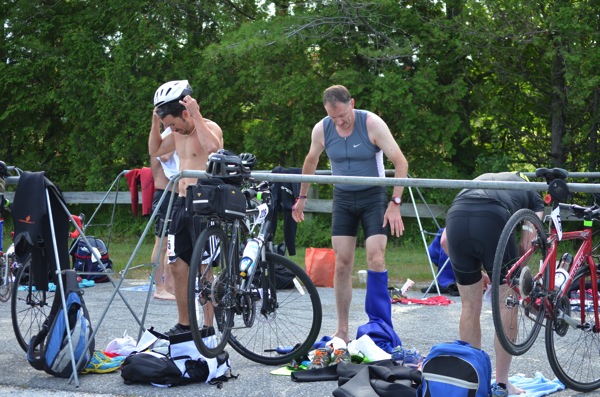
  • Saturday I volunteered at the Monster Tri. It was great fun; I saw a bunch of my tri friends and got a close-up look at how transition is supposed to work. I also took a bunch of pictures, some of which were better than others.
  • Sunday I dragged myself to the pool and swam ~ 500yd. I still don’t think my watch is counting swim laps right. Then I carried my tired self over to the weight room and got a lift in for the first time in about two months. I felt weak but good when done, and the DOMS I had yesterday and today is a small price to pay (especially since my glutes and hams were already sore before I even got there.)
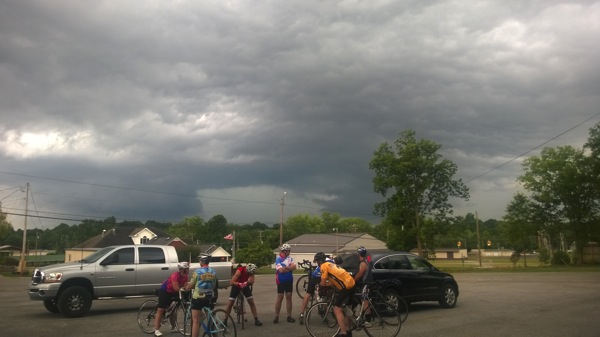
  • Monday I geared up and went to downtown Athens for the 15-mile beginner ride that a group of local cyclists holds… but the weather wasn’t cooperating.WP 20140623 002

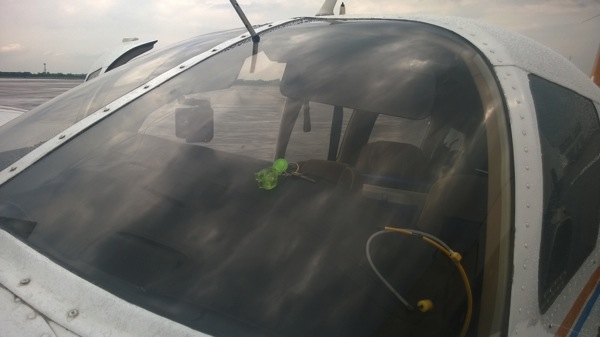
    Not acceptable weather for instrument flight or VFR bicycling

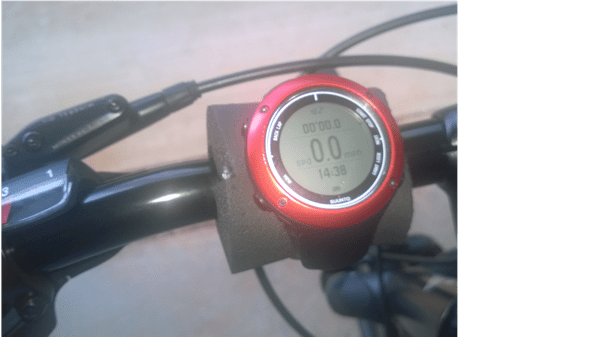
    Rather than get hit by lightning, I elected to go home. I didn’t even get to test the sweet handlebar mount I made for my watch so I can see cadence and speed data on the go: a trip to Home Depot yielded a piece of pipe insulation that was just right for holding it. However, I am confident that it will work.

     WP 20140624 004Nothing like a little Cajun engineering


Right now I’m hoping that the weather will clear so I can go on to TRI101, where we have a workout cleverly named “Rick’s Special” after our lead coach– it’s a 2 mi bike + 1 mi run brick, repeated as many times as possible. Should be fun!

Leave a comment

Filed under Fitness

Thursday trivia #108

First, my thoughts and condolences are with the families of the pilots killed in the Westwind II crash at Huntsville yesterday. 
  • I don’t normally post on political topics here… but if you believe that six key IRS employees just happened to lose all of their email, at the same time, in a manner that’s not recoverable, then I have some hope and change I’d like to sell you. Government agencies and large companies pay large sums of money to prevent exactly that type of occurrence.
  • This looks pretty interesting: “Loss of Signal: Aeromedical Lessons Learned from STS-107
  • Yesterday was the 100th anniversary of the first successful demonstration of an autopilot. We’ve come a long way since then.
  • Having two teenage sons both driving has reacquainted me with all the reasons I don’t like auto insurance companies. Every six months, when I write that check, my dislike for them peaks.
  • I’m loving the World Cup, but oddly I don’t care much about soccer in general. Go figure. I must be an American.

3 Comments

Filed under General Stuff

Training Tuesday: gearing up

It’s amazing how much crap you can buy for triathlon training. I already had running shoes and a bike; since then I’ve bought a watch, a cadence sensor, a wetsuit, goggles, a race hydration belt, and an assortment of other odds and ends. Yesterday I finally broke down and bought swim fins, a kick board, and a swim pacing timer— not because I need those for the race but because I need them for the drills my swim coach is giving me, and if I actually spend money on the gear I will feel obligated to do the drills. Commitment device FTW! In the same vein, since it was about 25% more expensive to buy a wetsuit than rent one, I bought one for my upcoming triathlon in Vermont… but now, having bought one, I feel like I need at least one more open-water tri to justify it. Candidates include the Lone Star Sprint in Galveston (which seems to have a permanently broken web site), the Frantic Frog in Scottsboro, the Tri-Rock in Austin, the Tawas Festival of Races, or maybe one of these.

I think I am done buying stuff for this tri season, unless I break or lose something— certainly not out of the question. I think I’d like a heart rate monitor but that’s just because I like looking at pretty graphs, not because I think it would help my training. At this point I need to stick to the plan, be a little more careful about what I eat, and start getting some actual races under my belt. More experienced cyclists have suggested changing the big semi-knobby hybrid tires on my bike for thinner road tires, and I might do that, but we’ll see how my first race or two goes. I figure I can always buy more crap later, but having more stuff isn’t going to make me go any faster or train any harder.

This week’s workouts:

  • Tuesday and Wednesday I was out of town and didn’t do anything.
  • Thursday I went back to Bridge Street for another group run. I felt really slow starting off, but in the end I ran 4.67 miles in about 47:25— a new distance record for me. (In fact it was a bit longer because my watch didn’t start timing when I thought it did). This was a real confidence boost, because if I can run that distance well that puts me in good position to complete a 10K. I’ll do better this week, too; at once point I stopped to walk because the group in front of me had run out of sight and I didn’t know where the planned route was, so I waited for the group behind me to catch up.
  • Friday I swam. Maybe 475m, maybe 500m, maybe 600m. It depends on which set of data from my watch you believe, as I wasn’t manually counting laps.
  • Saturday I ran the Alabama A&M Cross-Country 5K. I ran it in 31:59, which is certainly not great. The course features a good-sized hill, though, so that’s my excuse. I saw a ton of folks from my TRI101 class, which was cool, and it was a good workout. Plus each finisher got a hand-painted souvenir rock instead of Yet Another T-Shirt, so that was cool.
  • Sunday, I celebrated Fathers’ Day by not doing anything exercise-related. I did eat a steak, though, and I think that should count.
  • Monday I joined the local Kreme Delite group (so called because that’s where we ride from) and did 12.51 mi in 55:29. I got to the ride site a few minutes late, and the group had already left, so I blundered around trying to find the correct street for the route, then encountered another late rider along the way— so he and I rode the route, only to find a big group at the finish line. Note to self: be on time for next time.

On to the next!

1 Comment

Filed under Fitness

Does Azure Machine Learning open the door for on-premises Office Graph?

Microsoft continues to expand the reach of its Azure services by introducing new capabilities, seemingly on a daily basis. Today I was surprised to see an announcement for the new Azure Machine Learning service (more background in this NY Times article). The link for the service apparently isn’t live yet, though.

The availability of this service raises some interesting questions around Office Graph, the set of nifty social-ish features that Microsoft introduced at SPC and reiterated at MEC and TechEd. We recently learned that, at least for now, there are no plans to offer Office Graph, and its associated features, to on-premises customers in the next release of Exchange Server. Carefully parse that statement; it could mean anything from “there will never be Office Graph features in on-prem Exchange” to “we can change our plans and include them at any time.”

It’s fair to say that Office Graph is designed to leverage the high scale of Office 365, and that because it is a resource-intesive group of processes and services, that there’s likely to be a lot of infrastructure for management, monitoring, and tuning of its components— not necessarily something that could trivially be unleashed on the existing base of on-premises customers. I’d bet that these services have a lot of interconnections, too. However, if Microsoft is adopting the Amazon approach of  “everything is a service”, as they seem to be, you’d think that having some parts of Office Graph running on Azure ML is not only possible but probable. And the Azure folks are clearly comfortable with hybrid environments, as witness the fact that the Forza 5 and Titanfall video games on Xbox One both make extensive use of Azure-based resources.

So, if Office Graph is (or could be) consuming Azure ML as a service, it would seem to lower the barrier for getting Office Graph-related services into on-prem Exchange. I’ll be watching closely to see what Microsoft announces, and even more closely to see what they do, around this issue— it seems like the best possible world would be one where on-prem customers can harness the scale of Azure to get access to Office Graph features and where Microsoft doesn’t have to engineer a complete support system around on-prem variants of the Office Graph components. Stay tuned…

Leave a comment

Filed under Office 365, UC&C

Thursday trivia #107

  • “Learned helplessness” is totally a thing, but perhaps some people are more prone to it than others
  • If I were critically injured, I would be totally OK with having my blood replaced with freezing salt water to “pause” my metabolism long enough for the ED docs to fix me up. 
  • In the past two weeks I’ve started watching 3 new shows: Longmire, Orange is the New Black (thoroughly enjoying it so far), and Halt and Catch Fire (atmospheric, but they muff a lot of technical details and the MacMillan character seems a straight ripoff of Don Draper). However, that’s all about to go by the wayside for two reasons: my “pre-order” list at Amazon is about to blow up with new books, and the World Cup is starting today.
  • Hopefully the airplane will be fixed in time for our scheduled trip to Perrysburg. If not, second prize  is the Fathers’ Day Weekend Inferno at Anaheim Chili.

Leave a comment

Filed under General Stuff

Training Tuesday: more of the same

[ I know this is a day late but the draft was sitting on my computer at home and I couldn’t post it yesterday. C’est la vie. ]

My weightlifting training should have been pretty easy: I had a daily eating plan and a scheduled list of workouts. All I had to do was stick with that schedule. The effort involved, of course, came from actually lifting the weights (and, sometimes, getting my lazy ass off the sofa and going to the gym). That is one of the key aspects of the Fleet Feet TRI101 program for me: the training schedule is laid out, day by day. In theory, all you have to do is follow it and you will, almost inevitably, get better at the individual events. But what if you deviate from it… for example, by mixing in races? I guess I’m going to find out. My first multisport event was on Saturday: the brand-new Mountain Deux aquathlon (a rather stupid name; it’s a ~5K trail run followed by a 200m swim).

I signed up for two more sprints, too: the Tarpon Tri in Houma (200m swim, 10mi bike, 5K run; super flat course but August in Louisiana, yikes!) and the RaceVermont Sprint in Shelburne, Vermont (where I’ll get to see Julie and her family, and for which I had to rent a wetsuit— Lake Champlain is cold!) I am a little nervous about the Vermont race because it’s a longer bike distance than I’m used to, and the swim portion is 500m of open water. It’ll be a fun challenge though.

Workouts since my last post:

  • Tuesday: in TRI101 class, we had a 40-minute group run scheduled. It was 88° when we took off, but I still managed 4.0 miles in 40:04. I’ll take it, but maaaaan, I was sweaty when we finished. I also had a swimming lesson, which went poorly— I am still having a hard time getting my stroke and breathing coordinated, and the drills Lisi taught me mostly just made me frustrated that I wasn’t doing them well.
  • Wednesday: I took a short ride to test my new cadence/speed sensor. Just under 7 mi in about 31 minutes.
  • Thursday: I had a root canal around noon, so I wanted to get a run in early. A local group of runners meets at Bridge Street for a 4.5 mile run, so I dragged out of bed at 0515 to join them. There were storm clouds building when we stepped off, then we started getting a really impressive lightning display about 1.5 mi into the run, so we cut it really short. 2.67mi in 23:14, which felt great— that’s very close to my “good” 5K race pace. The threat of getting zapped by lightning obviously helped, given my pace on the last part of the race. I love it that the watch gathers enough pace data to show the two (short) intervals when I took a walk/water break— those sharp downwards spikes.
    NewImage
  • Friday I swam 600m: in 3 sets:100, 400, and 100 again. I haven’t been doing the drills that Lisi prescribed, which means she’s been fussing at me.
  • Saturday was the Mountain Deux. See my full report here.
  • Sunday I had planned to do a brick, but wasn’t feeling well so I punked out. The schedule had a programmed day off anyway so I didn’t feel too badly about it.
  • Monday I had another swim lesson with Lisi. She introduced me to the notion of holding a steady stroke count, as well as giving me a whole bunch of drills. I swam about 450m, plus at least another 300m or so of drills. Then for fun, I took a bike ride through part of Limestone County— beautiful country scenery, followed by a big rainstorm once I was safely at home with the gear put away. This was the farthest distance I’ve ridden so far, just over 12 miles, and after finishing it I feel better about the Vermont distance.

This week I need to focus on getting in the pool!

Leave a comment

Filed under Fitness, General Stuff

My first multisport event: Mountain Deux

Like every other endeavor, endurance sports have their own lexicons. Most people know what a triathlon is, but it’s a little unclear what to call a two-event competition. Turns out, it depends on which two events are involved: a bike/run combo is usually known as a duathlon, and a swim/run combo is apparently known as an aquathlon. I found this out more or less by accident; one of my TRI101 training teammates said he had signed up for Mountain Deux, an aquathlon here in Huntsville. It looked like fun so I signed up too, then ran it yesterday. The course was a hilly trail totaling just over 2 miles, followed by a 200m swim in a very nice, and nearly brand-new, saltwater pool. Sounds like fun, right? Turns out that it was!

Friday night I packed my gear: two towels (one to wrap my wet, muddy clothes in), swim cap and goggles, a change of clothes, and my race belt. Then, bright and early Saturday morning, I headed over to the race area, the Three Caves trail system. The race was small, so there wasn’t much in the way of check-in or registration; I found the transition area, staged my gear, and chatted with friends (including borrowing some bug spray and getting my race number inscribed on my arm) until it was time to start. We actually started from the Three Caves themselves, which means the first leg of the race was all uphill. This was not my favorite. After that initial climb, I settled into a slow and fairly steady pace, terrain permitting.

NewImage

The race course

Thursday and Friday the whole Huntsville area got hammered with rain and thunderstorms, so I was expecting a wet trail, and I wasn’t disappointed. I was surprised by how rocky the trail was. Big rocks, little rocks, flat rocks, pointy rocks: I didn’t feel like I was running so much as I was dodging, stepping over, or hurdling rocks. The last time I ran a trail race, in 2010, I turned an ankle while fording a creek when I stepped on a rock, so I’ve avoided trails since then.Where the trail was not rocky, it was slick and muddy. This definitely made it more challenging than my typical flat-surface runs. I ended up walking about a third of the trail overall, which hurt my time. The last leg of the race was all downhill, which was even more challenging because of the slippery ground. I nearly face planted a couple of times, but survived uninjured.

Transition was super easy: off came the long pants, shirt, shoes, and socks; on went the goggles and cap, and splash! Into the pool.

The swim was easy. I wasn’t trying to swim particularly fast, and I didn’t (although my watch mysteriously didn’t capture a time for the swim, and the event didn’t provide split times). I felt smooth in the water though, which is a big improvement. It was only 200m, so the short distance certainly helped make it feel easier.

My finishing time was 36:59, which more or less agrees with my watch time if you add in the missing swim. I didn’t have any particular expectations since this was so different than my normal race fare; I’m happy to have finished, uninjured, and I learned a few things: I can run just fine without music, it’s a bad idea to accidentally spray bug spray on your water bottle’s mouth unless you like numb lips, and trail running actually can be fun.

Leave a comment

Filed under Fitness

Does getting a root canal hurt?

tl;dr: not as much as the tooth hurt before the root canal

For years I had one tooth that would, very occasionally, make a popping or clicking sound— very faint, but since it was inside my mouth I could feel it. I couldn’t figure out why so, as one does, I ignored it. Then last July, it abruptly became very sensitive to heat and cold: Toothmageddon. I went to my dentist, who referred me to an endodontist, Matthew Friedt, who told me “keep an eye on it.” It seemed to get better, so I left it alone. Then came “Toothmageddon II: The Revenge.” A couple of weeks ago, the heat sensitivity returned with a vengeance, along with the popping sound; eating anything above mouth temperature would make the tooth throb for hours. I immediately made another endodontist appointment, and yesterday was the big day.

I found a lot of contradictory and confusing information online about root canals, so I thought I’d summarize the process, at least the way my endo did it.

First, he took a couple of X-rays and confirmed, by using both heat and cold tests, which tooth was afflicted. Interestingly, the nerves that sense cold tend to be the first ones to die off, which is why I lost the cold sensitivity. The tooth was definitely heat-sensitive, and Matthew used an optical microscope to examine the tooth surface and saw a few small cracks. Once he had verified that he had the right tooth, he shot me up with plenty of lidocaine (or whatever the cool kids use for face numbing), let it percolate, and then started working.

The work phase was simple: he clamped a little metal ring on my back molar and used it to hold a dental dam and frame, which was a new experience for me. Then he drilled a hole in the top of the tooth and used a series of super-fine probes and drills to clean all the tooth-guts (that’s a technical term) out. Once he finished this phase, I got another X-ray so he could verify that everything was out. Then using the same series of probes, he filled the nerve channels in with some sort of rubber or epoxy or something, then added a cone-shaped plug that sealed the hole in the tooth and tamped the material down. That was it; I didn’t have anything stronger than topical anesthesia, and he didn’t prescribe any antibiotics or pain pills.

After I left I noticed that the entire right side of my face— all the way up to my right temple— was as numb as a steak; my jaw was super stiff from holding it open, and my neck and shoulders were tense from me tensing them. I went home, had a protein shake, took an Advil and a leftover pain pill from Toothmageddon I, and napped for a couple of hours, followed by a light dinner and some Netflix. Now I’m back to normal.

While I wouldn’t say it was fun it wasn’t as bad as I had feared, and it is nice to be able to enjoy non-room-temperature food without pain. I very highly recommend Dr. Friedt; he explained very clearly what he was going to do, then he did it efficiently and quickly (the whole process from arrival to departure took a little over 2 hours).

The More You Know™…

1 Comment

Filed under General Stuff

The difference between Suunto cadence and bike pods

I spent way too much time trying to figure this out today, so I’m blogging it in hopes that the intertubez will make it easy for future generations to find the answer to this question: what’s the difference between a cadence pod and a bike pod according to Suunto?

See, the Suunto Ambit series of watches can pair with a wide range of sensors that use the ANT+ standard. You can mix and match ANT+ devices from different manufacturers, so a Garmin sensor will work with a Suunto watch, or a Wahoo heart-rate belt will work with a Specialized bike computer. I wanted to get a speed and cadence sensor for my bike. These sensors measure two parameters: how fast you’re going and how rapidly you’re pedaling. (This is a great explanation of what these sensors really measure and how they work.) Ideally you want a nice, steady cadence of 75-90 rpm. I knew I had a variable cadence, and I wanted to measure it to get a sense for where I was at.

I ordered a Wahoo combined cadence/speed sensor from Amazon and installed it on the bike, which was pretty straightforward. Then I paired it with the watch using the “bike POD” option. (Suunto, for some reason, calls sensors “PODs”). That seemed to work fine, except that I wasn’t getting any cadence or speed data. But I knew the sensor was working because the watch paired with it. I tried changing the sensor battery, moving the sensor and its magnets around, and creating a new tracking activity that didn’t use GPS to see if I got speed data from the sensor. Then I thought “maybe it’s because I didn’t pair a cadence pod”, so I tried that, but no matter what I did, the watch refused to see the Wahoo sensor as a cadence sensor.

Here’s why: to Suunto, a “bike POD” is a combined speed/cadence sensor. A “cadence pod” is for cadence only. Like Bluetooth devices, each ANT+ device emits a profile that tells the host device what it is. That’s why the watch wouldn’t see the sensor, which reported itself as a combined cadence/speed unit, when I tried to pair a cadence pod. After I figured that out, I quit trying to pair the cadence pod… but I still didn’t get speed or cadence data.

The solution turned out to be simple. For some reason, in the cycling sport activity, the “Bike POD” sensor was unchecked, so the watch wasn’t reading its data stream during the activity. I don’t remember unchecking the box, but maybe I did. In any event, once I checked the “Bike POD” box and updated the watch, I immediately started getting cadence and speed data, so I set out for a ride.

NewImage

Hint: if you uncheck any of these boxes the watch will never, ever pay attention to that sensor

I thought it was a pretty good ride from a speed perspective, even though I took a new route that had a number of hills– I had some trouble with that. But look at my cadence… you can see that it definitely needs work. Sigh. One of the nifty things about Suunto’s web site is that it shows vertical speed when you point at cadence data, so I could see where I was struggling to get up hills (meaning I needed to change gears) or loafing when going downhill. Just one more thing to put on my to-fix list…

NewImage

37 Comments

Filed under Fitness, General Tech Stuff, HOWTO

Creating an Office 365 demo tenant

One of the big advantage of software as a service (SaaS) is supposed to be reduced overhead: there are no servers to install or configure, so provisioning services is supposed to be much easier. That might be true for customers, but it isn’t necessarily true for us as administrators and consultants. Learning about Office 365 really requires hands-on experience. You can only get so far from reading the (voluminous) documentation and watching the (many and excellent) training videos that Microsoft has produced. However, there’s a problem: Office 365 costs money.

There are a few routes to get free access to Office 365. If you’re an MVP, you can get a free subscription, limited (I think) to 25 users. If you’re an MSDN subscriber, you can get a tenant with a single user license, which is fine for playtime but not terribly useful if you need a bigger lab. Microsoft also has a 30-day trial program (for some plans: Small Business Premium, Midsize Business, and Enterprise) that allows you to set up a tenant and use it, but at the end of that 30-day period the tenant goes away if you don’t pay for it. That means you can potentially waste a lot of effort customizing a tenant, creating users, and so on only to have it vanish unless you whip out the credit card.

I was a little surprised to find out recently that there’s another alternative: Microsoft has a tool that will create a new demo tenant on demand for you. You can customize many aspects of the tenant behavior, and you can use the provided user accounts (which include contact photos and real-looking sample emails and documents) or create your own. There are even vertical-specific packs that customize the environment for particular customer types. And it’s all free; no payment information is required. However, you do have to have a Windows Live ID that is associated with a Microsoft Partner Network (MPN) account. If you don’t have one, you can join MPN fairly easily.
All this goodness is available from www.microsoftofficedemos.com. Here’s what you need to do to use it.
  1. Go to http://www.microsoftofficedemos.com/ and log in.
  2. Click the “Get Demo” link in the top nav bar, or the “Create Demo” link on the page, or just go to https://www.microsoftofficedemos.com/Provision_step1.aspx. That will display the page below. Note that you can download VHDs that provide an on-prem version of the demo environment if you want those instead.
    Tenant01
  3. Make sure you’ve selected “Office 365 tenant” from the pulldown, then click “Next”. That will display a new page with four choices, all of which are pretty much self-explanatory. If you want an empty tenant to play around with, choose the “Create an empty Office 365 tenant”. If you want one that has users, email, documents, and so on, choose “Create new demo environment” instead.
    tenant02
  4. On the next page, you can choose whether you want the standard demo content or a vertical-specific demo pack. This will be a really useful option once Microsoft adds more vertical packs, but for now the only semi-interesting one is retail, and the provided demo guides (IMHO) are more useful for the standard set, so that’s what I’d pick. After you choose a data set, click “Create Your Demo”.
  5. The next page is where you name the tenant, and where Microsoft asks you to prove you’re not a bot by entering a code that they send to your mobile phone. (Bonus points if you know why I picked this particular tenant name!) The optional “Personalize Your Environment” button lets you change the user names (both aliases and full names) and contact pictures, so if you’re doing a demo for a particular customer you can put in the names of the people who will attend the demo to add a little spice. The simple option is to customize a single user; there’s one main user for each of the demos (which I’ll get to in a minute), but you can customize any or all of the 25 default users.
    Tenant04
  6. Once you click “Create My Account”, the demo engine will start creating your tenant  and provisioning it. This takes a while; for example, yesterday it took about 12 hours from start to finish. Provisioning demos is just about last on Microsoft’s priority list, so if you need a tenant in a hurry use the “create a blank tenant” option I mentioned earlier. You’ll see a progress page like the one below, but you’ll also get a notification email to the address you provided in step 5 when everything’s finished, so there’s no need to sit and watch it.
    Tenant06
Once the tenant is provisioned, you can log into it using any of the test users, or the default “admin” user. How do you know which users are configured (presuming you didn’t customize them, that is)? Excellent question. The demo guides provide a complete step-by-step script both for setting up the demo environment and executing the demo itself. For example, the Office 365 Enterprise “hero demo” is an exhaustive set of steps that covers all the setup you need to do on the tenant and whatever client machines you’re planning on using.
Once the tenant is provisioned, it’s good for 90 days. You can’t renew it, but at any time during the 90 days you can refresh the demo content so that emails, document modification times, and so on are fresh. And on the 91st day, you can just recreate the tenant; there doesn’t seem to be any explicit limit to the number of tenants you can create or the number of times you can create a tenant with a given name.
While the demo data set is quite rich, and the provided demo scripts give you a great walkthrough to show off Office 365, you don’t have to use them. If you just want a play area that you can test with, this environment is pretty much ideal. It has full SMTP connectivity, although I haven’t tested to verify that every federation and sharing feature works properly (so, for example, you might not be able to set up free/busy sharing with your on-prem accounts). I also don’t know whether there are any admin functions that have been RBAC’d to be off limits. (If you see anything like that, please post a comment here.)
Enjoy!

11 Comments

Filed under Office 365, UC&C

Training Tuesday: slow progress is still progress

One of my fellow TRI101 participants shared this excellent article about building on your strengths in one event to bolster your weaknesses in another. I don’t really feel like I have any special strengths in running or cycling, other than “can complete required sprint distance.” But on reflection… that counts too. I definitely feel like my swimming is improving, though, and cycling the 10-15Km routes we use for training has been getting easier: an excellent sign that I need to go either farther or faster. The TRI101 program is scaled for participants who start at a low fitness level, but we are now at the beginning of week 6. If I stopped right now, I’m confident that I could finish a sprint triathlon, which is great news— now I just need to work on doing it faster.

The week’s training:

  • Thursday: 250m swim + swim drills. Slow, but better than nothing. I just wasn’t feeling it that day. As Karen, one of our coaches, pointed out, some days are better than others, and sometimes the best thing to do on a bad swim day is cut the distance short.
  • Friday: I swam 100m without stopping— a big deal for me, since I hadn’t been able to do that before— then 5 x 50m intervals, then another 100m. The intervals are 25m slow and 25m as fast as possible. It was a good workout, and I felt much better than I did after Thursday’s swim.
  • Saturday I did a short run/bike brick with a couple of classmates: 8.5 mi on the bike in 44:26 and 1.1mi running in 11:34. On the bike I spent a while riding slow circles waiting for all our party to catch up, so I didn’t take that time too out of sorts. I also went to the pre-race brief for the Mountain Deux aquathalon, which is this coming Saturday: a ~5Km trail run, followed by a 200m swim. Should be fun, except for the “trail run” part.
  • Sunday I swam with two TRI101 peeps: 100m warmup without stopping, 400m with minimal rest, then another 100m (which I did as 2×50, with the same 25m slow/25m fast). This was the first workout I logged with my new Suunto Ambit 2s triathlon watch.
  • Monday I had a bike fitting. That’s a topic for a post all on its own; look for it next week.

So, the watch. Anyone who knows me knows what a gadget nerd I am. I saw a mention on Facebook of a big watch sale mentioned at the DC Rainmaker blog, so I started poking around and was fascinated by the idea of a GPS-powered watch that could track my workouts for me— something I’d been using my phone for, with varying degrees of success. After reading his über-review, I decided to get an Ambit 2S. As much fun as it would be to have the barometric altimeter in the Ambit 2, it wasn’t worth the extra money. It arrived Saturday, and first thing Sunday morning I strapped it on and headed to the pool. Here was my reward: a more-or-less accurate record of my swim activity. I say “more or less” because I think it miscounted laps a couple of times, and the “total distance” column in the laps table doesn’t match the “distance” field at the top. I will be using it for cycling and running in the next couple of days and can get a better idea of how it works but I am most interested in the “multisport” mode for triathlons. I’ll be using that at Mountain Deux next week. The watch can pair with heart rate monitors, cycle sensors, and all sorts of other goodies that I will eventually add.

First swim

The upcoming week’s training should be good stuff— running tonight and Thursday, swimming Friday, and a bike/run brick Saturday. There’s a group that meets Thursday mornings to run a 4.5mi road course; I might join them to get a little distance in on the theory that if I can run 4.5 miles, it’s not that much of a stretch to run 6 miles, which means that I’d be in striking distance of running a 10K once triathlon season calms down some. On the down side, I also have a root canal Thursday (after running), so that may slow me down a bit. Hopefully I’ll bounce back in time for Mountain Deux on Saturday!


Leave a comment

Filed under Fitness, General Stuff

Mailbox-level backups in Office 365

Executive summary: there aren’t any, so plan accordingly.

Recently I was working with a customer (let’s call him Joe, as in “Joe Customer”) who was considering moving to Office 365. They went to our executive briefing center in Austin, where some Dell sales hotshots met and briefed them, then I joined in via Lync (with video!) for a demo. The demo went really well, and I was feeling good about our odds of winning the deal… until the Q&A period.

“How does Office 365 provide mailbox-level backups?” Joe asked.

“Well, it doesn’t,” I said. “Microsoft doesn’t give you direct access to the mailbox databases. Instead, they give you deleted item retention, plus you can use single-item retention and various types of holds.” Then I sent him this link.

“Let me tell you why I’m asking,” Joe retorted after skimming the link. “A couple of times we’ve lost our CIO’s calendar. He uses an Outlook add-in that prints out his calendar every day, and sometimes it corrupts calendar items. We need to be able to do mailbox-level backups so that we can restore any damaged items.”

At that point I had to admit to being stumped. Sure enough, there is no Office 365 feature or capability that protects against this kind of logical corruption. You can’t use New-MailboxExportRequest or the EAC to export the contents of Office 365 mailboxes to PST files. You obviously can’t run backup tools that run on the Exchange server against your Office 365 mailbox databases; there may exist tools that use EWS to directly access a mailbox and make a backup copy, but I don’t know of any that are built for that purpose.

I ran Joe’s query past a few folks I know on the 365 team. Apart from the (partially helpful) suggestion not to run Outlook add-ins that are known to corrupt data, none of them had good answers either.

While it’s tempting to view the inability to do mailbox-level backups as a limitation, it’s perfectly understandable. Microsoft spent years trying to get people not to run brick-level backups using MAPI. The number of use cases for this feature is getting smaller each year as both the data-integrity and retention features of Exchange get better. In fact, one of the major reasons that we now have single-item recovery in its current form is because customers kept asking for expanded tools to recover deleted items, either after an accidental deletion or a purge. Exchange also incorporates all sorts of infrastructure to protect against data loss, both for stored data and data in transit, but nothing really helps in this case: the corrupt data comes from the client, and Exchange is faithfully storing and replicating what it gets from the client. In fairness, we have seen business logic added to Exchange in the past to protect against problems caused by malformed calendar entries created by old versions of Outlook, but clearly Microsoft can’t do that for every random add-in that might stomp on a user’s calendar.

A few days after the original presentation, I sent Joe an email summarizing what I’d found out and telling him that, if mailbox-level backup was an absolute requirement, he probably shouldn’t move those mailboxes to Office 365.

The moral of this story, to an extent that there is one, is that Microsoft is engineering Office 365 for the majority of their users and their needs. Just as Word (for instance) is supplemented by specialized plugins for reference and footnote tracking, mathematical typesetting, and chemistry diagrams, Exchange has a whole ecosystem of products that connect to it in various ways, and Office 365 doesn’t support every single one of those. The breadth and diversity of the Exchange ecosystem is one of the major reasons that I expect on-premises Exchange to be with us for years to come. Until it finally disappears, don’t forget to do some kind of backups.

8 Comments

Filed under Office 365, UC&C

Instructor-induced stupidity

First, a quick recap: this past weekend I had two flights planned. One of them went off OK, the other didn’t. My original plan was to fly 706 down to Louisiana with the boys to see my mom, grandmother, and family in Houma, Baton Rouge, and Alexandria. However, David and Tom were both working each day of the long weekend, so that wasn’t going to work. Instead, I planned to take Matt for a $100 hamburger, then take all 3 boys to Atlanta to eat at Ted’s on Monday after Cotton Row.

Matt and I flew to Anniston and had a fantastic meal at Mata’s (thanks to Bo for the recommendation!)  That gave me the opportunity to practice hot starts, which are a little tricky with fuel-injected Lycoming engines, at least until you get used to them. Sadly, the weather on Monday worsened before we were able to go anywhere, and this weekend is looking pretty crappy too.

Anyway, enough about that. This week’s FLYING LESSONS newsletter was typically excellent– it put a name to a phenomenon I’ve both seen and demonstrated: instructor-induced stupidity.

That the pilot raised the landing gear even while continuing to flare and touch down suggests what may really have been going on was a condition I call Instructor-Induced Stupidity. I credit a student of mine with coining the phrase “instructor-induced stupidity” to describe the tendency of a flight student to defer decision-making or responding to aircraft indications when there’s an instructor on board.

As a student pilot, it’s natural to defer to the instructor; after all, that’s why you’re there. If you read the entire article (which isn’t very long), you’ll see that the possible outcomes of IIS include gear-up landings, unsafe maneuvers, and general tomfoolery. It is fairly easy to unlearn this habit during initial training, but I can see how it might persist when flying with a new instructor, or in a different type of airplane, even with a well-experienced pilot. I did it once on my private-pilot checkride; the examiner called for a power-on stall, and I gave her one, all right, of such degree that we got to see the chevrons (see this video at about 0:22, except that I was pitching up, not down). The hell of it was, I knew better: a classic case of induced stupidity.

This phenomenon isn’t limited to flight instruction, either; I’ve seen it many times when teaching otherwise intelligent and capable people about Exchange, Windows, and other related topics, and I’ve seen it in consulting engagements too: sometimes people seem to just lose their decision-making ability and judgment when placed in a situation where there is someone who (at least on paper) is more knowledgable or experienced. Maybe a better phrase for it would be “authority-induced stupidity”.

To counteract it, you have to remember to own what you own: when you’re pilot-in-command, or in charge of an Exchange deployment, or responsible for planning an event, don’t turn off your brain just because an authority is present or involved. Like so many aspects of human behavior, this is easy to say but harder to do!

Leave a comment

Filed under aviation

Training Tuesday: week in review

I’m a day late this week; blame the Memorial Day holiday for throwing my schedule off a bit.

Last Thursday I had a big day: swim coaching, then a bike/run brick: 7.16 mi on the bike, followed by a 2.32 mi run. Neither was especially fast, but that’s OK. This was the first time I rode without headphones, using just the speaker on my iPhone for music. It worked fine and made me feel slightly more safe; I am super paranoid about sharing the road with cars since there aren’t any bike lanes out here in Limestone County, and not having my ears plugged made it quite a bit easier to hear vehicles behind me.

Swim coaching was a blast! On the advice of some friends from the TRI101 training program, I set up a coaching session with Lisi Bratcher. Over the course of about an hour, she spotted probably half a dozen things I was doing wrong. This is no big trick; almost anyone who’s ever swum a race could watch me and say “dude, you’re not supposed to do that”. The difference is that she taught me what to do about those things. For example, I am turning my head to breathe too late in the stroke, which means that I am working harder than necessary to get air, which explains my pitiful pool endurance. She also gave me some useful advice about my arm stroke, leg kicks, and timing. This week my swim days are Thursday and Friday, and I’ll probably sneak in at least one extra swim over the weekend, and I’m looking forward to putting her advice into practice.

I didn’t do anything Friday, Saturday, or Sunday. Booo hiss. However, the TRI101 schedule (which I am trying hard to follow) had Saturday and Sunday as off days anyway, so no real harm done. I did work a volunteer shift at the packet pickup for the Cotton Row Run, where I bought a cheap triathlon kit at the race expo. I’ll eventually post pictures (of the kit, not of me wearing it), but it basically looks like just-above-the-knee bike shorts with a sleeveless quarter-zip top. The idea behind the kit is that you can wear one outfit for the swim, bike, and run, only changing your footwear. My practice swim suit would be fine for the bike but uncomfortable for the run, and my bike shorts (with their enormous diaper-like groin pad) would be terrible for swimming. I don’t have any opinion about the quality of this kit (it’s Nike) but it was cheap, so I’m sure it’ll be fine.

Monday morning Tom and I ran the Cotton Row 5K, both carrying our flags as we did last year. I ran it in 30:38, which was slower than my last few 5K races. In my defense, I was carrying a big ol’ Marine Corps flag. I ran with the race belt I’ll use during the triathlon; it was really nice to be able to grab a drink in between the water stations, although certainly not a necessity.

Yesterday we had our scheduled TRI101 class; this week the topic du sémaine was cycling again, so we met up outside the Redstone gate and rode an out-and-back circuit. I rode just under 15Km in just over 35 minutes, which was decent for me. I wasn’t pushing especially hard; my pace was roughly on a par with my brick ride from last week. I am getting more used to using the special pedals and shoes on the bike; this week I didn’t fall over, and my mount / dismount mechanics are better. I still need to take my bike in and get it fitted to me though. I did like riding on the Arsenal because it has a lot of big, wide roads with relatively few cars (during this particular time), so I’ll probably use it as a venue occasionally from now on.

Five weeks in! August is looming closer and closer…

Leave a comment

Filed under Fitness, General Stuff

N32706 comes home

Well, I finally went and did it: I bought an airplane. DSC 2057

in Salt Lake City prior to the flight homeward

I’d been considering buying a plane pretty much nonstop since starting work on my pilot’s license, and even looked at a few while I was still in California. My initial plan was to buy something that could hold me and all 3 boys, plus luggage, and still have a reasonable fuel load. This left out most airplanes, including the Cessna 172, the Piper Arrow family, and the Cirrus. I really liked the Piper Cherokee Six and its derivatives, the Lance, Saratoga, and 6X. They combined decent performance with a huge payload: 6 seats and full tanks meant that I could easily haul the whole herd, with baggage, a good 700 nautical miles from home without stopping. After I moved, I put aside my plane search for a while; I found that the rented 182 I was flying from Redstone could, barely, hold me plus the boys plus full fuel, but with no baggage and sluggish climb performance in warm weather. Worse, we were squashed, and as the boys grew (or, more accurately, gained weight), we’d be in danger of going over gross takeoff weight unless I took fuel or people out… so I started looking again, but I couldn’t see a good way to afford a Cherokee Six, so it was sort of a desultory search.

Then I had an epiphany: I was buying more airplane than I needed. “After all,” I reasoned, “now that David is off at college, he won’t be flying with me much, and in a couple of years Tom will be at college too. So a 182 will work; we can just squeeze into it for a little longer until David is fully out of the nest.” So I started looking for an affordable 182, put a deposit down, and promptly had the deal fall through (a story for another time). Back to the drawing board.

Then I offhandedly mentioned to my financial advisor that I was looking for an airplane. “Oh, my husband’s a pilot,” she said. “Would you be interested in a partnership?” Yes. Yes, I would.

Long story short, Derek (my new partner, and a hell of a guy) scoured the market for Cherokee Sixes. We found one that we really liked and it was sold out from under us. Then we found another one that we really liked, and when I called the seller, he said “oh, that ad shouldn’t still be up there, because the plane was sold months ago.” Third time was the charm: we found N32706 for sale in Salt Lake City, had the prebuy done there (another long and boring story that I’ll eventually post about), and closed the deal on May 15.

John Blevins, one of my flight instructors, flew out to Salt Lake on Delta to pick it up. After dinner at In-N-Out (who knew they were in SLC?) and an overnight at the local Marriott, we departed KSLC about 730am. Our planned route was to go to Los Alamos (KLAM), thence Muskogee, Oklahoma (KMKO) and then back to Huntsville. It looked like that would take about 10 hours total flying time.

The airplane started right up, and we got VFR flight following at 11500’ south past Provo. Right after takeoff, we noticed some oil spray on the windshield, but the oil temperature and pressure remained good, , then flew to the Carbon, Canyonlands, and Cortez VORs before descending into Los Alamos. Along the way we were treated to some gorgeous scenery.

A mountain

random mountain off the pilot’s side, about 2000’ below us

unusual rock formations

interesting rock formations; I wonder what causes the striations?

We’d thought it would be a fun place to stop for lunch, and fuel appeared to be relatively cheap. Neither of these things proved to be true. While refueling the airplane, I found heavy grease all over the front of the cowling. The constant-speed propeller on this airplane has inner workings that are lubricated with heavy grease; the good news is that there was no engine oil anywhere it shouldn’t be. John and I conferred for a bit, then started walking into town to the local AutoZone. Our plan: get a screwdriver, take off the propeller spinner, and locate the source of the grease. Why did we walk? Well, the airport was unattended (even though we got there between 7a and 1p, the hours when it was supposed to be attended), and the one taxi company in Los Alamos didn’t answer our phone calls. About halfway there, a fellow pilot whom I’d waved at while fueling the plane drove by, recognized us, and asked if we needed a ride— we hitched with him to AutoZone, bought the stuff we needed, and rode back to the airfield, whereupon he got the mechanic he uses to come over and have a look. (Thank you very much, Gary and JP! Side note for another time: the camaraderie and helpful spirit that is generally present in the aviation community is wonderful.)

We removed the spinner and found that it contained a big streak of grease, almost like someone had smeared it in there like frosting– but only on one side. There was no grease leaking from the Zerk fittings on the prop hub, so we degreased the prop, hub, spinner, cowling, and windshield, put everything back together, and determined that we’d take off as planned, but land at the first sign of any more gunk on the windscreen. Our first alternate was Santa Fe, which is nearby; then Tucumcari, then Amarillo. (I should mention at this point that Los Alamos has some interesting departure and arrival restrictions, and it is right next to a large chunk of restricted airspace, courtesy of LANL. Also, we never did get lunch there).

KLAM airport sign

The best part of the Los Alamos airport

Takeoff was normal and we had a completely uneventful flight to our next planned stop. Originally we were going to stop in Muskogee but decided instead to stop at Sundance Airpark, just outside of Oklahoma City. The crew at Sundance Aviation could not have been any more friendly; they fueled the plane, loaned us a car, and suggested an area where we’d find some restaurants. After a solid Mexican dinner at Abuelita’s, we took off headed for Huntsville. There was a weird rectangular line of storms lying astride our planned route, so we ended up flying direct to the Little Rock VOR, then direct to Huntsville. 

see what I mean? mostly rectangular

Turns out it’s hard to find archived NEXRAD images but this one shows the funny line of storms

The final leg took us about 3.5 hours, 2.4 of which I logged as night time and 1.5 of which I logged as actual instrument. We started off flying at 9000’, but moved to 7000’ for more favorable winds. That put us in between two cloud layers, which was great because a) it was beautiful and b) the air was super smooth. We discovered that the intercom system had a music input jack, which was great, except that I made the mistake of letting John pick the music. Let’s just say that I don’t want to hear any more Colbie Caillat songs in the next two or three years.

PaulR  Dell 20140517 034between the layers over Arkansas

We arrived at Huntsville International about 1030p, after 10.5 hours of flying time. Our duty day was lengthened by our two fuel stops, and I was pretty tired by that point so I was happy to have a 12,000’ runway waiting for me. Signature hangared the plane, John filled out my logbook, and I got home just in time for that rectangle of storms to unleash a large, and relaxing, thunderstorm. I slept like a baby that night!

A couple of days later, Derek and I moved the plane from Huntsville to its new home, North Alabama Aviation in Decatur. This weekend, I plan to take it out for some sightseeing, in the first of what I hope will be many trips with, and  without, the boys. So when you hear a propeller airplane, look up; it might be me! (Or Derek.)

2 Comments

Filed under aviation